內容簡介
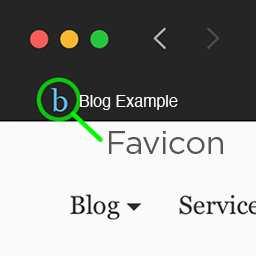
Favicon Rotator 外掛能夠讓您輕鬆客製化您網站上的圖示。只需透過管理頁面新增 favicon,並在每次訪客訪問您的網站時展示。
亮點
新功能:為觸控裝置(Android、iPhone、iPad、iPod Touch 等)設置圖示
點擊即可在您的網站上添加 favicon
支援添加多個圖示,每次加載時將隨機選擇一個展示
能夠自動將大型圖像進行轉換以加速加載速度
使用方法
前往「主題」>「Favicon」的管理頁面,添加/上傳圖像以作為 favicon
這就是全部!當訪客訪問您的網站時,他們在瀏覽器上看到的便是您所設定的 favicon。
注意事項
請確認您的佈景主題使用了 wp_head() 模板標籤
如果您添加了多個圖示,每次加載時將隨機選擇一個展示。
欲知更多 Favicon Rotator 官方頁面相關資訊
外掛標籤
開發者團隊
原文外掛簡介
Favicon Rotator makes it easy to customize the favicon for your site. Just add a favicon via the administration page and it will be displayed whenever someone visits your site.
Highlights
New: Set icon for Touch devices (Android, iPhone, iPad, iPod Touch, etc.)
Simply point and click to add a favicon to your site
Supports adding multiple icons, from which a randomly selected favicon will be displayed.
Automatic icon conversion for large images (smaller files and faster loading)
Usage
Go to Theme > Favicon admin page to add/upload image(s) to use for the favicon
That’s it! The favicon will be displayed in visitors’ browsers when they visit your site
Notes
Verify that your theme uses the wp_head() template tag
If you add multiple icons, then a randomly selected icon will be displayed each time the site is loaded
More Information on Favicon Rotator’s Official Page