內容簡介
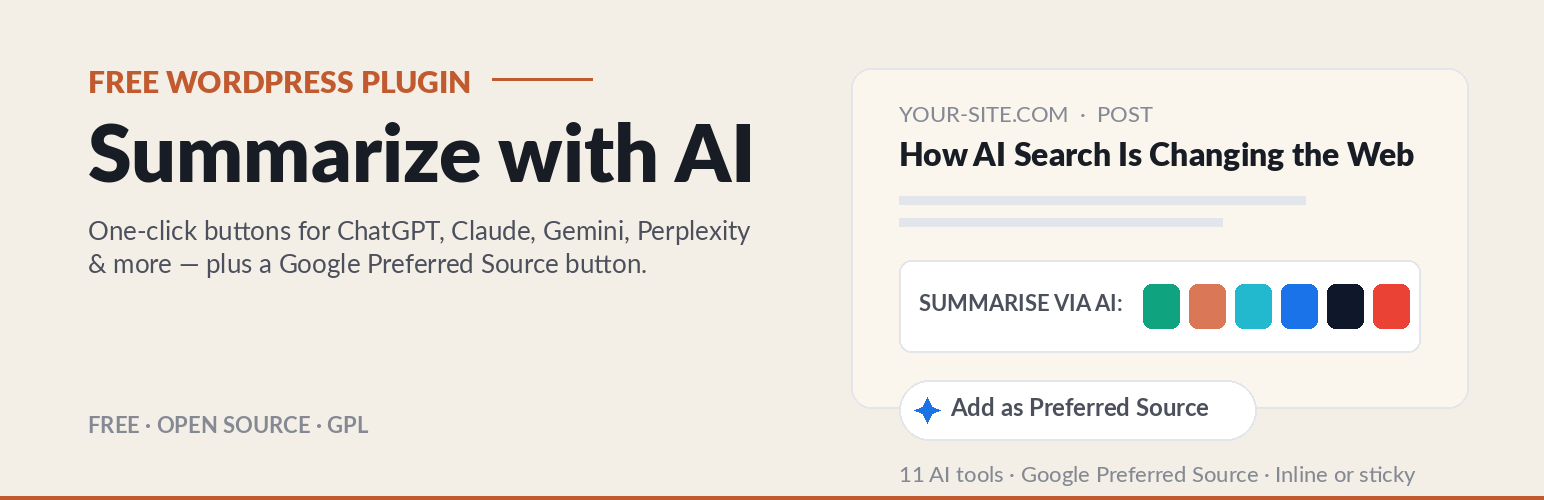
此外掛提供讀者一鍵總結文章的功能,並幫助網站在 Google 搜尋中獲得推薦。它新增「用 AI 總結」按鈕及「新增為首選來源」按鈕,提升內容的可見度。
【主要功能】
• 一鍵總結文章,支持多種 AI 工具
• 增加 Google 的首選來源按鈕
• 控制每個工具的提示內容
• 支持 11 種 AI 工具,包括 ChatGPT 和 Claude
• 可自訂按鈕位置於文章上方或下方
外掛標籤
開發者團隊
② 後台搜尋「AI Summarize Buttons & Google Preferred Source」→ 直接安裝(推薦)
原文外掛簡介
Give your readers a one-click way to summarise your articles in their favourite AI assistant — and help your site get recommended in Google Search. This plugin adds a small, tasteful row of “summarize with AI” buttons to your posts, plus a one-click “Add as Preferred Source” button for Google.
What makes this plugin different: every other AI-summary plugin stops at the buttons. This one also adds Google’s new Preferred Source button. When a reader taps it and selects your site, your content is more likely to show up in Google’s Top Stories, AI Mode and AI Overviews with a “preferred” badge — a real visibility edge you won’t find in other plugins.
Summarize with any AI, in one click
Readers can open your article in ChatGPT, Claude, Google Gemini, Perplexity, Grok and Google AI out of the box — plus optional DeepSeek, Mistral, Copilot, Qwen and Meta AI. Each button opens the chosen tool with a pre-filled, fully editable prompt that points to the current article, so the AI summarises your page, with your site credited as the source.
You control the prompt for every tool, so you can ask each AI to summarise, pull key points, or answer specific questions — in any language and tone. Some tools (Gemini, DeepSeek, Mistral, Copilot, Qwen, Meta AI) don’t accept a prompt in the URL; for those the button copies the prompt to the reader’s clipboard and opens the tool, with a small “paste it in” confirmation. The rest open pre-filled automatically.
Become a Google Preferred Source
Turn on the optional “Add as Preferred Source” button and your readers can make your site a preferred source in Google Search in a single tap. Choose a clean no-script link or Google’s official button, and place it at the top of your articles, the bottom, or both. (Your site must already appear in Google’s source-preferences tool to be eligible.)
Key Features:
Support for 11 AI Tools: ChatGPT, Claude, Perplexity, Gemini, Grok and Google AI enabled out of the box, plus optional DeepSeek, Mistral, Copilot, Qwen and Meta AI. Editable in the backend so you can update endpoints as platforms change.
Smart Sharing: URL-prompt tools open pre-filled; clipboard-only tools (like Gemini) copy the prompt and open the tool, with a confirmation toast — so the prompt always reaches the AI.
Custom Prompts: Write your own prompts in any language to guide how each AI interprets and summarises your content, using the {url} and {sitename} placeholders.
Per-Post-Type Control: Choose exactly which content types show the buttons — Posts, Pages, or any public custom post type.
Per-Post Opt-Out: An “AI Summarize Buttons” box in the post editor lets you hide the buttons on any individual post.
Flexible Placement & Sizing: Inline (before/after content) or sticky floating (left/right), in three button sizes (Small / Normal / Large), with an option to hide the buttons on mobile.
Three Display Modes: Text + Icons (default), Icons only, or Text only.
Editable Heading: Set the label shown before the buttons (default “Summarise via AI:”), or leave it blank to hide it.
Google Preferred Source (optional): Invite readers to add your site as a preferred source in Google Search — shown in Top Stories, AI Mode and AI Overviews with a “preferred” badge. Choose a simple link (no external scripts) or Google’s official button, and place it before, after, or both around your content.
Built-in Icons: Lightweight, brand-distinct inline SVG icons for every tool. Zero extra HTTP requests, scales perfectly on retina displays, fully accessible.
Customisation: Use the native WordPress colour picker to match each button to your brand theme.
Secure & Sanitised: Fully compliant with WordPress escaping and sanitisation standards.
External services
This plugin connects to third-party services only in the two optional cases below. With default settings, the plugin makes no external requests from your server.
AI share buttons (reader-initiated): When a visitor clicks a share button, their own browser opens the chosen AI tool (for example chatgpt.com, claude.ai, perplexity.ai, gemini.google.com, x.com/i/grok, google.com, chat.deepseek.com, chat.mistral.ai, copilot.microsoft.com, chat.qwen.ai, meta.ai) with a pre-filled or clipboard-copied prompt. These are client-side navigations initiated by the visitor; your server sends nothing to these services, and the plugin transmits no personal data. Each destination has its own terms and privacy policy.
Google Preferred Source “Official Google button” mode (optional, off by default): When — and only when — you set the Preferred Source option to “Official Google button”, the plugin loads Google’s publisher library from https://news.google.com/swg/js/v1/publisher.js to render Google’s localised “add to preferred sources” button. This happens in the visitor’s browser on pages where the button is shown. If you use the “Simple link” mode or leave the feature off, this script is never loaded. Google’s terms: https://policies.google.com/terms and privacy policy: https://policies.google.com/privacy.
Trademarks
This plugin is an independent project and is not affiliated with, endorsed by, or sponsored by Google, OpenAI, Anthropic, Perplexity, xAI, Microsoft, Mistral AI, DeepSeek, Alibaba (Qwen) or Meta. Product names, logos and brands are the property of their respective owners and are used here only to describe which tools the buttons link to.