
內容簡介
Product Tabs for WooCommerce 外掛幫助商店擁有者以清晰、一致的方式組織產品資訊,避免在多個產品中重複內容。透過可重用的產品標籤,使用者能夠輕鬆管理產品資訊,提升顧客體驗。
【主要功能】
• 創建可重用的產品標籤
• 按產品、類別或品牌顯示標籤
• 隱藏或覆蓋特定產品的全域標籤
• 控制標籤的顯示順序
• 支援短碼、嵌入和 HTML 內容
• 可選擇以手風琴佈局顯示標籤
外掛標籤
開發者團隊
② 後台搜尋「Product Tabs for WooCommerce」→ 直接安裝(推薦)
原文外掛簡介
Product Tabs for WooCommerce helps store owners organize product information in a clear, consistent way—without duplicating content across products.
If you manage more than a handful of products, keeping tabs like Shipping, Returns, Size Guides, Warranty, or Ingredients in sync quickly becomes frustrating. This plugin solves that by letting you create reusable product tabs and decide exactly where, when, and how they appear.
Why this plugin?
Create tabs once and reuse them across your catalog
Show tabs only on specific products, categories, tags, or brands
Override or hide a global tab on a single product when needed
Control the final tab order—including default WooCommerce tabs
Add icons and switch between tabs or accordion layout
Keep everything manageable from familiar WooCommerce screens
Unlike many alternatives, these features are available without locking core functionality behind a paywall.
Built for real WooCommerce stores
Tabs support normal WordPress content, so shortcodes, embeds, HTML, and blocks work as expected. Icons can be added using Dashicons or the bundled Font Awesome set to make tab headings easier to scan.
For mobile-friendly layouts, tabs can be displayed as an accordion with one setting—ideal for long product pages.
The plugin is designed to integrate cleanly with WooCommerce. It declares compatibility with High Performance Order Storage (HPOS), Cart & Checkout Blocks, and supports WooCommerce Brands when that taxonomy is available.
How it works
Go to Products → Product Tabs to create reusable (global) tabs
Add a title, content, and optional icon
Assign categories, tags, or brands to control where the tab appears
Leave assignments empty to show the tab on all products
When editing an individual product, you can:
Add product-specific tabs that apply only to that product
Hide a global tab for that product
Override a global tab’s content while keeping its title and icon
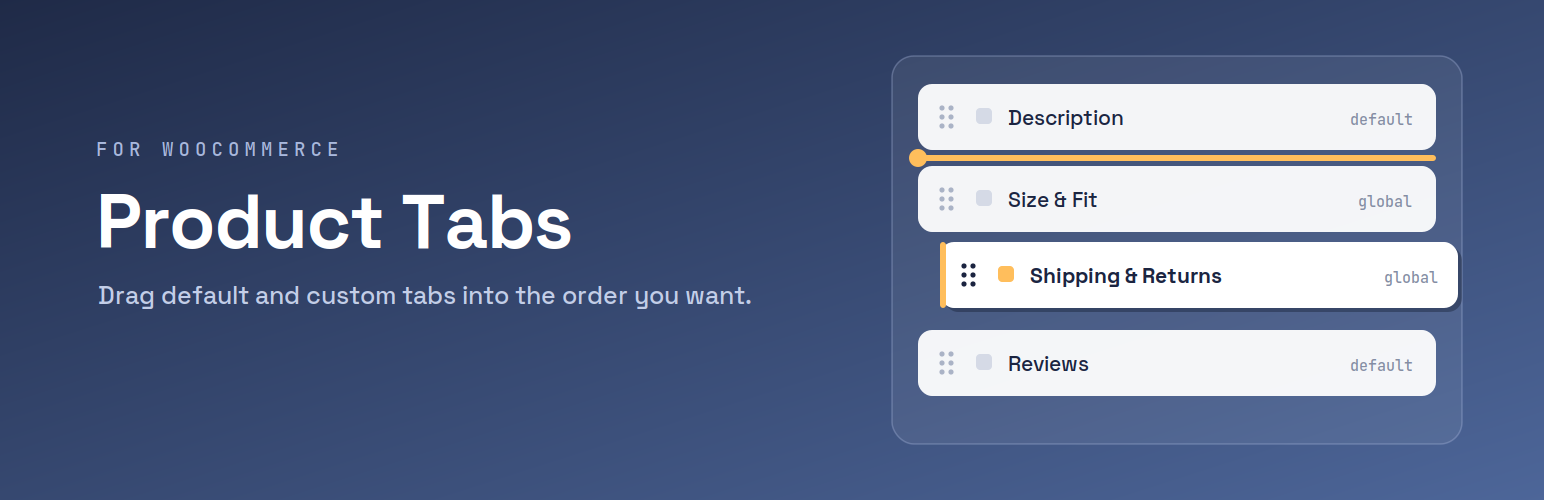
To control the order, open Products → Product Tabs → Reorder and drag default WooCommerce tabs and global tabs into the exact sequence you want. Product-specific tabs appear afterward in their own order.
What you can do
Create reusable WooCommerce product tabs
Add custom tabs to individual products
Target tabs by category, tag, or brand
Override or hide global tabs per product
Rename or hide default WooCommerce tabs
Reorder all tabs from one screen
Add icons to tab headings
Display tabs as an accordion layout
Use shortcodes, embeds, and HTML in tab content
Real-world examples
Fashion stores add a “Size & Fit” tab across all apparel, while showing “Care Instructions” only for certain materials
Electronics shops reuse a “Warranty” tab, but override the content for premium models
Food and cosmetics display “Ingredients & Allergens” only where required
Multi-brand stores show a “Brand Story” tab only on products from that brand
Policy content like “Shipping & Returns” is managed once and reused consistently
Instead of copying content into every product, you manage it centrally and adjust only when a product truly needs something different.
Compatibility
Works with WordPress 6.0+ and WooCommerce 6.0+ (tested up to WooCommerce 10.3.0). Compatible with HPOS, Cart & Checkout Blocks, and WooCommerce Brands when available.
Privacy
This plugin does not collect or transmit personal data. All settings and content are stored locally in your WordPress database.

