內容簡介
Kitgenix Custom Tabs for WooCommerce 是一款專為 WooCommerce 設計的產品標籤管理外掛,允許用戶在不編輯佈景主題模板的情況下,為產品頁面添加結構化資訊。用戶可以創建特定產品的標籤、可重複使用的全局標籤及內容模板,方便管理產品資訊。
【主要功能】
• 為每個 WooCommerce 產品添加多個自訂標籤
• 創建可在目錄中重複使用的全局標籤
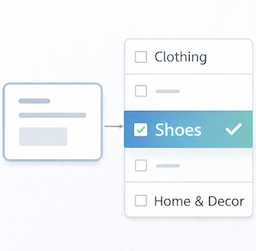
• 根據產品類別、標籤或型別篩選標籤顯示
• 設定標籤的可見性與優先順序
• 支援 WordPress 短碼處理
• 匯出/匯入配置與模板
外掛標籤
開發者團隊
② 後台搜尋「Kitgenix Custom Tabs for WooCommerce」→ 直接安裝(推薦)
原文外掛簡介
Kitgenix Custom Tabs for WooCommerce is a WooCommerce product tab manager for adding structured information to product pages without editing theme templates. Create product-specific tabs, reusable global tabs and saved content templates for size guides, technical specifications, ingredients, care instructions, warranties, delivery information, FAQs and other product content.
The plugin uses WooCommerce’s native product-tab filter, so frontend output remains part of the normal WooCommerce tab system rather than replacing the entire product page with a proprietary layout.
It is suitable for stores that need different content on individual products as well as stores that need the same tab across a product category, tag, product type or carefully targeted group of products.
Developed by Kitgenix.
WooCommerce Custom Tab Features
Add multiple custom tabs to an individual WooCommerce product.
Create global tabs that can be reused across the catalogue.
Include or exclude selected products.
Include or exclude product categories.
Include or exclude product tags.
Target simple, variable, grouped or external product types.
Restrict tab visibility by logged-in/logged-out state.
Restrict tab visibility by WordPress user role.
Restrict tabs by stock status and product purchasability.
Set explicit tab priorities and use configurable default priority/step values.
Enable, disable and duplicate tabs without discarding the original content.
Choose whether the heading inside the tab panel is displayed.
Optionally process WordPress shortcodes inside tab content.
Edit rich content with the locally bundled Quill editor.
Save reusable content templates.
Apply a saved template to selected products using WooCommerce bulk actions.
Render an enabled saved template with the [kitgenix_tab] shortcode.
Export/import full configuration with JSON.
Export/import core Global Tab or Template fields with CSV.
Keep a local capped activity log for operational events and diagnostics.
Declare WooCommerce High-Performance Order Storage compatibility.
Per-Product Tabs
Product-specific tabs are managed from the WooCommerce product editing experience. Each product can have its own collection of tab records containing the title, content, slug, priority, enabled state and presentation/visibility settings supported by the plugin.
This is useful for information that is unique to a single item: a model-specific specification, one-off installation notes, an individual warranty statement or product-specific downloadable guidance.
Global Product Tabs
Global Tabs let one piece of content appear across many products without copying and maintaining it on every product separately.
A global tab can be left broadly applicable or narrowed with Include and Exclude rules. Targeting dimensions include products, categories, tags and product types. Exclusions take precedence. Where several Include dimensions are populated, the product must satisfy each populated dimension, while selected values within an individual dimension act as alternatives.
That allows combinations such as “show this size guide on variable products in the clothing category except these three products” or “show this compliance note only on products carrying a specific tag.”
Customer and Product Visibility Rules
Product-specific and global tabs can also be restricted by context. The code supports rules based on login state, WordPress role, stock state and whether the product is purchasable.
These rules can be used for trade-only information, logged-in customer resources, stock-dependent messaging or product instructions that only make sense while an item can be purchased.
Rich Content and Shortcodes
The admin editor uses a locally bundled Quill editor, allowing formatted content without loading the editor from a third-party JavaScript CDN. Stored tab content is sanitised through WordPress before output.
Shortcode processing inside tab content is optional. Leaving shortcode processing disabled is useful where stores want plain controlled content; enabling it allows existing WordPress shortcodes to be embedded in tab content.
Reusable Templates
Templates provide a separate library for frequently repeated tab content. A template can be inserted while editing tabs, applied to selected products through WooCommerce bulk actions or rendered elsewhere with the template shortcode.
Example:
[kitgenix_tab slug="warranty-info"]
The shortcode renders enabled saved templates. It is not a dynamic lookup for a product’s private per-product tab or a conditional Global Tab.
JSON and CSV Import/Export
JSON is the full-fidelity portability format. It can carry plugin settings, Global Tabs, Templates, targeting conditions and visibility rules and can be used for controlled migration between stores.
CSV is intended for spreadsheet-friendly editing of the core Global Tab or Template fields such as title, nickname, slug, priority, enabled state and content. Targeting and visibility rules are not represented in the CSV format, so JSON should be used when those rules must be preserved.
Upload size is bounded by the plugin to reduce the risk of oversized import requests.
WooCommerce-Native Output
Frontend tabs are inserted with WooCommerce’s woocommerce_product_tabs filter. That means the active WooCommerce-compatible theme continues to control the surrounding tab layout and normal product-page behaviour.
The plugin does not need to read or write WooCommerce orders in order to display product tabs. Product-specific tab data is stored against products, while global configuration and templates use plugin options.
Typical Store Uses
Product size guides shared across a category.
Warranty or guarantee information.
Technical datasheets and product specifications.
Ingredients, allergens or material information.
Care and maintenance instructions.
Delivery and collection information.
Trade-only technical notes for logged-in roles.
Product FAQs or installation instructions.
Reusable compliance or safety information.
Compatibility
WordPress 6.0 or later; tested up to WordPress 7.1.
PHP 8.1 or later.
WooCommerce 10.0 or later; tested with WooCommerce 11.0.1.
Declares WooCommerce HPOS compatibility.
Uses the native woocommerce_product_tabs filter for frontend output.
Product-specific tabs are stored as product meta; the plugin does not read or write WooCommerce order data.
External Services
The product-tab functionality is self-contained, but two external services can be contacted on specific plugin admin screens.
WordPress.org Plugin Directory
When an authorised administrator opens the top-level Kitgenix Hub, the plugin uses WordPress’s plugins_api() function to request public metadata for a fixed list of Kitgenix plugins, including active-install counts, ratings, and available banner/icon artwork. Results are cached for approximately one day. Remote artwork returned by WordPress.org may also be requested by the administrator’s browser when displayed.
The plugin does not intentionally send customer, order, product, or tab-content data in these requests. Normal network information such as IP addresses and HTTP request metadata may be visible to WordPress.org.
Service: https://wordpress.org/plugins/
Privacy policy: https://wordpress.org/about/privacy/
Google Fonts
The shared Kitgenix wp-admin stylesheet imports the Inter and Manrope font families from Google Fonts on plugin admin screens where that stylesheet is loaded. The administrator’s browser may therefore contact Google’s font infrastructure, which can receive normal request metadata such as IP address and browser information.
Service: https://fonts.google.com/
Privacy information: https://developers.google.com/fonts/faq/privacy
Terms: https://policies.google.com/terms
No external service is required to render custom tabs on public WooCommerce product pages.
Privacy & Security
The plugin does not include Kitgenix telemetry or send customer, order, product, or tab content to Kitgenix servers.
Its local activity log stores a timestamp, event context, outcome, short note, and event code. It does not intentionally record IP addresses, passwords, payment data, or customer order information. The log can be cleared from the plugin’s Log screen.
Tab HTML is sanitised with WordPress APIs before storage/output. Administrative saves, imports, exports, and other sensitive actions use capability and nonce checks appropriate to their context.
Per-product tabs are stored in kitgenix_custom_tabs_for_woocommerce_tabs. Settings/global tabs use kitgenix_custom_tabs_for_woocommerce_settings; templates use kitgenix_custom_tabs_for_woocommerce_templates; the activity log uses kitgenix_custom_tabs_for_woocommerce_event_log.
When the plugin is uninstalled through WordPress, its settings, templates, event log, related transients, and product-tab meta are removed. Multisite uninstall performs the cleanup for each site in the network.
Bundled Library & Source Code
The plugin bundles Quill Editor 1.3.7 locally for rich-text editing in wp-admin (assets/vendor/quill/quill.min.js and quill.snow.css). It is not loaded from a third-party JavaScript CDN.
Quill 1.3.7 source code: https://github.com/slab/quill/tree/1.3.7
Quill project: https://quilljs.com/
License: BSD-3-Clause
Copyright (c) 2014 Jason Chen; Copyright (c) 2013 salesforce.com.
Support
Plugin information and documentation:
https://kitgenix.com/plugins/kitgenix-custom-tabs-for-woocommerce/
For WordPress.org installations, support is also available through the plugin’s WordPress.org support forum.
Support Development
Kitgenix Custom Tabs for WooCommerce is free software. If it helps your store, you can support continued development with a voluntary donation:
https://www.paypal.com/donate/?hosted_button_id=KALF36K6JJ9B2