內容簡介
Demfilz Advanced Menus 外掛升級了佈景主題的選單,提供用戶所需的導航功能,並在「外觀 > 選單」中進行設置,無需額外學習新介面。
【主要功能】
• 內建 90 多個 SVG 圖示選擇
• 自訂選單項目的顯示樣式
• 支援 Mega menus 及自訂內容
• 行動裝置友好的滑出選單
• 可設定固定標題及顏色樣式
• 支援鍵盤及螢幕閱讀器操作
外掛標籤
開發者團隊
原文外掛簡介
Your theme’s menu, upgraded. Advanced Menus adds the things people always end up wanting from their navigation, and it does it inside Appearance > Menus, on the items you already have. No page builder, no theme lock-in, no new admin screens to learn.
On every menu item
An icon from a built in library of more than 90 inline SVG icons, or any image from your media library. Before, after or above the label, or icon only with the label kept for screen readers.
A badge: “New”, “Sale”, “-20%”, in five colour presets or your own colours.
The description shown as a subtitle under the label.
A highlight style: solid or outline button, for the one item that deserves attention.
Visibility rules: everyone, logged in users (optionally only some roles), logged out visitors, desktop only, mobile only, and a date window. Hidden items take their children with them.
Mega menus
Tick “Mega menu” on a top level item and its child items become columns. Each column is a heading with the third level as its links, or one of these instead:
Products: the most recent, featured, on sale, best selling, or from one category, with thumbnail and price (WooCommerce).
Product categories, with thumbnail and product count, top level or under a chosen parent (WooCommerce).
Recent posts, optionally from one category.
An image, linked to the item’s URL.
A synced pattern, built once under Appearance > Patterns.
Custom content: HTML and shortcodes.
Panels can be full width, the width of the menu, or fit their content. Columns can span two, three or four tracks. Below the mobile breakpoint the panel becomes a plain nested list, so nothing is lost on a phone.
Item types
Turn a custom link into a search form (inline, or an icon that expands, with live results as you type), a cart link with a live count and a dropdown mini cart, an account link that becomes a menu of account pages once signed in, a block of custom content, or a divider. A “no link” option turns any item into a heading.
Mobile drawer
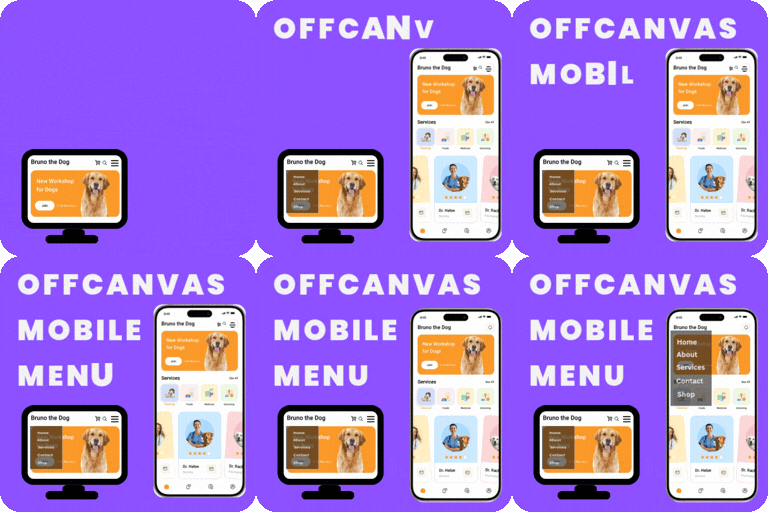
A slide in drawer built from any menu, from the left or the right, with accordion submenus, an optional search box, and account and cart links. Open it from a floating button, from your theme’s own menu button (enter its selector and the theme menu is replaced), from the [demfilz_menu_button] shortcode, from the block, or from any element carrying the attribute data-dadm-open. Focus is trapped inside while it is open, Escape closes it, and focus returns to the button.
Sticky header
Give it a CSS selector and the header stays on screen while scrolling. A placeholder stops the page jumping, the admin bar is accounted for, a shrink class is added after a short scroll, and it can be desktop only.
Colours and shape, live
Panel colours, accent colour, corner radius, shadow, font size and a light, dark or automatic colour scheme are in the Customizer with an instant preview.
Place menus anywhere
The “Advanced Menu” block, the [demfilz_menu] shortcode and the “Advanced Menu” widget render a horizontal bar, a vertical list, or a drawer button.
Built properly
Works with the theme you have: the plugin enhances the menus your theme prints through standard WordPress filters. Themes that print two levels get a third level for mega menus.
Keyboard and screen reader support: aria-expanded, arrow keys, Escape, focus trap, visible focus rings, reduced motion respected.
One small stylesheet and one script, loaded only when a feature is on. No jQuery. Nothing loaded from anywhere else: icons are inline SVG.
Product columns are cached and refreshed when a product is saved.
Settings export and import as JSON.
Hooks for developers: dadm_item_visible, dadm_icons, dadm_search_results, dadm_column_html, dadm_product_query_args, dadm_before_drawer_menu, dadm_after_drawer_menu.
No external services. Nothing leaves your site.