內容簡介
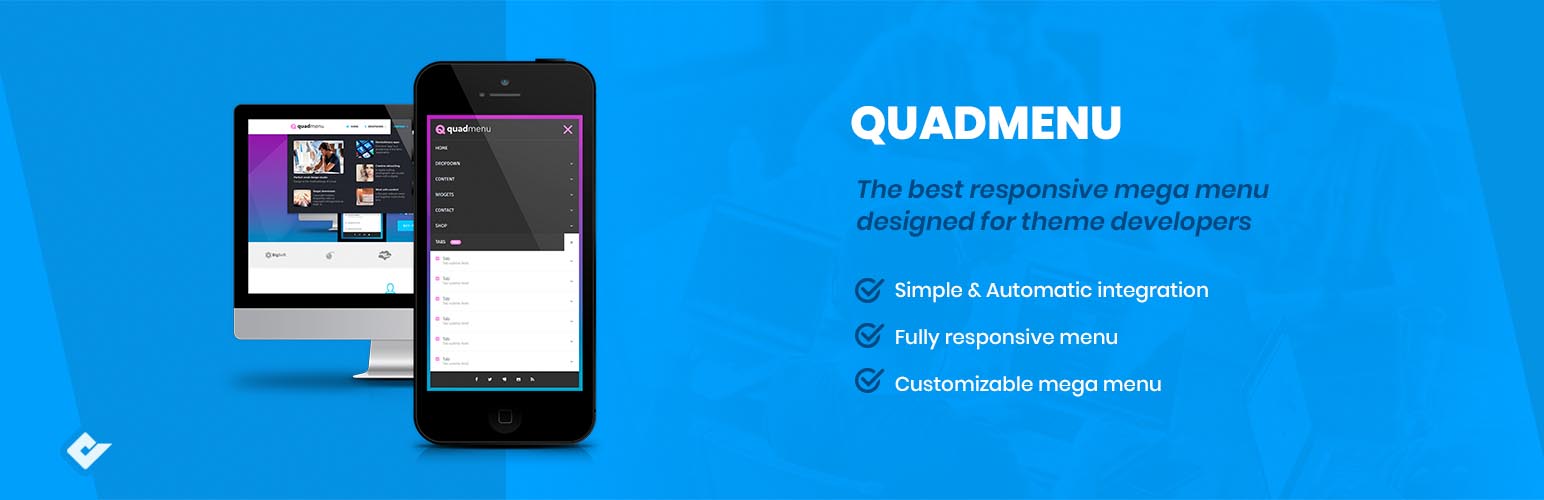
QuadMenu 是一款適用於 WordPress 的響應式 Mega Menu 外掛,提供可自訂佈局及直觀的拖放建構器,讓使用者輕鬆整合並創建強大的選單,提升網站的導航體驗。
【主要功能】
• 簡單自動整合至現有選單
• 直觀的拖放介面管理選單內容
• 完全響應式設計,適應各種螢幕尺寸
• 可自訂的 Mega Menu,輕鬆添加或移除欄位
• 支援多種佈局選擇,如垂直及橫向選單
• 整合自訂儀表板,實時預覽變更效果
外掛標籤
開發者團隊
📦 歷史版本下載
原文外掛簡介
Responsive mega menu plugin for WordPress with customizable layouts and an intuitive drag-and-drop builder.
Presentation
Premium | Demo | Documentation | Developers | Community
QuadMenu is a WordPress Mega Menu that will allows you easily integrate the menu in your theme’s project. This plugin allows you to create mega menus, tabs menus and carrousel menus in a simple and native way converting your existing menu into a powerful tool.
Highlights
Simple & Automatic integration from simple menu to megamenu.
Intuitive menu, easy to set megamenu options.
Fully responsive menu.
Customizable mega menu, gives the possibility to add or remove fields, and modify option with simple drag & drop.
Mobile
This WordPress Mega Menu is a responsive menu, which means that the layout will fit all screen sizes. Nevertheless, the difference with other alternatives is that the touch screen events have been incorporated natively, substantially improving the user experience in touch screens.
Layouts
Collpase | Offcanvas | Vertical | Sidebar
We also must mention the variety of available layouts that highlights this wordpress mega menu over other alternatives. This is the first mega menu that’s all in one solution, as you’ll be able to create an horizontal or vertical menu in desktop devices and collapsible or offcanvas menu in mobile.
Drag & drop
The drag and drop admin panel is another key feature that stand out this megamenu. From the native menu administration panel you can manage all the content of your megamenu trough a drag and drop interface that allows you to add new elements, create columns and add widgets or any other type of element available in the native WordPress menu metaboxes.
Customize
Finally, we must stand out the integration with the customizer dashboard. This is a feature that’s only available in the premium megamenu version and is an important feature if you will include this plugin in your themes project, as this allows you and your end users to tweak all menu color scheme or layout settings and see the effect of that changes in real time.
Developers
Developers | Documentation
QuadMenu has been designed by developers for developers. For them, we have included a vast number of filters that let you change the style and behavior of your WordPress Menu, simplifying the integration with your products.
Features:
Automatic and manual menu integration
Build extending the standard WordPress Menu system
Supports multiple menu locations
Drag and Drop admin builder
Display WordPress Widgets in your menu
Support for child themes
Unlimited Menu Themes
Vertical Mega Menu
Horizontal Mega Menu
Offcanvas Mega Menu
Sticky Menu
Click or use the hoverIntent plugin to open links
Align links options
Float dropdown menus options
Customizable breakpoint for menu collapse
Show or hide items depending on the screen size
Support for Font Awesome icons
Google Fonts
Dropdown animations
Support for Visual Composer
Mega Menu
Icons Menu
Search Menu
Cart Menu
Pro Features:
Tabs Menu
Login Menu
Register Menu
Social Menu
Carousel Menu