內容簡介
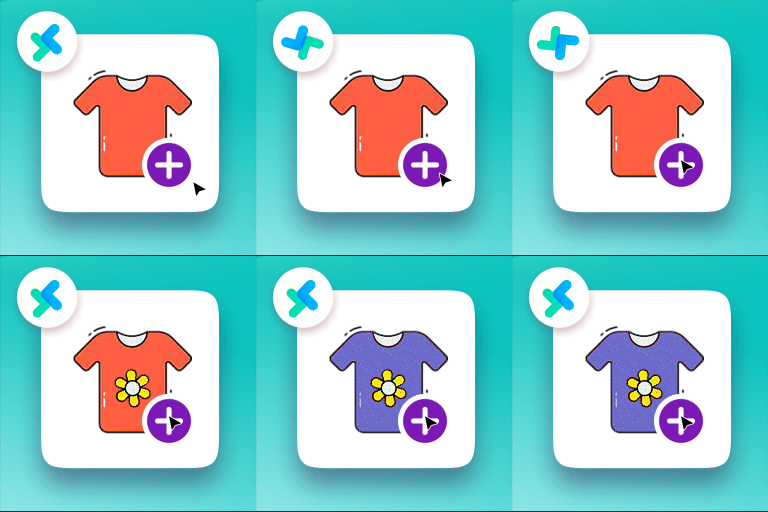
WooCommerce 的自訂產品類型外掛程式為 WooCommerce 的產品類型新增自訂產品類型,具備很棒的控制和功能。
透過這個外掛程式,您可以販售任何類型的產品(例如書籍、示範、食品、家具等等),並帶有自訂產品頁籤和自訂元數據欄位(專業版),您可以選擇是否在產品頁面上顯示它們,並以 cwpt 短代碼將這些產品顯示在任何頁面上。
[cwpt_products product_type="product_type"]
您可以隱藏這些產品於商城頁面上,然後在其他頁面上顯示它們,同時,您也可以新增自訂稅onomies 以相關連到這個產品類型。
免費版外掛功能
新增自訂產品類型。
新增自訂產品稅onomy。
從商城頁面上隱藏產品類型。
自訂產品類型商城徽章。
透過短代碼在自訂頁面上顯示產品類型。
專業版外掛功能
自訂產品類型自訂管理頁籤。
自訂產品類型自訂頁籤管理欄位。
欄位類型(文字、選取、單選框、文字框)。
欄位名稱。
欄位占位符。
(顯示/隱藏)於產品前頁面。
在「加入購物車按鈕」之前
在「加入購物車按鈕」之後
在產品元數據之前
在產品元數據之後
在產品標題之後
將文字欄位作為 URL(啟用/停用)。
DEMO
若有任何問題:
請透過 插件支援論壇 聯絡我們。
升級至專業版。
外掛標籤
開發者團隊
② 後台搜尋「Custom Product Type for WooCommerce – Add-Ons, Data, Options, Layouts, Booking & Appointments」→ 直接安裝(推薦)
📦 歷史版本下載
原文外掛簡介
Custom Product Type for WooCommerce helps you create unique WooCommerce product types with addons and options fields, custom admin data tab, tab custom fields (can be shown in front), layout control, and advanced booking fields.
Designed for all types of products eg. (services, classes, tickets, or appointment-based businesses), this plugin gives you full visual control of WooCommerce single product data — from field structure to layout to display locations.
📺 YouTube Tutorials: Watch the full playlist
🔁 Create Multiple Product Types: Define as many types as you want, each with its own tab, fields, layout, and output position.
📦 Move Your Product Types Easily: Easily transfer your custom product types, fields, and layouts from one site to another.
🌐 WPML + Polylang Support: Fully multilingual ready.
💳 Checkout-Safe: Fields do not conflict with WooCommerce cart, pricing, or payments.
Custom Fields (Free & Pro)
The plugin includes a complete fields engine for building product types with user inputs, price modifiers, booking data, and admin-only metadata. All fields can be shown on the product page, cart, checkout, and order details automatically using the “Show on Frontend” toggle.
Every field supports:
Required/Optional setting
Default values
Field width controlling layout
Frontend visibility toggle
Admin-only mode
💫 Free Add-Ons Field Types
Title: Display a static heading or label to organize your fields.
Number: A numeric input field with support for minimum and maximum values.
Text: Standard single-line text input for names, notes, or short data.
Link (URL): A field for web addresses with automatic format validation.
Email: Ensures the customer enters a correctly formatted email address.
Textarea: Multi-line text input for longer descriptions or special instructions.
Radio: A list of options where the user can select only one.
Select: A dropdown menu for picking a single option from a list.
Checkbox: A single checkbox for binary choices or confirmations.
Date Picker: A calendar popup allowing users to select a specific date.
Date/Time: Allows users to select both a date and a time.
Date/Time with Time Zone: Specialized picker including time zone information.
Hidden: Passes data through the form that is not visible to the customer.
Color Picker: A visual tool for selecting colors from a palette.
⭐ Pro Add-Ons Field Types
Price (Money Field): A dedicated field for prices that can modify the total cost.
Select Taxonomy: Dropdown menu populated with terms from your WordPress taxonomies.
Radio Taxonomy: Radio button selection based on your site’s taxonomy terms.
Radio Taxonomy Inline: Displays taxonomy radio buttons in a horizontal line.
Radio Taxonomy Hierarchical: Shows taxonomy terms in an organized parent-child structure.
Multicheck: Allows users to select multiple options from a list of checkboxes.
Multicheck Taxonomy: Multi-selection checkboxes based on taxonomies.
Multicheck Taxonomy Inline: Horizontal list of checkboxes for taxonomy terms.
Multicheck Taxonomy Hierarchical: Nested checkbox list for complex taxonomies.
Country Selector: A searchable dropdown list of all countries.
File Upload: Enables customers to upload a single file with their order.
Multiple Files Upload: Allows users to attach multiple files at once.
WYSIWYG Editor: A rich text editor for formatted customer input.
Booking Calendar: Advanced calendar for scheduling appointments and slots.
Buy Now Button Field: Adds a quick purchase button within the field group.
✅ What You Can Do with This Plugin
🧩 Add custom fields to WooCommerce product types (text, select, checkbox, radio)
📄 Display product data before/after title, add-to-cart, price, or meta
🧠 Create Custom Product Types with dedicated admin tabs
🎨 Choose from 4 built-in layout templates for the single product page
🏷️ Apply custom badges per product type
🧾 Add static structured data like instructor name, ticket ID, session time, etc.
🔎 Use shortcodes: `[cwpt_products product_type=”your_type”]`
🌐 Multilingual with WPML/Polylang
🛒 Hide/show product types from shop/catalog
🔒 Add user input fields (text, textarea, select, etc.) [Pro]
🔒 Enable interactive booking calendars & date pickers [Pro]
🔒 Add file upload, WYSIWYG, email, color picker fields [Pro]
🔒 Create field-based pricing logic [Pro]
🆓 Free Features
✅ Create unlimited custom product types
✅ Move your custom product types between sites in just a few steps
✅ Add custom WooCommerce admin tabs with fields
✅ Choose field display locations (before/after title, price, cart, meta)
✅ Field types: Text, Textarea, Select, Radio, Checkbox
✅ 4 Single product page layout templates
✅ Product badge support per product type
✅ Shortcode: `[cwpt_products product_type=”your_type”]`
✅ Show/hide product types from shop/catalog
✅ Custom taxonomy support
✅ WPML and Polylang compatible
✅ Works with all WooCommerce payment gateways
💎 Premium Add-On Features
Unlock advanced control over your product types with the Pro version:
🔓 Advanded WooCommerce Product Add-Ons Options & Extras
🔓 Interactive Booking Calendar and Date Picker
🔓 File Upload, Email, URL, and WYSIWYG fields
🔓 Color Picker and Taxonomy-based fields (radio/select)
🔓 Field pricing logic per selection
🔓 More Advanced Layouts
🔓 Buy Now Button field for fast checkout.
👉 Upgrade to PRO
🧠 Popular Use Cases
📚 Books: Show author name, ISBN, edition, or series
🎟️ Event Tickets: Show date, seat category, meal preference
🎓 Courses: Display session type, instructor, language, duration
🔧 Services: Add service details, duration, or booking slots
🍱 Food Orders: Display ingredients, allergens, or category
== Upgrade to Pro ==
Unlock custom product workflows with booking fields, pricing logic, file uploads, WYSIWYG, and more advanced field types.
Upgrade to Pro
Demo & Tutorials
🌐 Live Demo
📺 YouTube Tutorials
💡 Need Help?
👉 Get support on the WordPress.org Support Forum
👉 Access Premium Support
🎥 YouTube Channel
== More by WPSaad ==
🖼️ Image Alt Text Manager – Pro Version
🚚 Shipping Manager for WooCommerce – Pro Version
🧱 WPSaad Addons for Dokan and Elementor – Pro Version
💲 Bulk Wholesale Dynamic Pricing Buttons – Pro Version
⚙️ Product Add-Ons, Custom Fields, Booking & Extra Options – Pro Version
== Other Services ==
🔧 WordPress Design & Development Services
⚙️ WordPress Professional Support Services