內容簡介
這個外掛可幫助您顯示線上使用者。可以追蹤會員、訪客和機器人,他們的計數、線上人數等等。此外,此外掛還可記錄每個使用者的上次登入時間、IP位址和裝置。
CBX User Online & Last Login by Codeboxr
📺 線上示範 | 📋 文件 | 🌟 升級至 PRO 版 | 👨💻 免費支援 | 🤴 專業支援 | 📱 聯絡我們
如果您認為缺少任何必要的功能,請聯繫我們,我們會在新版本中新增。檢查功能的最好方法是在任何開發網站安裝免費核心版本並進行探索.
🛄 核心外掛功能
針對訪客的 Cookie 和針對已註冊使用者的登入會話驗證可完美追蹤使用者。
線上人數最多的使用者計數和日期
基於 shortcode 和 widget 的顯示
追蹤用戶名稱、IP、用戶代理、來自行動裝置或桌面電腦等等
簡單的外掛選項,可設定刷新時間
顯示已登入會員名單作為線上列表
顯示網站或特定頁面的線上使用者統計數據
為訪客動態創建 cookie 名稱
[新功能] 從版本 v1.0.6 起記錄使用者的上次登入時間、IP 和裝置
[新功能] 從版本 v1.0.9 起支援 Elementor 和 WPBakery
📺 線上示範
請參閱 線上示範
🧮 Shortcodes
可代入許多參數的 shortcode。shortcode 可適用於任何文章、頁面或 do_shortcode。
shortcode 格式:[cbxuseronline]
🀄 Widgets
經典 Widget
顯示會員名單
連結使用者至作者頁面
顯示線上人數
顯示個人計數
顯示會員計數
顯示訪客計數
顯示機器人計數
顯示目前頁面
顯示線上人數最多的使用者
顯示行動裝置或桌面電腦的已登入狀態
Elementor Widget
顯示會員名单
連結使用者至作者頁面
顯示線上人數
顯示個人計數
顯示會員計數
顯示訪客計數
顯示機器人計數
顯示目前頁面
顯示線上人數最多的使用者
顯示行動裝置或桌面電腦的已登入狀態
WPBakery Addon
顯示會員名单
連結使用者至作者頁面
顯示線上人數
顯示個人計數
顯示會員計數
顯示訪客計數
顯示機器人計數
顯示目前頁面
顯示線上人數最多的使用者
顯示行動裝置或桌面電腦的已登入狀態
👨🏫 在此處查看更多詳細信息和使用指南
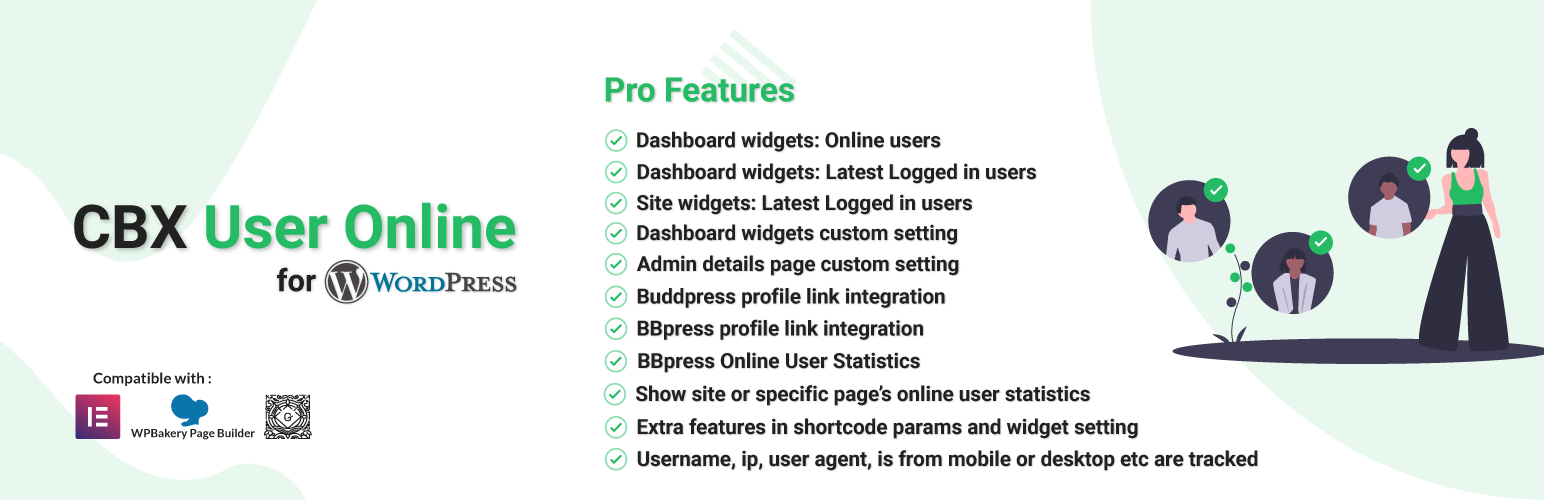
💎 PRO 插件功能
請注意:免費版本始終免費,但我們發布了帶有一些額外功能的 PRO 版本。
外掛標籤
開發者團隊
② 後台搜尋「CBX User Online & Last Login」→ 直接安裝(推薦)
原文外掛簡介
This plugin helps to show online users. Member, guest and bot can be tracked, their counts, most users online etc. This plugin also helps to records any user’s last login time, ip address and device.
CBX User Online & Last Login by Codeboxr
📺 Live Demo | 📋 Documentation | 🌟 Upgrade to PRO | 👨💻 Free Support | 🤴 Pro Support | 📱 Contact
If you think any necessary feature is missing contact with us, we will add in new release. Best way to check the feature is install the free core version in any dev site and explore
🛄 Core Plugin Features
Cookie for guest user and login session check for registered user which tracks users perfectly.
Most user online count and date
Shortcode and widget based display
Username, ip, user agent, is from mobile or desktop etc are tracked
Simple plugin option to set refresh time
Show logged in member as online list
Show site or specific page’s online user statistics
Dynamically created cookie name for guest visitor
[new] Records user’s last login time, ip and device from v1.0.6
[new] Elementor & WPBakery support from v1.0.9
📺 Live Demo
Check Live Demo
🧮 Shortcodes
Shortcode with lot of params. Shortcode works for any post, page or do_shortcode.
Shortcode Format: [cbxuseronline]
🀄 Widgets
Classic Widgets
Show Memberlist
Link user to author page
Show online count
Show individual count
Show member count
Show guest count
Show bot count
Show bot count
Show for current page
Show most user online
Show mobile or desktop logged in status
Elementor Widgets
Show Member list
Link user to author page
Show online count
Show individual count
Show member count
Show guest count
Show bot count
Show bot count
Show for current page
Show most user online
Show mobile or desktop logged in status
WPBakery Addon
Show Member list
Link user to author page
Show online count
Show individual count
Show member count
Show guest count
Show bot count
Show bot count
Show for current page
Show most user online
Show mobile or desktop logged in status
👨🏫 See more details and usages guide here
💎 Pro Plugin Features
Note: free version will be always free but we released pro version with some more extra features.
Dashboard widgets: Online users
Dashboard widgets: Latest Logged in users (New)
Dashboard details online user page
User login history listing and tracking
Pro version enables some extra features in shortcode params and widget setting
Support Elementor & WPBakery page builder for Latest Logged-in users.
Admin details page custom setting
Shortcode extra params
Buddpress profile link integration (New in V1.0.4)
BBpress profile link integration (New in V1.0.4)
Peepso profile link integration (New in V1.1.2)
BBpress Online User Statistics (New in V1.0.5)
User login history feature (New in 1.2.3)
Export/Import plugin settings
Reset plugin settings
Export plugin settings single section
Reset plugin settings single section
👍 Liked Codeboxr?
Join our Facebook Page
Learn from our tutorials on Youtube Channel
Or rate us on WordPress
🔩 Installation
How to install the plugin and get it working.
Upload cbxuseronline folder to the /wp-content/plugins/ directory
Activate the plugin through the ‘Plugins’ menu in WordPress
Go to Setting-> CBX Useronline to edit settings
In any post or page you can write shortcode [cbxuseronline]