內容簡介
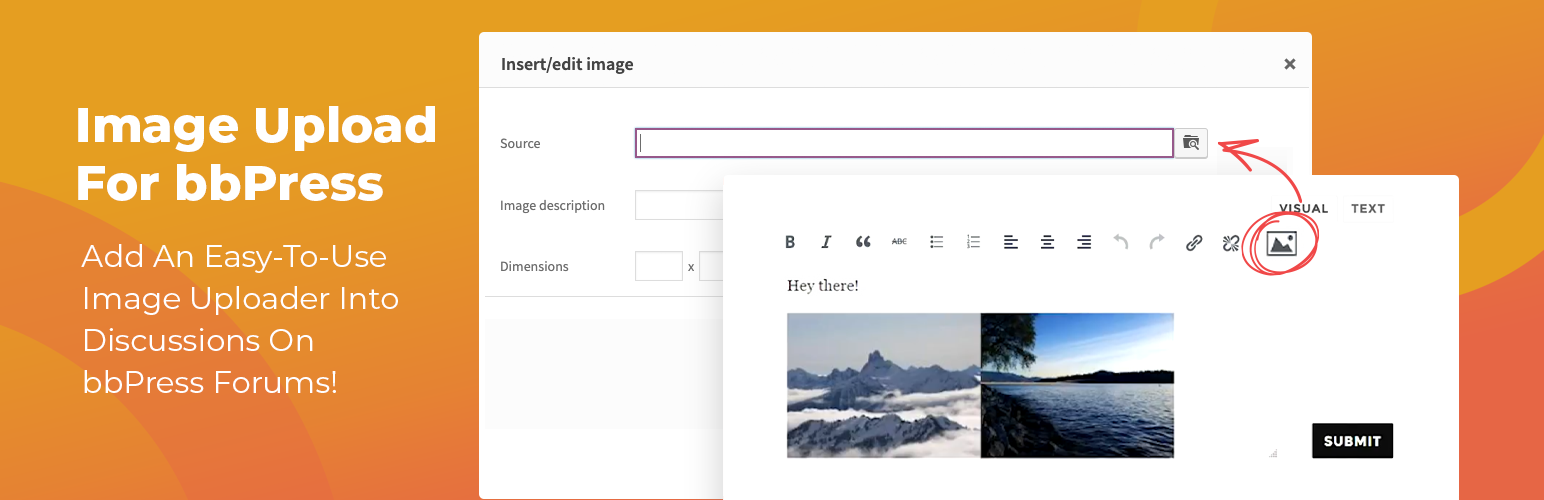
Inline Image Upload for BBPress 外掛讓 BBPress 論壇的主題和回覆可以使用 TinyMCE WYSIWYG 編輯器,並新增一個按鈕讓使用者可以直接上傳圖片並內嵌於文章中,提高論壇互動性和視覺吸引力。
【主要功能】
• 支援直接上傳圖片至論壇主題和回覆
• 可選擇不同的圖片儲存方式
• 自動清理不必要的舊檔案
• 限制使用者角色上傳圖片
• 自動調整圖片尺寸以符合規範
• 支援 Amazon S3™ 儲存選項
外掛標籤
開發者團隊
② 後台搜尋「Inline Image Upload for BBPress」→ 直接安裝(推薦)
📦 歷史版本下載
原文外掛簡介
This plugin enables the TinyMCE WYSIWYG editor for BBPress forum topics and replies and adds a button to the editor’s “Insert/edit image” dialog that allows forum users to upload images from their computer and insert them inline into their posts.
Image storage and compatibility
Uploaded images can be stored using a pluggable storage engine, selectable under Forum Images in the BerryPress menu:
Filesystem (default) – images are stored in your WordPress uploads directory. You can change the storage directory path and URL in the settings (use {uploads} as a placeholder for the uploads directory). Changing it only affects future uploads; existing images stay where they are.
Infinite Uploads – when the Infinite Uploads plugin is active, forum images are automatically offloaded to cloud storage, served through its CDN and optimized. No extra setup is required, and the “Cleanup Unnecessary Files” tool also removes unused images from the cloud.
Amazon S3™ – available with the optional S3 Image Storage for bbPress add-on (paid).
The plugin also works with BuddyPress.
Maintenance
The “Cleanup Unnecessary Files” button removes temporary uploads older than 24 hours, images that were removed from existing topics and replies, and image folders of deleted posts, on whichever storage engine is active.
A pro version with the following additional features is also available:
Limit which user roles are permitted to upload images.
Limit the number of uploaded images allowed per post.
Automatically downsize images to fit specified maximum dimensions.
Convert all uploaded images to the same image format, if desired.
Set PNG and JPEG compression levels so images take up less disk space.
Allow users to view enlarged images in a lightbox by clicking on them within the post.
View total image count and file size statistics.
Use Amazon S3™ to store and serve uploaded images in submitted forum posts (optional; requires add-on plugin purchase).
Amazon Web Services, the “Powered by Amazon Web Services” logo, AWS, Amazon Simple Storage Service, and Amazon S3 are trademarks of Amazon.com, Inc. or its affiliates in the United States and/or other countries. Potent Plugins is not affiliated with Amazon.com, Inc. or Amazon Web Services.
If you like this plugin, please consider leaving a comment or review.
You may also like these plugins
BerryPress has built a range of powerful plugins for WooCommerce and WordPress. Check out some of our favorites below – and don’t forget to leave a ⭐⭐⭐⭐⭐ review to help others in the community discover them!
Ninjalytics – Report, analyze, and visualize your store’s data to gain actionable insights for growth, support operations, and satisfy customers!
Live Carts for WooCommerce – Free plugin to view and analyze live shopping carts in real time to understand user behavior and optimize conversions (Pro version also available). Integrates with Ninjalytics to add 4 specialized cart reporting templates.
Export Order Items for WooCommerce – Export detailed order data for every sale in your WooCommerce store. Simplify fulfillment, create accounting reports in just a few clicks, and download CSV files for easy sharing and compatibility.
PhotoBerry Studio – A complete solution to enhance and streamline your photography workflow, with tools for image organization, gallery management, and client proofing.
Automatic Product Categories – Available as a free version and Pro. Automatically assign products to categories and tags, based on custom rules, saving you time and keeping your store organized.
Advanced Order Editor for WooCommerce – Add editable Paid date, Completed date and Payment method fields in the WooCommerce order admin screen.
LoginBerry – Bundles account verification, two-factor authentication (2FA), passwordless login, and login logs. Each feature can be enabled or disabled independently.
Customer Address Change Notification for WooCommerce – Get instant notifications when customers update their shipping or billing address, helping you stay on top of changes and prevent delivery issues.
To view BerryPress’s premium WordPress plugins and themes, visit our WordPress products catalog page.