
內容簡介
### 總結:
BotShield CAPTCHA 是一個強大而簡單的 CAPTCHA 保護外掛,可以在不需要第三方 API 金鑰或服務的情況下對你的 Contact Form 7 表單進行保護,保持表單無垃圾郵件並保持用戶隱私完整。
### 問題與答案:
1. BotShield CAPTCHA 主要提供了哪些功能?
- 提供多種不同類型的 CAPTCHA,包括算術問題和字母數字圖像 CAPTCHA
- 提供易、中、難三級難度選項以平衡安全性和可用性
- 完全自助式解決方案,不需要第三方 API 金鑰或服務
- 產品符合 WCAG 2.1 可訪問性標準,包括屏幕閱讀器支持和鍵盤導航
- 自適應移動設備顯示,完美適應各種設備和屏幕尺寸
- 提供三種內置主題:默認、極簡和現代風格
- 符合 GDPR 規定,不收集數據或進行第三方數據傳輸
2. BotShield CAPTCHA 的隱私政策是如何保護用戶隱私的?
- 不收集個人數據
- 不存儲用戶信息
- 不將數據傳輸至外部服務器
- 不使用 cookies 或追踪
- 不與第三方共享信息
- 所有 CAPTCHA 處理都在本地 WordPress 服務器上進行,完全符合 GDPR
3. 關於 BotShield CAPTCHA 的技術規格有哪些需要注意的地方?
- 伺服器要求包括 WordPress 5.0 或更高版本、PHP 7.4 或更高版本和Contact Form 7外掛程式
- 在瀏覽器上支援 Chrome、Firefox、Safari、Microsoft Edge 和流動瀏覽器
- 安全特性包括基於令牌的驗證系統、HMAC-SHA256 簽名驗證、自動令牌過期、XSS 防護和 CSRF 令牌防護
- 性能優於 Code:約50KB 總尺寸、資產經過最小化和優化、條件性資產加載並且不會發送外部請求
### 以上內容提供參考。
外掛標籤
開發者團隊
② 後台搜尋「BotShield CAPTCHA for Contact Form 7」→ 直接安裝(推薦)
原文外掛簡介
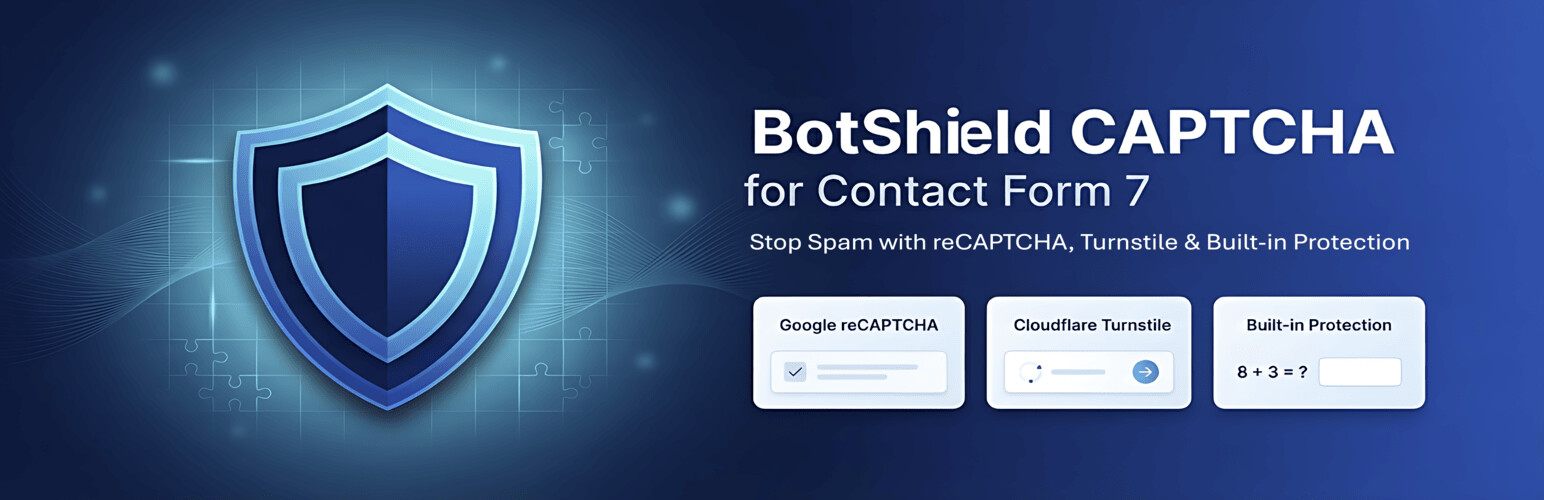
Stop contact form spam instantly with BotShield CAPTCHA for Contact Form 7. This all-in-one spam protection plugin integrates Google reCAPTCHA (v2 Checkbox & v3 Invisible), Cloudflare Turnstile (Privacy-Focused), and lightweight Built-in Arithmetic/Image Challenges to block bots while letting real users pass.
Whether you need strict security or a friction-free user experience, BotShield gives you complete control over your specific form protection needs. No more spam submissions, fake leads, or automated bot attacks.
Protect Your Store with Enterprise-grade CAPTCHA & Security. SecureGate CAPTCHA provides full-site protection, blocking bots, spam, and fraud using Cloudflare Turnstile, Google reCAPTCHA, hCaptcha, and Geo-Blocking — keeping your store fast, secure, and bot-free.
Key Features & Benefits
Multi-Provider Support: Choose between Google reCAPTCHA, Cloudflare Turnstile, or Self-hosted challenges.
Google reCAPTCHA Integration: Supports both v2 (“I’m not a robot”) and v3 (Invisible) keys.
Cloudflare Turnstile: The modern, privacy-friendly alternative that stops bots without annoying puzzles.
Lightweight Built-in Protection: Use simple Math or Image CAPTCHAs without needing any external API keys.
Seamless Contact Form 7 Integration: Adds a dedicated “BotShield” tag generator button directly to the CF7 editor.
Mobile Optimized: Fully responsive challenges that work perfectly on smartphones and tablets.
GDPR Compliant Options: Turnstile and Built-in modes offer excellent privacy compliance.
Accessibility Ready: WCAG 2.1 compliant designs for screen reader support.
Flexible Protection Options
1. Google reCAPTCHA (The Industry Standard)
* v2 Checkbox: The classic “I’m not a robot” checkbox users trust.
* v3 Invisible: valid users are verified in the background with zero interaction.
2. Cloudflare Turnstile (Privacy-First)
* Verify visitors without solving complex puzzles. Smart, fast, and respectful of user privacy.
3. Built-in Challenges (No Keys Required)
* Arithmetic: Simple math questions (e.g., 7 + 2 = ?) effective against basic bots.
* Alphanumeric: Distorted text images for traditional verification.
* Zero external dependency, 100% self-hosted.
Perfect For
Contact forms
Registration forms
Quote request forms
Newsletter signups
Any Contact Form 7 form needing spam protection
Requirements
WordPress 5.0 or higher
Contact Form 7 plugin (must be active)
PHP 7.4 or higher
GD PHP extension for image CAPTCHAs
Privacy Policy
BotShield CAPTCHA does not:
* Collect any personal data
* Store user information
* Transmit data to external servers
* Use cookies or tracking
* Share information with third parties
All CAPTCHA processing happens locally on your WordPress server. The plugin is fully GDPR compliant.
Support & Documentation
Support Forum: https://wordpress.org/support/plugin/botshield-captcha/
Developer Website: https://www.rsabbir.com/
Contributing
Contributions are welcome! Contact the developer or visit the GitHub repository to contribute to this plugin’s development.
Credits
Developed by R. Sabbir (https://www.rsabbir.com/)
Tested with Contact Form 7 6.1.4 and later
Technical Specifications
Server Requirements
WordPress 5.0 or higher
PHP 7.4 or higher
Contact Form 7 plugin (active)
GD PHP extension (for image CAPTCHAs)
Browser Support
Chrome (latest versions)
Firefox (latest versions)
Safari (latest versions)
Microsoft Edge (latest versions)
Mobile browsers (iOS Safari, Chrome Mobile)
Security Features
Token-based validation system
HMAC-SHA256 signature verification
Automatic token expiration (5 minutes)
XSS protection
CSRF token protection
No session storage required
Performance
Code: ~50KB total size
Assets: Minified and optimized
Loading: Conditional asset loading on relevant pages
HTTP Requests: Zero external requests
Caching: Compatible with all major WordPress cache plugins










