內容簡介
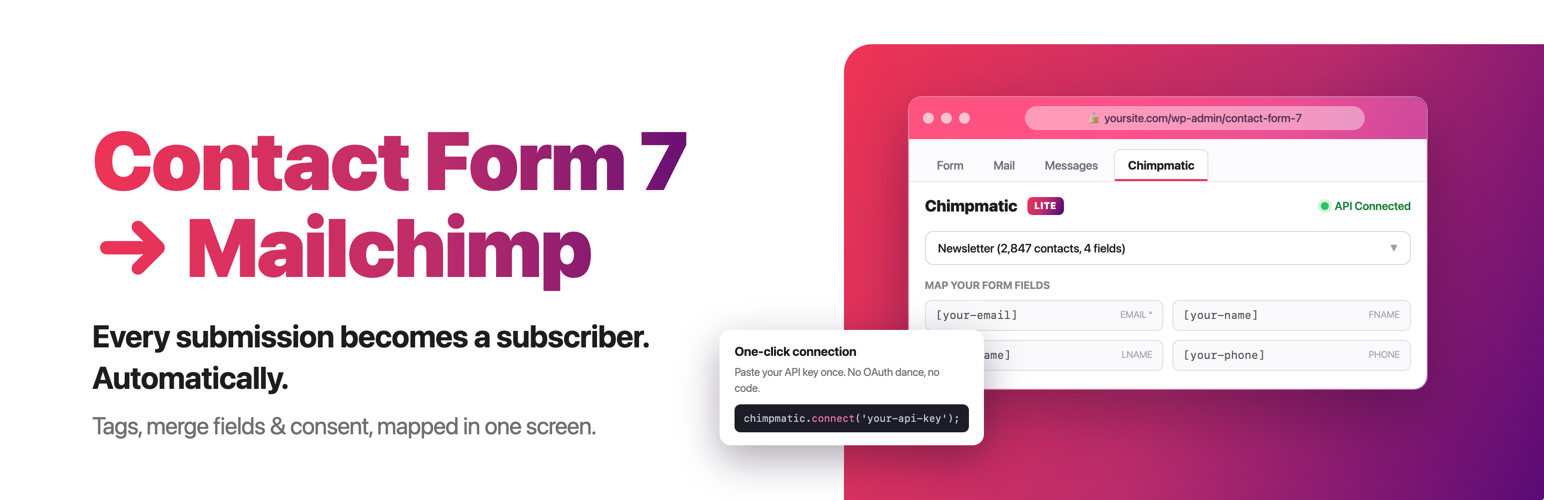
Connect Contact Form 7 to Mailchimp, Brevo, MailerLite & Klaviyo 是一款專為 Contact Form 7 設計的外掛,能夠輕鬆將表單提交資料連接至各大電子郵件行銷平台,無需替換 Contact Form 7 或使用其他自動化平台。
【主要功能】
• 支援 Mailchimp、Brevo、MailerLite 和 Klaviyo
• 獨立為每個表單選擇提供者
• 自動將提交的資料發送至選定的名單或群組
• 簡單的 API 鍵或 OAuth 連接
• 支援雙重選擇加入設置
• 保留現有 Mailchimp 配置
外掛標籤
開發者團隊
② 後台搜尋「Connect Contact Form 7 to Mailchimp, Brevo, MailerLite & Klaviyo」→ 直接安裝(推薦)
原文外掛簡介
ChimpMatic Lite is a Mailchimp integration for Contact Form 7 that also connects forms to Brevo, MailerLite, and Klaviyo. Send form submissions to email marketing lists, audiences, or groups without replacing Contact Form 7 or adding a separate automation platform.
Choose a provider for each form, connect the account, select a destination, and map Contact Form 7 fields to subscriber fields. Existing Mailchimp forms keep their saved audience, field mappings, credentials, and opt-in settings after upgrading.
Contact Form 7 Email Marketing Integrations
Choose one provider independently for each Contact Form 7 form. Each integration sends submitted subscriber data directly to the audience, list, or group selected in that form’s settings.
Mailchimp integration for Contact Form 7 – Connect through one-click OAuth or an API key, choose an audience, map merge fields, and select single or double opt-in. Read the Mailchimp setup guide.
Brevo integration for Contact Form 7 – Connect with a Brevo API key, choose a list, map contact attributes, and select direct subscription or a Brevo confirmation email. Read the Brevo setup guide.
MailerLite integration for Contact Form 7 – Connect with a MailerLite API token, choose a group, and map subscriber fields. Double opt-in follows the MailerLite account setting. Read the MailerLite setup guide.
Klaviyo integration for Contact Form 7 – Connect with a Klaviyo private API key, choose a list, and map profile properties. Confirmation behavior follows the selected Klaviyo list. Read the Klaviyo setup guide.
Free Features
Choose Mailchimp, Brevo, MailerLite, or Klaviyo independently for each Contact Form 7 form.
Use different provider accounts and destinations on different forms.
Load audiences, lists, or groups inside the Contact Form 7 editor.
Map the required email address and up to four additional Contact Form 7 fields.
Require an opt-in checkbox before subscriber data is sent.
Control or respect provider-specific confirmation behavior.
Keep existing Mailchimp configurations working after upgrading.
Use unlimited Contact Form 7 forms.
Built for Contact Form 7
ChimpMatic adds a focused integration panel to each Contact Form 7 form. It does not replace your forms, introduce another form builder, or require a generic automation service between WordPress and your email provider.
Brevo API keys, MailerLite API tokens, and Klaviyo private API keys are encrypted before storage and are not displayed again after saving. Mailchimp users can avoid storing an API key by using the OAuth connection.
ChimpMatic Pro
ChimpMatic Pro is an optional add-on for teams that need advanced provider features, expanded field mapping, advanced consent controls, subscriber tools, and priority support. ChimpMatic Lite remains a complete Contact Form 7 integration on its own.
Compare ChimpMatic Lite and Pro.
External Services and Data Disclosure
ChimpMatic is independently developed and is not affiliated with or endorsed by Mailchimp, Brevo, MailerLite, or Klaviyo. When a configured form is submitted, its email address, mapped fields, destination, and consent choice are sent directly to the provider you selected; an account with that provider is required.
Read how each external service is used, what data is sent, and review provider terms and privacy policies.
When the existing Help Us Improve setting is enabled, ChimpMatic Lite sends a signed product snapshot to https://signls.dev/wp-json/chimpmatic/v1/telemetry to measure setup completion, compatibility, feature use, reliability, upgrades, and long-term adoption. Administrators can turn sharing off or on repeatedly without restriction.
The bounded snapshot contains random pseudonymous site/install/device identities; the current site URL and one snapshot user agent; WordPress, PHP, database, server, theme, Contact Form 7, and ChimpMatic facts; plugin inventory (maximum 500 rows, including name/version/author/active state); 16 fixed competitor indicators; aggregate provider/auth method, destination, mapping, feature, lifecycle, submission, performance, and scrubbed failure facts; and Contact Form 7 configuration labels (maximum 100 forms, 50 detailed forms, and 30 field/mapping rows per detailed form). Totals and truncation flags identify omitted rows.
It does not send contact details, submitted values, credentials, API or license keys, OAuth secrets, cookies, authorization headers, raw provider responses, raw administrator email, commerce records, raw IP addresses, arbitrary settings, request bodies, or file contents. Server address and hostname are SHA-256 hashes; failure samples are scrubbed and limited to 50 characters.
Active installations send at most daily and quiet installations at most weekly, with one coalesced refresh after relevant changes. Delivery receipts are retained for 90 days; current typed facts are replaced by newer observations; daily aggregates and pseudonymous adoption/lifecycle identity are retained for long-term analysis. Turning sharing off clears scheduled delivery, any pending payload, and the local delivery credential immediately without sending an opt-out event.
Review the complete public field matrix, exact bounds, destination, purpose, exclusions, and retention. Also review the ChimpMatic privacy policy.
Requirements
WordPress 6.4 or higher.
Contact Form 7 5.0 or higher.
PHP 7.4 or higher.
An account with at least one supported email marketing provider.
Support
Provider integration guides
Documentation and Help Center
Contact the ChimpMatic team