
內容簡介
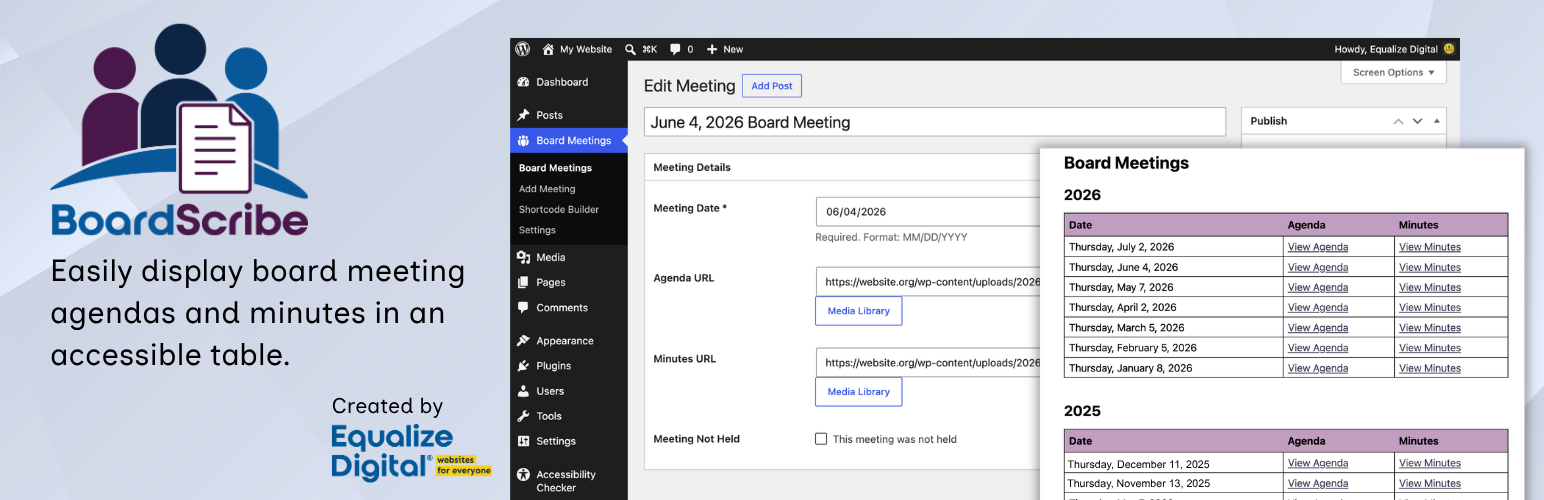
BoardScribe 是一款專為 WordPress 設計的外掛,旨在輕鬆發布董事會會議的議程和會議紀錄,並確保符合可及性法律要求。透過簡單的界面,使用者可以快速上傳和管理會議資訊,提升透明度與可及性。
【主要功能】
• 專用的董事會會議內容類型
• 與 WordPress 媒體庫整合,輕鬆附加檔案
• 支援多種檔案格式:PDF、DOC、TXT 等
• Gutenberg 區塊快速插入會議和文件
• 簡易的短碼生成器,快速創建短碼
• 響應式表格設計,適合各種裝置
外掛標籤
開發者團隊
② 後台搜尋「BoardScribe – Accessible Board Meeting Agendas and Minutes」→ 直接安裝(推薦)
原文外掛簡介
Easily Publish Board Meeting Agendas and Minutes
BoardScribe makes it easy to publish board meeting dates, agendas, and minutes on your WordPress website. The plugin creates a document library with blocks and shortcodes to support your compliance not just with “sunshine” and open meetings laws, but also accessibility laws like Section 508, the ADA, and EN 301 549.
BoardScribe comes from Equalize Digital, the team behind Accessibility Checker, the WordPress accessibility plugin trusted by more than 17,000 websites worldwide. We bring that same accessibility-first approach to displaying your board’s agendas and minutes.
Plugin Website | Documentation | Live Demo
Why Publish Board Meetings Using BoardScribe
Open-meeting and public-records laws (such as state “sunshine” laws in the U.S.), along with the transparency policies many nonprofits and HOAs adopt, require organizations to post notice in advance of meetings and make agendas and minutes available to the community. If meeting dates or documents are not shared in an accessible format, organizations may be failing to meet their obligations under transparency and accessibility laws.
BoardScribe makes it easy for board secretaries or staff members to post meeting information and documents in an accessible format, eliminating UI and accessibility problems common in other solutions:
Gives the public a single, reliable place to find every agenda and minutes document, and see upcoming meetings.
Provides content in an accessible table format, following HTML and accessibility best practices.
Eliminates ambiguous links so screen reader users can quickly find the document they are looking for.
Saves staff time. No more manually re-ordering lists of links and cuts down on records requests via email.
BoardScribe Features
BoardScribe is simple to use and works in all themes and page builders, including Elementor, Divi, Beaver Builder, WP Bakery, and more.
Dedicated Board Meeting content type.
Integrates with the WordPress Media Library: attach files to meetings in a few clicks.
Supports any file type for agendas and minutes: PDF, DOC, TXT, and more.
Gutenberg block to quickly insert meetings and documents in the block editor.
Shortcode to display meetings and documents in the classic editor or page builders.
Visual shortcode builder so anyone can create and copy a shortcode in seconds.
Adopts styles from your theme for consistent design.
Straightforward admin editing experience easy for non-technical WordPress users.
Include file type and size information via integration with Accessibility Checker.
Supports displaying meetings all together, grouped by year, or custom fiscal years.
Mark meetings as cancelled so they remain in the public record, but with a unique format.
Mobile-responsive tables that can be read on any device without sideways scrolling.
Accessibility Is Built In, Not Bolted On
BoardScribe is built by one of the most trusted accessibility companies in WordPress. Both the front-end blocks and shortcodes, as well as the WordPress admin settings pages, have been tested for conformance to Web Content Accessibility Guidelines (WCAG) 2.2 AA. Every detail of BoardScribe is designed for people who rely on screen readers, keyboards, magnification, and other assistive technology.
Descriptive link names. Every agenda and minutes link is announced with the meeting it belongs to, “View Agenda for Monday, January 5, 2026”, instead of twenty identical “View Agenda” links. Screen reader users who pull up the page’s list of links can actually tell them apart (WCAG 2.4.4, Link Purpose).
Real table semantics. Column headers are marked up with scope, and each row’s meeting title or date is marked as that row’s header, so a screen reader announces “Minutes, Regular Board Meeting, January 5” rather than a bare, context-free link when navigating through tables with arrow keys.
Pagination that announces itself. Moving between pages updates a polite live region, so screen reader users are told the results changed and which page they are on. Sighted users are not the only ones who notice the table refreshed.
Keyboard support that respects your place. After a page change, focus moves into the new results instead of dumping you back at the top of the page, and the table itself is reachable and scrollable by keyboard.
No silent blanks. A meeting with no agenda or minutes posted yet announces “Agenda not available” or “Minutes not available” to screen readers, rather than leaving an empty cell.
Responsive without losing meaning. When columns stack on a phone, every cell keeps its label, so the table never collapses into an unlabeled pile of dates and links.
Your words, in your language. Column headers and link text are all editable and fully translatable, so you are never stuck with wording that does not fit your organization or language.
One honest note: BoardScribe is accessibility-ready. It makes your meeting lists accessible, but it cannot fix the documents you link to or accessibility problems on your website. Because BoardScribe adopts your theme styles, if there are accessibility problems in your theme (such as missing link underlines, poor color contrast, etc.), these issues will likely also be present in BoardScribe’s components. To ensure your website is fully accessible, test it with a tool like Accessibility Checker and consider having it audited by an accessibility professional.
BoardScribe handles the accessibility of its own blocks and shortcodes, but you are responsible for the accessibility of your meeting documents and other parts of your website.
Built for Public Organizations and Boards
Built for city councils, county boards, school boards, public libraries, nonprofits, Homeowners associations (HOAs), and other community organizations that are required, or simply committed, to keeping their meeting records open.
Shortcode
BoardScribe includes a Gutenberg block for the block editor, and a shortcode so you can place document records into pages, posts, templates or any area that accepts shortcodes.
BoardScribe shortcode:
[edbs_boardscribe]
Use the Shortcode Builder (Board Meetings > Settings > Shortcode Builder) to generate the shortcode with your preferred options, or write it manually with any of the supported attributes.
Attributes:
included_years – Comma-separated years to display (e.g. 2023,2024). Default: all years.
start_date, end_date – Only show meetings in this date range (YYYY-MM-DD, inclusive on both ends). Either can be used alone for an open-ended range. Takes priority over included_years when set, which is useful for fiscal years that don’t align to the calendar year (e.g. start_date="2025-07-01" end_date="2026-06-30").
posts_per_page – Entries per page. Use -1 to show all. Default: 20.
held_date_format – PHP date format for meetings that were held. Default: l, F j, Y.
not_held_date_format – PHP date format for meetings not held. Default: F Y.
hide_title – Set to true to hide the Title column. Default: false.
hide_date – Set to true to hide the Date column. Default: false.
hide_agenda – Set to true to hide the Agenda column. Default: false.
hide_minutes – Set to true to hide the Minutes column. Default: false.
title_label, date_label, agenda_label, minutes_label – Override the header text for each column. Default: the column’s built-in name.
agenda_link_label, minutes_link_label – Override the link text shown in the Agenda and Minutes cells. Default: the built-in link text.
equal_columns – Set to true to force every column to the same width. Default: false.
class – Custom CSS class on the













