內容簡介
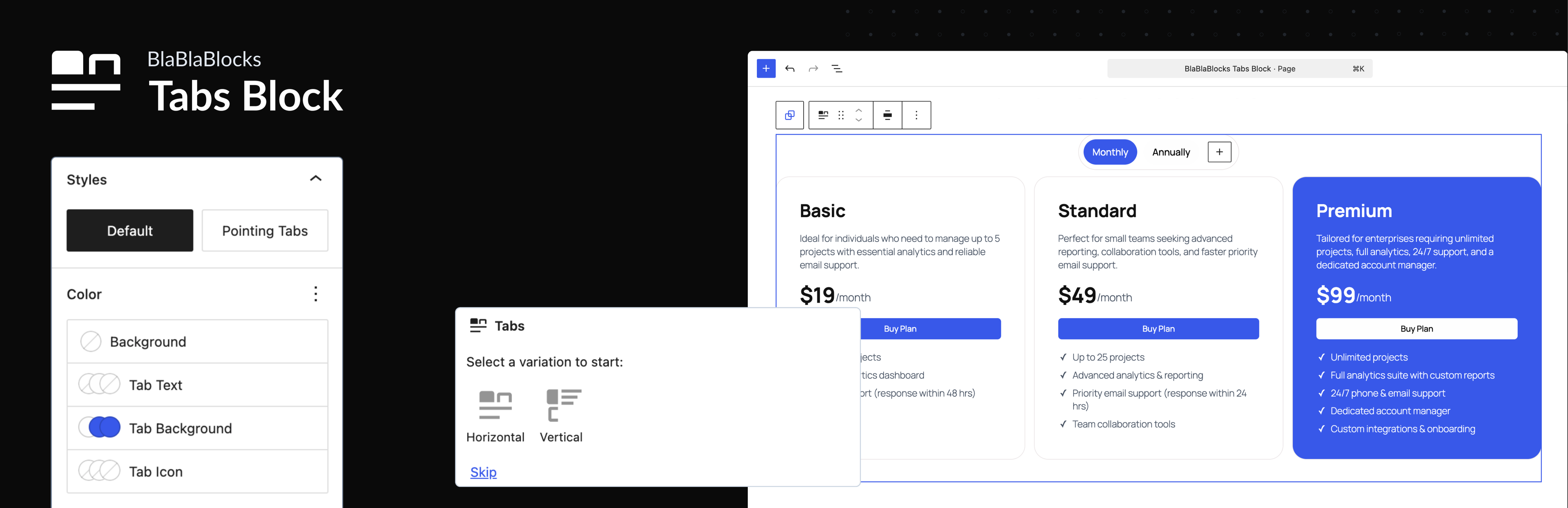
Tabs Block 是一款專為 Gutenberg 區塊編輯器設計的外掛,讓使用者能夠輕鬆建立美觀、響應式且可存取的標籤內容,無需編寫程式碼或使用外部函式庫,適合用於文件頁面或產品特色區域。
【主要功能】
• 完全可存取的標籤
• 響應式設計,自動調整佈局
• 支援橫向與縱向標籤切換
• 內建即用模板,快速啟動佈局
• 無需依賴其他函式庫,輕量化性能
• 與 Gutenberg 無縫整合,原生體驗
外掛標籤
開發者團隊
② 後台搜尋「Tabs Block – Responsive Gutenberg Tabs for Block Editor」→ 直接安裝(推薦)
原文外掛簡介
Build Accessible, Responsive Tabs in the Gutenberg Block Editor
Tabs Block for Gutenberg lets you add beautiful, responsive, and accessible tabbed content directly in the WordPress Block Editor no coding or external libraries required.
Whether you’re building a documentation page, a product features section, or a clean tabbed layout for content organization, this plugin helps you do it quickly and natively.
Why Choose BlaBlaBlocks Tabs Block?
The Tabs Block plugin combines modern WordPress standards with ease of use. Built using the WordPress Interactivity API, it ensures lightweight performance, accessibility, and full compatibility with the latest versions of WordPress.
Key Highlights
Accessible Tabs: WCAG-compliant markup, ARIA roles, and keyboard navigation support.
Zero Dependencies: No jQuery or heavy JS frameworks powered by the Interactivity API.
Responsive by Default: Tabs automatically stack or scroll on smaller screens.
Horizontal & Vertical Layouts: Switch between tab orientations with one click.
Ready-to-Use Templates: Choose from prebuilt designs to jump-start your layout.
Seamless Block Editor Integration: Looks, feels, and behaves like a native WordPress block.
Key Features
1. Fully Accessible
Accessibility isn’t optional — it’s built in. Tabs Block follows WCAG 2.1 guidelines and adds:
ARIA attributes for screen readers.
Tab focus management for keyboard users.
Semantic markup that works with assistive technologies.
2. Responsive by Design
No need for custom CSS or media queries. Tabs automatically adapt their layout across screen sizes:
On desktop: clean horizontal tab navigation.
On mobile: collapsible stacked layout or swipe-enabled scrolling.
3. Horizontal & Vertical Tabs
Want sidebar-style navigation? Just toggle layout mode. You can switch between horizontal and vertical tabs at any time, perfect for documentation pages or feature lists.
4. Powered by the Interactivity API
Unlike most tab plugins that rely on JavaScript frameworks, BlaBlaBlocks Tabs Block uses WordPress’s native Interactivity API.
That means:
Faster loading and rendering.
Better Core Web Vitals scores.
Seamless state management between editor and frontend.
5. Ready-to-Use Templates
Save time with built-in templates. Choose from multiple tab styles (minimal, boxed, underlined, colored) and insert them with one click.
6. Works Everywhere
Tabs Block is fully compatible with:
Block Themes (Full Site Editing)
Classic Themes using the Block Editor
Reusable Blocks and Block Patterns
Core blocks like Columns, Groups, and Cover
How to Use the Tabs Block
Step 1: Add the Tabs Block
In the Block Editor, click the “+” icon to add a new block.
Search for “Tabs Block”.
Select it to insert into your post or page.
Step 2: Choose a Layout
Open the right-hand sidebar and pick from horizontal or vertical layouts. You can switch anytime.
Step 3: Add Tabs and Content
Add, rename, or delete tabs using the block toolbar. Each tab panel supports any block — text, images, videos, forms, etc.
Step 4: Customize the Look
Use the sidebar controls to adjust:
Colors
Typography
Borders
Padding and spacing
Step 5: Preview Responsiveness
Use the Editor’s device preview to test how your tabs behave on mobile, tablet, and desktop.
Checkout out documentation for more details
Customization Options
Tabs Block integrates seamlessly with WordPress’s design tools, so you can:
Change background and text colors using global styles.
Adjust spacing, borders, and radii.
Apply block style variations for a unified site look.
For developers, advanced customization can be done via CSS custom properties or theme JSON overrides.
Common Use Cases
Product Features Tabs: Highlight product details, specifications, and reviews.
Documentation Pages: Organize setup instructions and API references.
FAQs: Group related questions under topic-based tabs.
Pricing Comparisons: Present plan details side by side.
Portfolio Showcases: Display projects or case studies by category.
Integration and Compatibility
Tabs Block integrates smoothly with:
Core WordPress Blocks: Columns, Groups, Cover, Image, Paragraph, Buttons, etc.
Full Site Editing (FSE): Works in templates and template parts.
Reusable Blocks: Create once, reuse anywhere.
Translation Plugins: WPML, Polylang, Loco Translate.
Caching & Optimization Plugins: No conflicts with WP Rocket, LiteSpeed Cache, or Autoptimize.
Troubleshooting
Tabs Not Switching?
Check for JavaScript errors in your browser console.
Ensure WordPress 6.5 or higher is installed (Interactivity API required).
Styles Not Applying?
Your theme’s CSS may override tab styles. Try adding a higher specificity rule or using the block’s built-in design controls.
Open Source and Free
BlaBlaBlocks Tabs Block is open source under the MIT License.
You can freely use, modify, and contribute to its development.
Source Code:
https://github.com/lubusIN/blablablocks-tabs-block
Report Issues:
https://github.com/lubusIN/blablablocks-tabs-block/issues
Documentation:
https://github.com/lubusIN/blablablocks-tabs-block/wiki