內容簡介
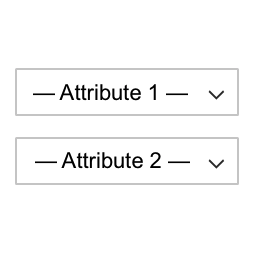
BizzSwatches 是一款強大的 WooCommerce 外掛,能將產品變化的預設下拉選單轉換為美觀且易於使用的色塊。透過顏色、圖片、按鈕或單選按鈕的方式展示產品屬性,提升顧客的購物體驗。
【主要功能】
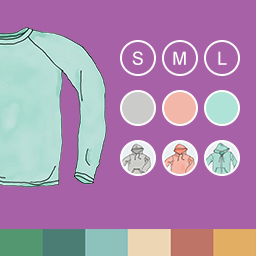
• 顏色色塊:以美麗的圓形或方形顯示顏色選項
• 圖片色塊:使用自訂圖片代表產品變化
• 按鈕色塊:將下拉選單轉換為時尚的按鈕標籤
• 多種形狀樣式:選擇圓角、方形或圓形以符合商店設計
• 工具提示支援:在色塊懸停時顯示有用的工具提示
• 庫存行為選項:配置缺貨變化的顯示方式
外掛標籤
開發者團隊
② 後台搜尋「BizzSwatches – Variation Swatches for WooCommerce」→ 直接安裝(推薦)
原文外掛簡介
Doc | Try Live
BizzSwatches is a powerful WooCommerce plugin that transforms the default dropdown select boxes for product variations into beautiful, user-friendly swatches. Display your product attributes as colors, images, buttons, or radio buttons.
See BizzSwatches in Action
Watch how it works:
Key Features
Color Swatches
Display color options as beautiful color circles or squares. Perfect for clothing, accessories, and any product with color variations.
Image Swatches
Use custom images to represent product variations. Great for patterns, textures, or any visual variation.
Button Swatches
Convert dropdown menus to stylish button labels. Ideal for sizes, materials, or any text-based variation.
Multiple Shape Styles
Choose from rounded, squared, or circle shapes to match your store’s design.
Tooltip Support
Show helpful tooltips on swatch hover to provide more information about each variation.
Stock Behavior Options
Configure how out-of-stock variations are displayed – blur, cross out, or hide completely.
Product-Level Settings
Override global settings on individual products for complete customization control.
Why Choose BizzSwatches?
Easy Setup – Works out of the box with no coding required
WooCommerce Native – Built specifically for WooCommerce
Lightweight – Minimal impact on page load speed
Customizable – Extensive settings to match your design
Modern Code – Built with OOP patterns and WordPress standards
HPOS Compatible – Works with WooCommerce High-Performance Order Storage
Future-Ready – Designed for easy premium extension
Quick Start Guide
Install and activate the plugin
Go to Products > Attributes
Create or edit an attribute
Select a swatch type (Color, Image, Button, or Radio)
Configure attribute terms with colors or images
Create variable products using your attributes
That’s it! Swatches will automatically appear on product pages
Settings
Visit BizzSwatches > Settings to configure:
Enable/disable swatches
Select swatch shape style
Enable tooltip display
Configure out-of-stock behavior
Set swatch dimensions
Auto-convert dropdowns to buttons