內容簡介
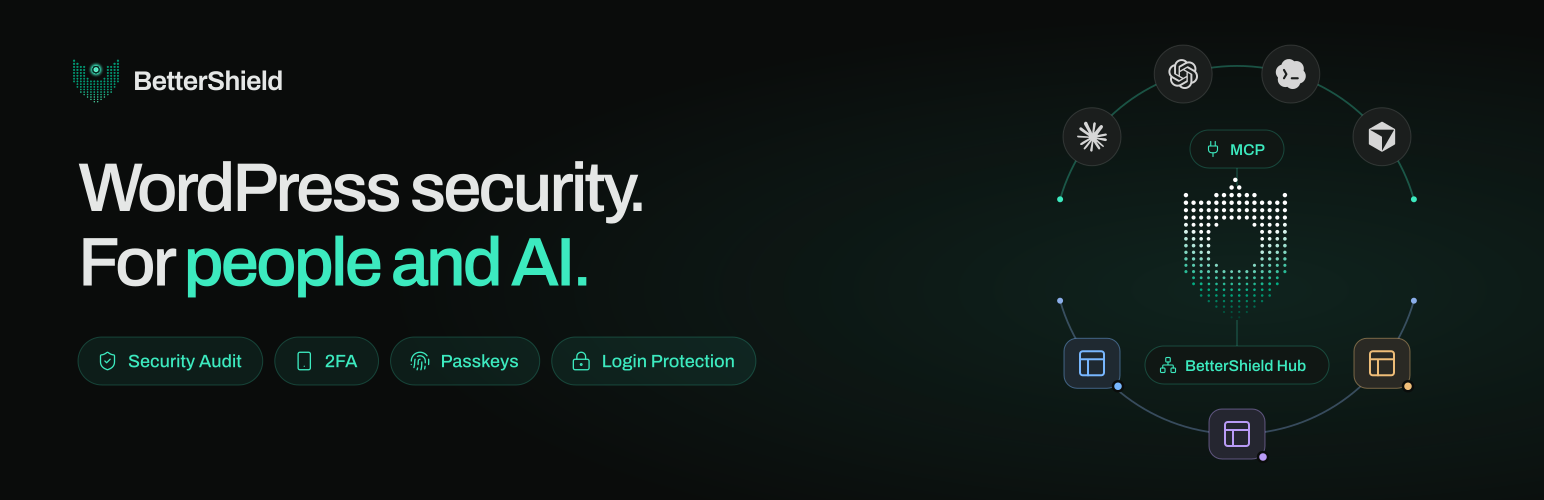
BetterShield 是一款 WordPress 安全外掛,提供全面的安全審核、雙重身份驗證(2FA)、密碼金鑰及登錄保護功能。它不僅能檢查網站的安全問題,還能在獲得批准後自動修復,並提供永久的撤銷選項,確保網站安全無虞。
【主要功能】
• 57項安全檢查與評分
• 一鍵修復安全問題
• 雙重身份驗證(2FA)功能
• 活動日誌與事件回應
• 無需帳號即可使用
• 內建 AI 助手連接器
外掛標籤
開發者團隊
② 後台搜尋「BetterShield – Security Audit, 2FA, Passkeys & Login Protection」→ 直接安裝(推薦)
原文外掛簡介
Most security plugins tell you whether your site is protected. BetterShield also tells you what it checked and found, and fixes them for you.
BetterShield is a WordPress security plugin by WPDeveloper. It audits your site, explains every finding in plain language, fixes what it can in one click with your approval, and gives every fix an undo that never expires. Two-factor authentication (2FA), passkeys, login protection, an activity log, incident response, a lockout recovery link and a built-in MCP connector for AI assistants are included. No account needed.
Why site owners choose BetterShield
Finds security problems and fixes them, with your approval. A 71-check audit scores your site, and thirty one-click fixes close the gaps. All but one wait for your choice.
Every fix has an undo that never expires. Change your mind months later and undo it.
Ask an AI assistant what needs fixing. Claude, ChatGPT, Cursor and other assistants can read your site’s security through the built-in MCP server.
Every site in one Hub. See and fix all your sites in one place.
Nothing leaves your site unless you choose it. Out of the box, the only outside services contacted are WordPress.org’s own, asked about your files and plugins. Usage sharing, the leaked-password check, your AI provider and BetterShield Hub are each off until you turn them on.
Honest results. A file that was never compared, or a check that could not run, is never reported as clean.
Performance you can see. The Overview shows the queries and milliseconds BetterShield added to real page views.
The essentials are free. The full audit, all 30 fixes with undo, 2FA, passkeys, the activity log, the file integrity check and alerts.
Quick Setup
A short Quick Setup Wizard opens once after activation. It offers 5 hardening fixes that cannot lock anyone out, makes sure you have a way back in (an emailed single-use recovery link plus printable recovery codes), and lets you choose which plugin handles which job if another security plugin is active. Every step can be skipped, and run again from Settings > General.
WordPress Security Audit: 71 checks that act when you approve
Seventy-one read-only checks cover access, exposure, updates, extensions, server settings and configuration, including:
Idle “Admin” accounts nobody has used in over six months
User enumeration, XML-RPC, the file editor and the WordPress version on every page
Missing security headers, an outdated PHP version and weak security keys
Plugins closed on WordPress.org, or with no update for years
Installer or database tools left in the web root after a migration
A domain without SPF, DMARC or CAA records
Core and plugin files that no longer match the official copies
Each finding explains what it is, why it matters and what acting on it could break. Not ready yet? Snooze it for 7 or 30 days.
One-click hardening: 30 fixes, each with a permanent undo
Each fix previews its change and, except the cloud-metadata block, stays off until you apply it. A fix your hosting cannot support, such as .htaccess rules off Apache, cannot be switched on, and says why.
The thirty one-click fixes:
Refuse requests to cloud-metadata addresses
Turn off remote publishing (XML-RPC) or just pingbacks
Turn off the file editor
Hide usernames (user enumeration)
Stop PHP running in uploads
Hide folder contents in uploads
Hide sensitive files from visitors
Change the sign-in address (custom login URL)
Block app passwords
Block leaked passwords
Shorten reset links for privileged accounts
Confirm privileged accounts’ new email addresses
Keep low-privilege accounts out of the dashboard
New accounts start as Subscriber
Keep unfiltered HTML to administrators
Keep SVG and PHP uploads to administrators
Keep site-changing abilities to administrators
Hide the dashboard from visitors
Hide the WordPress version
Hide PHP errors from visitors
Keep sign-in out of page caches
Strengthen and rotate the sign-in keys
Keep BetterShield up to date by itself
Guard the site address and registration settings
Switch to HTTPS, with a 5-minute way back
Redirect HTTP to HTTPS
Close admin-ajax to other websites
Tell browsers to refuse plain HTTP (HSTS)
Test a content security policy (CSP) before enforcing it
Turn on browser protections (security headers)
AI explanations and AI assistants (MCP)
With an AI provider connected under Settings > Connectors (WordPress 7.0 or newer), explain any finding in plain language, or ask Explain My Audit for a summary.
The MCP server lets Claude, ChatGPT, Cursor, Codex and other assistants read your site’s security through twenty-eight bounded, read-only abilities. It is off until you turn it on under Agents > Connect.
A second switch, off by default, lets an assistant apply and undo fixes and put a changed file back. Every change has an undo and is recorded in the activity log.
Never possible through a connection: creating accounts or credentials, changing recovery, two-factor or alert settings, lifting lockouts, or deleting log rows.
Using BetterShield with another security plugin
BetterShield works alongside your existing security plugin, without duplicate work. Switching over completely? It can bring over your current security plugin’s settings (several popular security plugins are supported), with a preview first and an undo.
Two-factor authentication (2FA) and passkeys
For yourself, the roles you choose or your WooCommerce customers:
Two-factor with any authenticator app and ten single-use backup codes, never enforced until the app is proven to work.
Require two-factor by role, with a 14-day grace period by default.
Passkeys: sign in with a fingerprint, face or device PIN. Only the public half of the key is stored.
Passkey-only sign-in by role, once a working recovery option is in place.
Login protection and brute force defense
Limit login attempts: by default, 5 failed sign-ins in 15 minutes pause that connection for 15 minutes, doubling with each repeat within a day.
A hidden bot check on the login, registration, WooCommerce account and comment forms.
Limits on public forms: comment bursts wait in moderation, and repeated password resets or sign-ups are paused.
Strong password rules, an optional leaked-password check, an IP and username blocklist, and an allowlist that is never locked out.
Lockout recovery
Locked out? Get back in without FTP or a call to your host. A single-use recovery link, emailed when you activate BetterShield, pauses its sign-in protections for one hour. Printed recovery codes are a second way in.
Security activity log
Sign-ins, account and role changes, password resets, and plugin, theme and core changes, with who and when. Filter, search and export to CSV, with 30 days of history. Each finished day is sealed, so an edit or deletion opens a high-severity finding.
Incident response
Related access and file changes are joined into one incident, flagging signs of account takeover. You review the response plan before anything changes, and BetterShield checks again afterwards.
Security alerts
A weekly summary, even on quiet weeks, a security report on demand, and high or critical events emailed on their own. Never an upgrade prompt.
File integrity check against WordPress.org
WordPress core and directory plugins are compared with WordPress.org’s official copies, showing exactly which lines changed. One click puts the official file back; the replaced file is kept, never deleted. Your theme, drop-ins, wp-config.php, .htaccess and other unpublished code are watched for changes.
BetterShield Hub (Multisite Control)
An optional dashboard for people who look after more than one site. Connect sites from BetterShield > Hub to see every score and finding, apply or undo fixes across sites, with sign-in changes and undos waiting for your agreement, get downtime and grade-drop alerts, and invite your team.
Built for agencies and many sites
WP-CLI commands for audits, findings, hardening, activity, recovery, file checks, settings, lockouts, blocklist and reports
Settings export and import, with a preview and an undo
Multisite: every site’s score in one table, and two-factor and passkey rules set once for the network
BetterShield Ultra [Pro]
Ultra, a paid add-on for people who look after sites for others, needs this plugin active. It adds:
Two-factor setup at sign-in for the roles you choose, trusted devices and a passkey policy
A sign-in report by role, and branded two-factor screens
Alerts in Slack, a JSON webhook or a syslog collector, as well as email
A scheduled client report
Temporary access that ends on its own
Cloudflare controls: the zone’s security level, a challenge for a locked-out network, and the managed ruleset (WordPress 7.0 or newer, with a Cloudflare token)
An hourly check of drop-ins, must-use plugins, the active theme and other code with no published copy
Explanations without an hourly limit
90 days of activity history instead of 30
Plans and prices: https://bettershield.ai/ultra/
Backed By a Team You Trust
BetterShield is developed by the trusted team at WPDeveloper, a leading WordPress product company used and loved by 6 million users and businesses.
External services
BetterShield contacts eight outside addresses. Hub requests require the Hub link or vulnerability checks; the hub reaches connected sites. It contacts four addresses operated by WordPress.org to verify and restore official files. It contacts your own AI provider only if you have connected one; Pwned Passwords and usage reporting each require opt-in.
api.wordpress.org — the published checksums for your WordPress version, when the file check runs on its schedule or when you start one; the request carries your WordPress version and language. Once a day it also asks whether the directory still lists a few of the plugins you installed from it; that request carries the plugin’s slug only. Installs and updates started from BetterShield go through WordPress’s installer, from here and downloads.wordpress.org.
downloads.wordpress.org — checksums for a directory plugin at your exact version, during the same check and whenever a plugin is installed or updated, including automatic updates. For BetterShield Ultra, which it doesn’t list, the request goes to bettershield.ai. Each carries the plugin’s slug and version.
core.svn.wordpress.org and plugins.svn.wordpress.org — the official copy of one file, fetched only when you press Restore on a changed file. The request carries the version and the file’s path, and the copy is checked against the published checksum before anything is written.
api.pwnedpasswords.com — the Pwned Passwords service by Have I Been Pwned, only if you switch on “Block leaked passwords”, and only when someone signed in to your site sets or changes a password. The password is hashed on your server and only the first five characters of the hash are sent; the comparison happens on your server. No password, account name, email, site address or identifier is sent. Documentation: https://haveibeenpwned.com/API/v3#PwnedPasswords — terms of use: https://haveibeenpwned.com/TermsOfUse — privacy policy: https://haveibeenpwned.com/Privacy
send.wpinsight.com — WPDeveloper’s usage service, only if you choose to share usage data (Allow & Continue on the first Quick Setup step; Skip sends nothing). At most once a day, and once when you deactivate BetterShield, it sends your site address and title, administrator email, WordPress, PHP and web server versions, language settings, whether the site is multisite, the installed and active plugins, your theme and its version, BetterShield’s version and folder name, and the report reference. If you choose to answer the question its Deactivate link asks, the report sent on deactivation also carries your reason and the few words you typed. Never anything about your visitors, users, sign-ins or findings. Turn it off under Settings > General. Terms and conditions: https://wpdeveloper.com/terms-and-conditions — privacy policy: https://wpdeveloper.com/privacy-policy
BetterShield Hub (hub.bettershield.ai, or the address you set under BetterShield > Hub), only if you connect the site and approve it on this site’s own consent page. Pressing Connect sends your browser to the hub with this site’s address, a return address, the access you chose and a single-use ticket. Once connected, it reads the score, findings, tools and the activity log, which names the account behind each change and its truncated networks, and checks the front page every few minutes. With the Hub link on, this site sends it security events every five minutes, accounts as digests and networks truncated, and a heartbeat of versions and digests, signed with a key kept here. Turning the link off stops it; Disconnect ends both. Terms of service: https://bettershield.ai/terms — privacy policy: https://bettershield.ai/privacy
Your own AI provider, only if you have connected one to WordPress and only when you ask for an explanation: of one finding, of your open findings with Explain My Audit, or of an incident. WordPress sends the request through your connector under Settings > Connectors; BetterShield never sees, asks for or stores the key. For one finding it sends that finding’s title, severity, description and recorded evidence. Explain my audit sends the titles, severities and recorded evidence of up to twelve open findings in one request. An incident’s explanation sends what was recorded about it, with accounts and files named only as placeholders such as “account-1”. Web and email addresses are stripped, and file contents, usernames, keys and your site’s address are never sent.
None of the WordPress.org requests carries anything about your site: no site address, email, username, IP address, keys, file contents or identifier. They happen on a schedule, when you press a button, or when a plugin is installed or updated, never while a visitor loads a page. If a service cannot be reached, the check says it could not run rather than reporting a file as unchanged.
The four WordPress.org addresses are provided by the WordPress Foundation. Privacy policy: https://wordpress.org/about/privacy/ — cookie policy: https://wordpress.org/about/privacy/cookies/
Published vulnerability advisories (hub.bettershield.ai), only with vulnerability checks on under Settings: the slugs and versions of WordPress, plugins (must-use ones included) and themes, when enabled, daily, on request and after updates or removals. Nothing else; the server sees the connection’s IP address. No account needed. It returns published vulnerability advisories. Terms · Privacy.
What it keeps about people
Everything BetterShield keeps about a person stays on your own server: activity log rows, sign-in attempts, passkeys and account records, with IP addresses truncated to a network before they are stored. The FAQ above describes each record. Tools > Export Personal Data and Tools > Erase Personal Data both support BetterShield, and Tools > Site Health > Info lists every record, why it is kept and for how long.
Source code
Everything that runs is readable in the plugin folder. The PHP in src/ is not generated, compiled or minified. The admin interface is compiled into assets/build/ (scripts, stylesheets and small generated PHP files that list each script’s dependencies) from the sources in assets/js/ and assets/css/, which ship next to it. To rebuild, run npm install and then npm run build, which uses @wordpress/scripts from the included package.json.