
內容簡介
Asyntai 是一款專為 WordPress 網站設計的 AI 聊天機器人外掛,能夠即時與訪客互動,提供支援與解答,並提升轉換率。它能夠全天候運作,無論何時都不會錯過任何聊天機會,幫助商家更有效地轉化訪客為顧客。
【主要功能】
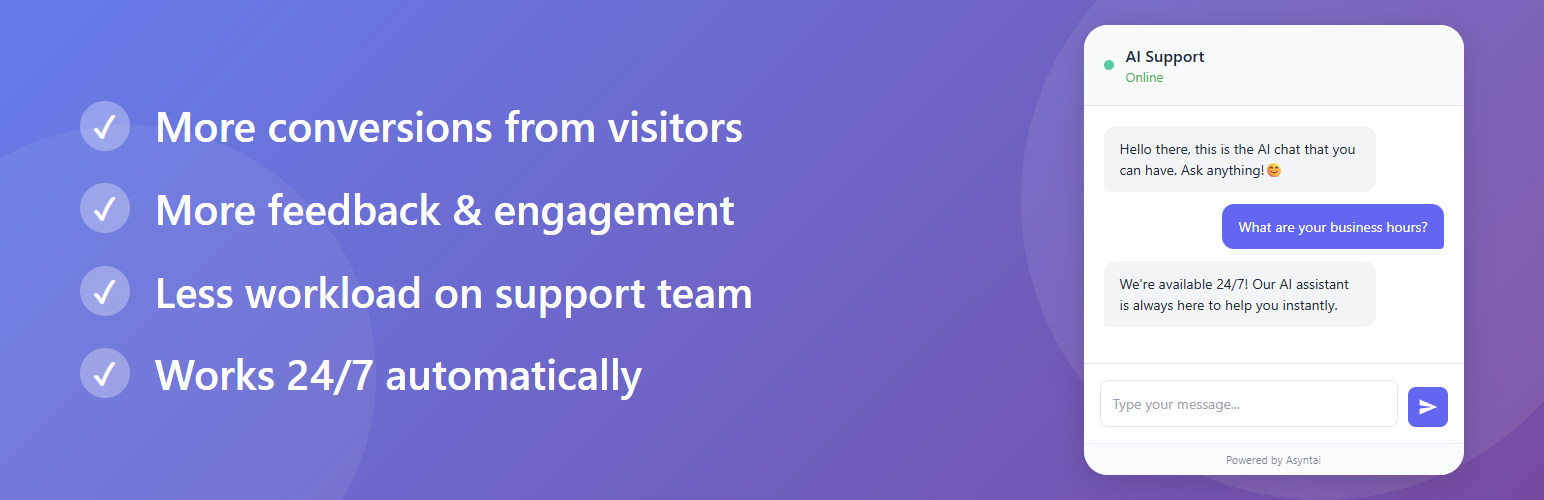
• 提升轉換率:即時、人性化的回覆吸引顧客購買
• 全天候回覆:即使團隊離線也能持續回應
• 知曉網站內容:根據指示進行客製化回覆
• 支援多語言:自動偵測並以訪客語言回覆
• 快速回應:1-3 秒內提供答案
• 提供聊天紀錄:分析顧客需求與疑慮
外掛標籤
開發者團隊
② 後台搜尋「AI Chatbot, Live Chat & Customer Support for WordPress – Asyntai」→ 直接安裝(推薦)
原文外掛簡介
Create and launch AI assistant/chatbot for your WordPress website in minutes. It talks to your visitors, helps, explains, never misses a chat and can increase conversion rates! All while knowing your website, customized just for you. Your WordPress website can now talk.
Why choose Asyntai?
Increase conversions: Instant, human like replies keep shoppers engaged and buying.
Never miss a chat: The AI replies day and night, even when your team is offline.
Knows your website: Customized just for you; it follows your instructions.
Works in all languages: Automatically detects and answers in the visitor’s language.
Fast responses (1–3s): Keeps customers from bouncing.
Asyntai brings an always on, human like AI assistant to your WordPress website that turns more visitors into customers. It greets shoppers the moment they need help, answers questions instantly, and keeps conversations moving so fewer people bounce and more decide to buy. Because it learns from your guidance, it speaks in your brand’s voice, follows your policies, and focuses only on what matters to your business.
Setup is quick and requires no technical work. Once live, the chatbot works across your entire store, in any language, on any device, 24/7—so you never miss a chat, even outside business hours. You stay in control, with a clean dashboard to refine its tone and messages as you learn what converts best. Start free, see the impact quickly, and scale as you grow.
You also gain valuable insights from real conversations. Chat logs show you what customers are asking, where they hesitate, and what information they need—helping you improve pages, fix gaps, and guide your roadmap. Meanwhile, the AI handles the bulk of routine questions, reducing support workload so your team can focus on high impact tasks and VIP requests.
Running a WooCommerce shop? Connect the plugin and the chatbot reads your catalogue straight from WooCommerce, so it answers with the product name, the current price and what is in stock right now, and links the shopper to the product page. Nothing is written back to your shop: the plugin creates a read-only key for this and removes it again when you disconnect.
Automate with Uncanny Automator. With Uncanny Automator installed, Asyntai starts your recipes when a visitor leaves their email or phone number in the chat, starts a conversation, gets a support ticket or asks for a human. Every recipe receives the visitor’s details and the whole conversation, so you can add the lead to your CRM or mailing list, alert your team, or create a user. The “Ask Asyntai” action answers any question from your website knowledge, so a form message, a comment or a ticket gets an answer that knows your business.
Not just for businesses: Asyntai is perfect for all types of WordPress websites—not only online stores or corporate sites. Nonprofits, educational institutions, clubs, organizations, and content publishers can all benefit from having an always-on AI assistant that answers questions, guides visitors, and enhances engagement, helping your mission succeed.
Don’t have an Asyntai account? Create one for free at Asyntai.com
Have any questions? That’s a great opportunity to test our AI assistant! Try it on Asyntai.com
External services
This plugin connects to Asyntai.com to enable and operate the chatbot widget.
The Asyntai service hosts the chatbot application and processes chats so your visitors can interact with the AI assistant on your site.
To complete the plugin setup, you need to create an account or log in to your existing Asyntai account (via asyntai.com).
The external service is required to deliver the chatbot experience, process messages, and manage settings and logs.
What is sent, and when:
When you press “Get started”, the plugin sends your site address to asyntai.com so the account can be linked to this site. Nothing is sent before you press it.
If WooCommerce is active, the plugin also creates a read-only WooCommerce REST key on your site and sends that key to asyntai.com in the same step. Asyntai uses it to read your products, so the chatbot can answer with the current name, price, stock and product link. The key cannot change anything in your shop. Press “Reset” on the plugin screen and the key is deleted from your site.
While the sign-in window is open, the plugin asks asyntai.com whether you have finished. This carries only the one-time token created for that window.
On your public pages the chatbot script is loaded from widget.asyntai.com, and visitor messages are sent to asyntai.com to be answered.
Uncanny Automator only: when you save an Asyntai API key under Automator > Settings > App integrations, the plugin checks the key with asyntai.com and registers a webhook, so asyntai.com can tell this site about new leads, conversations, tickets and requests for a human. When a recipe runs the “Ask Asyntai” action, the question in that action is sent to asyntai.com and the answer comes back. When a recipe uses a lead, ticket or human request, the plugin reads that conversation from asyntai.com. Disconnect on the same screen and the webhook is removed.
See Asyntai’s Terms of Service and Privacy Policy: https://asyntai.com/terms-and-conditions/ and https://asyntai.com/privacy-policy/.














