內容簡介
總結:
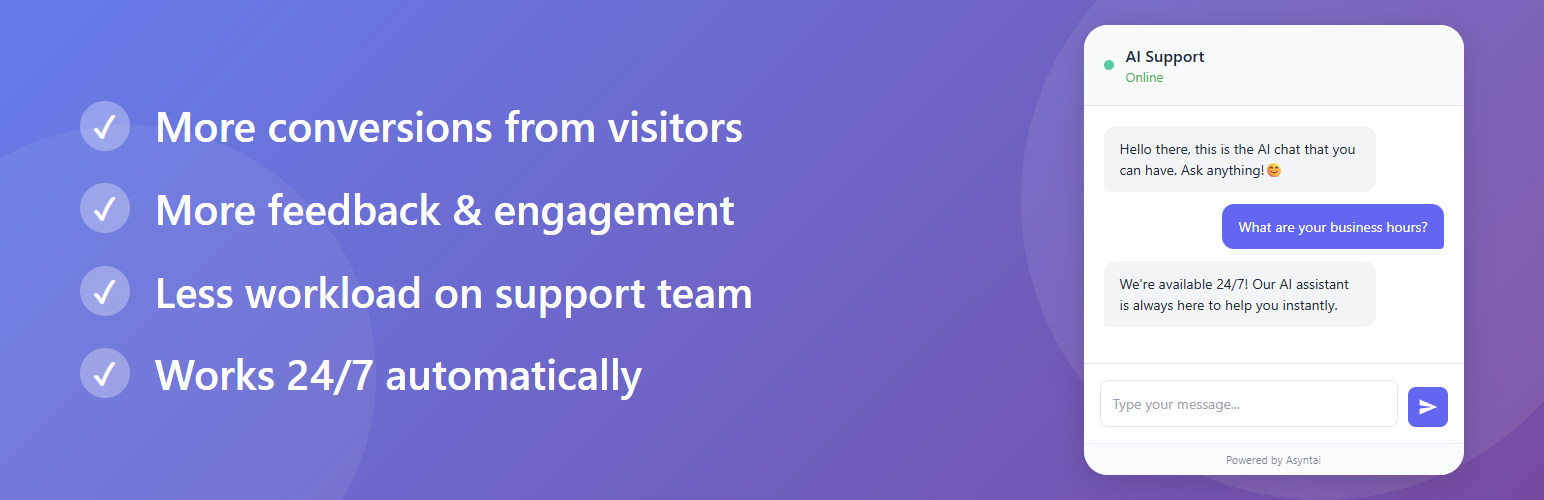
在幾分鐘內為您的WordPress網站創建並推出AI助手/聊天機器人。它與您的訪客交談,並幫助解釋,永不錯過任何聊天,並且有助於提高轉換率!同時為您度身定制,完全了解您的網站。現在您的WordPress網站可以交談。
問題與答案:
1. Asyntai為什麼是一個不錯的選擇?
- 提高轉化率:即時類似人類的回覆讓購物者參與並購買。
- 永不錯過任何聊天:AI全天候回覆,即使您的團隊離線也能回應。
- 熟悉您的網站:為您度身定制;並遵循您的指示。
- 支援所有語言:自動檢測並回答訪客的語言。
- 快速回應(1-3秒):防止客戶流失。
2. Asyntai如何將更多訪客轉換為客戶?
- Asyntai為您的WordPress網站帶來了永遠存在的、類似人類的AI助手,將更多訪客轉化為客戶。當購物者需要幫助時,它會即時打招呼,即時回答問題,並保持對話順暢,以減少流失,增加購買決策。
- 安裝快速無需技術工作。一旦上線,聊天機器人將在您的整個商店中運作,在任何語言,任何設備上,24/7運作,即使在非營業時間,您也不會錯過任何聊天。您擁有清晰的儀表板控制,可以根據您最轉化最佳的學習調整其語調和訊息。免費開始,迅速見到影響,並隨著您的成長而擴展。
3. Asyntai如何幫助您獲得寶貴的見解?
- 對於真實對話,您也可以獲得寶貴的見解。聊天記錄顯示客戶在問什麼,在哪裡猶豫,需要什麼信息,有助於您改進網頁,填補空白,並引導您的發展路線。同時,AI處理大部分常規問題,減少支援工作量,使您的團隊可以專注於高影響力任務和VIP需求。
4. Asyntai適用於哪些類型的WordPress網站?
- Asyntai不僅適用於企業網站或網上商店,對於所有類型的WordPress網站都非常適用。非營利組織、教育機構、俱樂部、組織以及內容發布者都可以受益於擁有一個隨時準備回答問題、引導訪客並增強參與度的AI助手,有助於使您的使命成功實現。
外掛標籤
開發者團隊
原文外掛簡介
Create and launch AI assistant/chatbot for your WordPress website in minutes. It talks to your visitors, helps, explains, never misses a chat and can increase conversion rates! All while knowing your website, customized just for you. Your WordPress website can now talk.
Why choose Asyntai?
Increase conversions: Instant, human like replies keep shoppers engaged and buying.
Never miss a chat: The AI replies day and night, even when your team is offline.
Knows your website: Customized just for you; it follows your instructions.
Works in all languages: Automatically detects and answers in the visitor’s language.
Fast responses (1–3s): Keeps customers from bouncing.
Asyntai brings an always on, human like AI assistant to your WordPress website that turns more visitors into customers. It greets shoppers the moment they need help, answers questions instantly, and keeps conversations moving so fewer people bounce and more decide to buy. Because it learns from your guidance, it speaks in your brand’s voice, follows your policies, and focuses only on what matters to your business.
Setup is quick and requires no technical work. Once live, the chatbot works across your entire store, in any language, on any device, 24/7—so you never miss a chat, even outside business hours. You stay in control, with a clean dashboard to refine its tone and messages as you learn what converts best. Start free, see the impact quickly, and scale as you grow.
You also gain valuable insights from real conversations. Chat logs show you what customers are asking, where they hesitate, and what information they need—helping you improve pages, fix gaps, and guide your roadmap. Meanwhile, the AI handles the bulk of routine questions, reducing support workload so your team can focus on high impact tasks and VIP requests.
Not just for businesses: Asyntai is perfect for all types of WordPress websites—not only online stores or corporate sites. Nonprofits, educational institutions, clubs, organizations, and content publishers can all benefit from having an always-on AI assistant that answers questions, guides visitors, and enhances engagement, helping your mission succeed.
Don’t have an Asyntai account? Create one for free at Asyntai.com
Have any questions? That’s a great opportunity to test our AI assistant! Try it on Asyntai.com
External services
This plugin connects to Asyntai.com to enable and operate the chatbot widget.
The Asyntai service hosts the chatbot application and processes chats so your visitors can interact with the AI assistant on your site.
To complete the plugin setup, you need to create an account or log in to your existing Asyntai account (via asyntai.com).
The external service is required to deliver the chatbot experience, process messages, and manage settings and logs.
See Asyntai’s Terms of Service and Privacy Policy: https://asyntai.com/terms-and-conditions/ and https://asyntai.com/privacy-policy/.