外掛標籤
開發者團隊
② 後台搜尋「Ashik Mobile Bottom Navigation & Drawer Menu」→ 直接安裝(推薦)
原文外掛簡介
Ashik Mobile Bottom Navigation & Drawer Menu is an all-in-one mobile UX solution for WordPress and WooCommerce websites. It delivers an app-like experience for smartphone and tablet visitors through a responsive bottom navigation bar and an elegant slide-out drawer menu.
Designed for store owners, publishers, and developers who want to boost mobile conversion rates and user engagement without slowing down their site.
Key Features
1. Mobile Bottom Navigation Bar
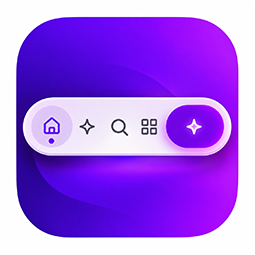
6 Modern Layout Presets: Modern Classic, Minimal Clean, Floating Pill, Curved Cutout (with center raised FAB button), Glassmorphic Blur, and Compact Strip.
Drag-and-Drop Reordering: Easily sort and reorder navigation items with intuitive drag-and-drop handles in the admin dashboard.
Icon Flexibility: Choose from FontAwesome 6 icons or paste custom inline SVG code for unique branding.
Dynamic WooCommerce Badging: Automatically displays the live WooCommerce cart items count badge and updates dynamically via AJAX fragments without page refreshes.
Custom Static Badges: Add promotional badges such as “HOT”, “NEW”, or “SALE” to any navigation item.
Flexible Action Types:
Direct Page Link (same tab or new tab).
Open Slide-out Drawer Menu.
Open WooCommerce Cart Drawer (triggers theme cart drawer).
Click Custom CSS Selector (trigger theme search, popups, or custom elements).
Built-in Search Modal Popup.
Individual Item Customization: Customize icon color, background color, and border color for specific items, including the center action button.
Active Indicator Effects: Accent line, Pill background, Bubble glow, Subtle dot, or None.
Label Visibility Modes: Always visible, Active item only, or Icons only (never show labels).
2. Slide-out Drawer Menu
User Profile & Greeting Card: Welcomes logged-in users with their avatar (Gravatar or default), display name, and a direct logout link. Welcomes guests with a friendly sign-in prompt leading to their account page.
Hierarchical Category Accordion: Pulls categories directly from WooCommerce product categories or any standard WordPress navigation menu. Features multi-level nested subcategories with smooth chevron accordion toggling and an option to hide empty categories.
Quick Links Section: Configure fast-access shortcut links with custom icons (e.g. Track Order, Customer Support, WhatsApp Chat, FAQs).
Smooth Overlay Backdrop: Custom drawer mask overlay color with strict RGBA or Hex formatting.
3. Built-in Mobile Search Modal
Lightweight, responsive search popup with instant autofocus on open and ESC-key dismiss support.
4. Live Interactive Admin Preview Simulator
Real-time Mobile Phone Mockup: See changes instantly as you customize colors, presets, typography, and layout settings in the WordPress admin panel.
Profile Preview Switcher: Test how the drawer greeting card appears to logged-in users vs. logged-out guests directly inside the settings screen.
5. Styling, Layout & Performance Controls
Typography & Fonts: Choose from popular fonts (Inter, Roboto, Poppins, or system font stack) and font weights.
Container Styling: Adjust heights, horizontal/vertical paddings, border radius, border styles, and elevation shadow presets.
iOS Safe Area Support: Automatically respects env(safe-area-inset-bottom) to ensure buttons are never covered by iPhone home indicator bars.
Mobile-Only & Scroll Triggers: Hide on desktop displays with customizable breakpoints, and auto-hide when scrolling down to maximize screen estate.
Dark Mode Ready: Built-in dark mode color overrides for night mode themes.
Performance-First: Written in clean, modular vanilla JavaScript and lightweight CSS with zero bloat and no external dependencies.
Secure Coding: Follows WordPress coding standards with strict input sanitization, data validation, and output escaping.