內容簡介
**總結:**
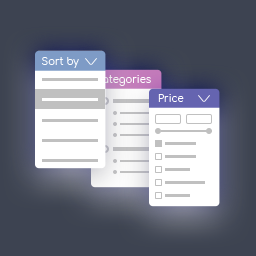
AJx Filter for WooCommerce 是一款功能強大又輕量的 WooCommerce 產品篩選外掛,讓使用者能夠在不重新整理頁面的情況下,動態地使用 AJAX 篩選產品。非常適合希望增強客戶購物體驗、提高轉化率並改善產品導航的 WooCommerce 商店。
**問題與答案:**
1. 這個外掛的特點有哪些?
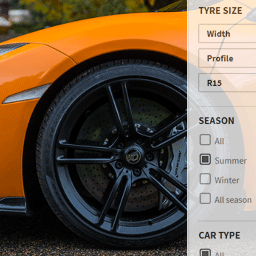
- 可以透過分類法 (categories)、標籤 (tags)、自訂分類法 (custom taxonomies) 和屬性 (attributes) 等方式篩選產品。
- 提供快速且無縫瀏覽的動態 AJAX 篩選功能。
- 提供完全可自訂的產品布局 (columns, product per row, product per page)。
- 可自訂「立即購買」按鈕的文字。
- 內聯 CSS 自訂選項,可調整產品容器、按鈕和側邊欄的顏色。
- 與任何 WordPress 主題兼容,支援響應式設計和手機友好的篩選器。
2. 這個外掛的系統需求是什麼?
- 需要已安裝並啟用 WooCommerce。
- 需要 WordPress 版本 5.5 或更高。
- 需要 PHP 版本 7.4 或更高。
3. 這個外掛提供了哪些定製選項?
- 可直接透過 WordPress 自訂器 (Customizer) 進行廣泛的自訂,不需編碼。
- 可自訂篩選區背景顏色、可摺疊篩選組的背景色、節點按鈕的樣式、價格篩選按鈕的外觀等等。
- 這些選項讓商店擁有者能夠將篩選和產品顯示與主題設計相匹配,改善外觀、易讀性和用戶體驗。
4. 這個外掛有什麼特色或適用範圍?
- 透過此外掛,顧客能快速找到他們想要的產品,無需重新載入頁面,特別適合有大量商品目錄、多種屬性和分類的商店。
外掛標籤
開發者團隊
原文外掛簡介
AJx Filter for WooCommerce is a powerful and lightweight WooCommerce product filtering plugin that allows users to filter products dynamically using AJAX without refreshing the page. Perfect for WooCommerce stores looking to enhance the customer shopping experience, increase conversions, and improve product navigation.
Key Features:
* Filter products by taxonomies (categories, tags, custom taxonomies) and attributes.
* Dynamic AJAX filtering for fast and seamless browsing.
* Fully customizable product layout (columns, product per row, product per page).
* Customizable “Buy Now” button text.
* Inline CSS customization for product container, button, and sidebar colors.
* Compatible with any WordPress theme.
* Responsive design and mobile-friendly filters.
* Translation-ready and fully WPML compatible.
Requirements
Must have WooCommerce installed and activated.
WordPress version 5.5 or higher.
PHP version 7.4 or higher.
Customization
AJx Filter for WooCommerce offers extensive customization options directly via the WordPress Customizer, allowing you to change the look and feel of your filters and products in real time. No coding is required. You can customize:
Filter Section Background – Change the background color of the filter section.
Filter Collapse Container Background – Set the background color for collapsible filter groups.
Collapse Button Background & Hover – Style the collapse/expand buttons with normal and hover colors.
Collapse Button Font Color – Customize the text color of collapse buttons.
Collapse Container Font Size & Color – Adjust the font size and color of the filter titles.
Price Filter Button Color & Font Color – Customize the appearance of the price filter button.
Price Filter Font Size – Set the font size of the price filter button.
Products Container Background – Change the background of the product listing container.
Product Card Background – Set the background color for individual product cards.
Product Title Color & Font Size – Customize the color and size of product titles.
Product Price Color & Font Size – Adjust the display of product prices.
Product Button Background & Hover Color – Style the “Buy Now” buttons including hover effect.
Button Font Size & Color – Customize the text size and color of all buttons.
These options allow store owners to match the filter and product display with their theme design, improving aesthetics, readability, and user experience.
Additional Notes
This plugin improves the WooCommerce shopping experience by allowing your customers to quickly find the products they are looking for without page reloads. It is ideal for stores with large product catalogs, multiple attributes, and categories.
License
This plugin is licensed under the GPLv2 or later.
Support & Contact
If you encounter any issues or need support, please open a support ticket via the WordPress plugin repository or visit our support page.