內容簡介
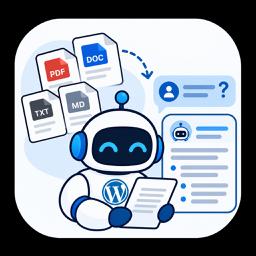
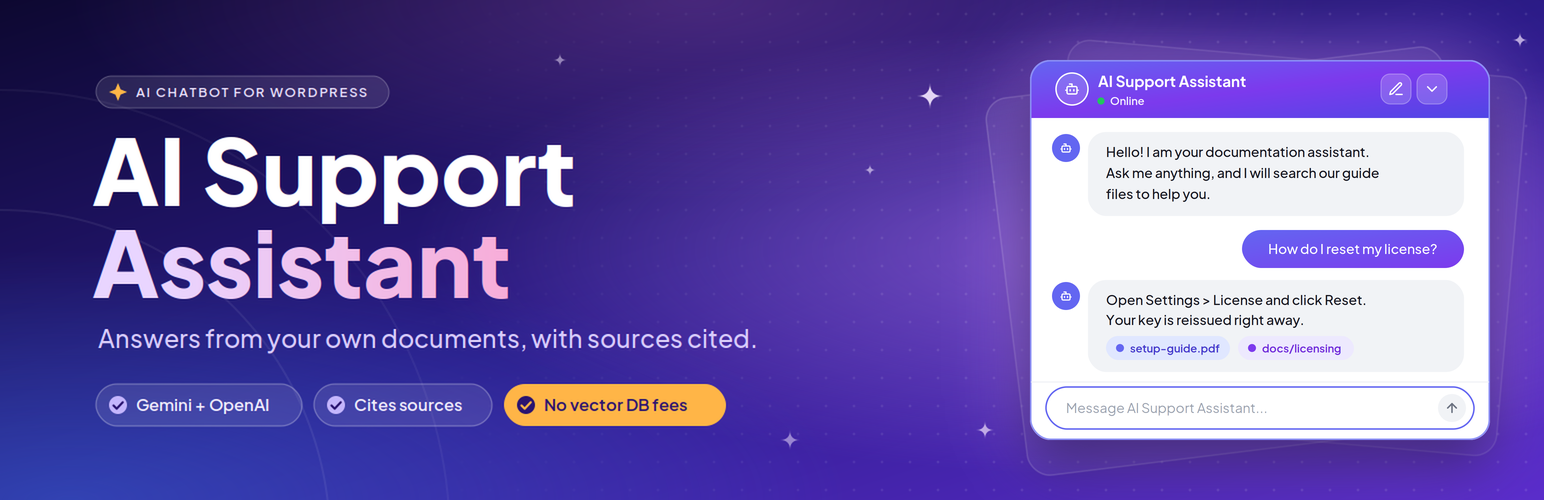
AI Support Assistant 讓您建立一個現場聊天機器人,根據您的實際文檔、產品手冊和指南回答問題。此外掛直接在 WordPress 的 MySQL 資料庫中儲存嵌入向量,無需外部資料庫或訂閱費用,提供即時的問題解答。
【主要功能】
• 自我包含的向量搜尋:嵌入直接儲存在 WordPress 資料庫中
• 支援 Google Gemini 和 OpenAI:可使用多種 AI 模型
• 文件上傳與 URL 爬蟲:自動處理 PDF、DOCX 和 TXT 檔案
• 即時串流回應:快速逐字回覆,提供即時結果
• 文件引用:顯示提供答案的來源文件或 URL
• 可自訂的小工具:選擇主題和調整外觀設置
外掛標籤
開發者團隊
原文外掛簡介
AI Support Assistant lets you build an on-site chatbot that answers questions based on your actual documentation, product manuals, and guides.
Most AI chatbots either hallucinate or require you to pay monthly subscription fees for external vector databases like Pinecone, Qdrant, or Milvus. This plugin takes a different approach: it stores embeddings and runs similarity queries directly inside your existing WordPress MySQL database.
When a visitor types a question in the chat widget:
1. The plugin converts the question into an embedding vector.
2. It runs a cosine similarity search across your document chunks in MySQL.
3. It sends the best matching excerpts to your chosen AI model (Gemini or OpenAI).
4. The assistant replies using your content and shows which documents it referenced.
If the answer is not in your documents, you can set a fallback response so the bot does not make things up.
Main Highlights
Self-contained vector search: Embeddings are saved directly in your WordPress database. You do not need any external vector database accounts or recurring SaaS fees.
Works with Google Gemini and OpenAI: Use Gemini models (like Gemini 3.1 Flash Lite or 1.5 Flash) or OpenAI (like GPT-4o or GPT-4o-mini).
WordPress AI Connectors support: Ready for WordPress core AI Client and Connectors API.
File uploads & URL crawling: Upload PDF, Word (.docx), or plain text (.txt) files, or crawl live webpage documentation URLs. The plugin splits content into searchable text chunks automatically.
Real-time streaming responses: Fast, word-by-word streaming answers deliver instantaneous results to visitors.
Document citations: Responses can display badges showing which uploaded file or URL provided the answer.
100% self-hosted & GDPR compliant: All typography (Plus Jakarta Sans WOFF2) and scripts are bundled locally on your server with zero external CDN or Google Fonts tracking calls.
Customizable widget: Choose between Light, Dark, or Glass themes. Adjust widget height, width, title, and initial greeting.
Usage insights and query logs: Review visitor questions, token usage, and response logs from the admin dashboard, with an option to export logs to CSV.
Quick Demo
Watch a walkthrough showing document upload and chat widget setup:
Features
Document Management
File formats: Upload PDF, DOCX, and TXT files from the admin area.
URL crawling: Ingest public documentation pages and knowledge base articles directly via URL.
Text extraction & chunking: Automatic parsing with configurable chunk size and overlap.
Chunk inspection: Review chunks or re-index documents whenever you update them.
AI Providers & Models
Google Gemini: supports gemini-3.1-flash-lite, gemini-1.5-flash, gemini-1.5-pro, and text-embedding-004.
OpenAI: supports gpt-4o, gpt-4o-mini, and text-embedding-3-small.
Connectors API: compatible with core WordPress AI credentials.
Custom system prompt: write your own instructions to control how the bot answers.
Chat Widget
Floating launcher: Toggle button with a smooth slide-out chat window.
Three built-in themes: Light, Dark, and Glass.
Real-time streaming: Word-by-word streaming generation for low latency.
Document citations: Displays source document and URL tags below answers.
Session persistence: Chat state persists across page navigation within the same session.
Logs and Analytics
Visual analytics: Admin graphs showing weekly query volume and token usage.
Conversation history: Filter and search visitor queries and responses.
CSV export: Export chat logs for team analysis or support review.
Privacy & Security
100% self-hosted assets: Bundled local WOFF2 fonts and local scripts ensure complete GDPR compliance without third-party tracking.
Permission checks: Admin actions are protected by nonce verification and manage_options capability checks.
Safe SQL queries: Database queries use $wpdb->prepare().
Privacy first: Only the document text needed for an answer and the visitor’s question are sent to the AI API. Visitor IPs and personal WordPress user data are never sent.
External Services
This plugin connects to third-party AI APIs to generate embeddings and generate chat responses. Data is sent over HTTPS only when documents are indexed or when a user submits a chat message:
OpenAI API (https://openai.com): Used for text embeddings and chat answers if OpenAI is selected. See the OpenAI Terms of Use (https://openai.com/policies/terms-of-use/) and Privacy Policy (https://openai.com/policies/privacy-policy/).
Google Gemini API (https://ai.google.dev): Used for text embeddings and chat answers if Gemini is selected. See Google Terms of Service (https://developers.google.com/terms) and Privacy Policy (https://policies.google.com/privacy).
WordPress AI Connectors: If enabled on WordPress 7.0+, connections route through credentials defined in your site settings.
No personal user data (like user accounts or IP addresses) is passed to these external services.
Requirements
WordPress 6.2 or higher
PHP 7.4 or higher
MySQL 5.7+ or MariaDB 10.3+
An API key from Google AI Studio (Gemini) or OpenAI
Shortcode
Display the chat box on any page, post, or widget area:
[ai_support_assistant]
Available Attributes
theme: Visual style. Options: light (default), dark, glass.
title: Header title displayed at the top of the chat box.
width: Widget width, for example width="450px". Default is 450px.
height: Widget height, for example height="600px". Default is 600px.
provider_override: Force a specific provider for that widget instance (gemini or openai).
Examples
Default widget:
[ai_support_assistant]
Dark theme with custom size and title:
[ai_support_assistant theme=”dark” title=”Documentation Help” width=”450px” height=”600px”]
Aliases that work the same way:
* [ai_support]
* [support_assistant]