400+
安裝啟用
★★★★☆
4.9/5 分(18 則評價)
3866 天前
最後更新
—
問題解決
WordPress 3.8+ v1.4.1 上架:2012-01-29
內容簡介
Admin Bar toggle 外掛能夠在前端添加一個開關按鈕,以顯示/隱藏管理列。這樣做不會過於影響使用者體驗,同時還能充分利用管理列的方便功能。
預設情況下,此外掛會將管理列在前端隱藏,讓它不會過於影響使用者。
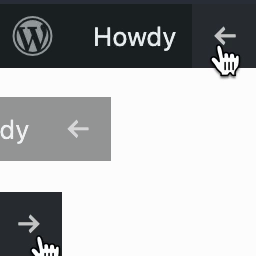
在右上方新增一個小型開關按鈕,以啟用管理列。
保留該開關按鈕,方便再次隱藏管理列。
注意,此外掛假設管理列已經被啟用,並未在使用者個人檔案中停用。
外掛標籤
開發者團隊
原文外掛簡介
Admin Bar toggle adds a toggle switch to show/hide the admin bar on the front-end. This is much less intrusive, but still allows you to use all the useful features of the admin bar.
Hides the admin bar on the front-end by default. This is much less intrusive.
Adds a small toggle button in the top right to activate the admin bar.
Toggle remains in place to hide it again.
This plugin assumes that the admin bar is active, and hasn’t been disabled in your user profile