
內容簡介
總結:
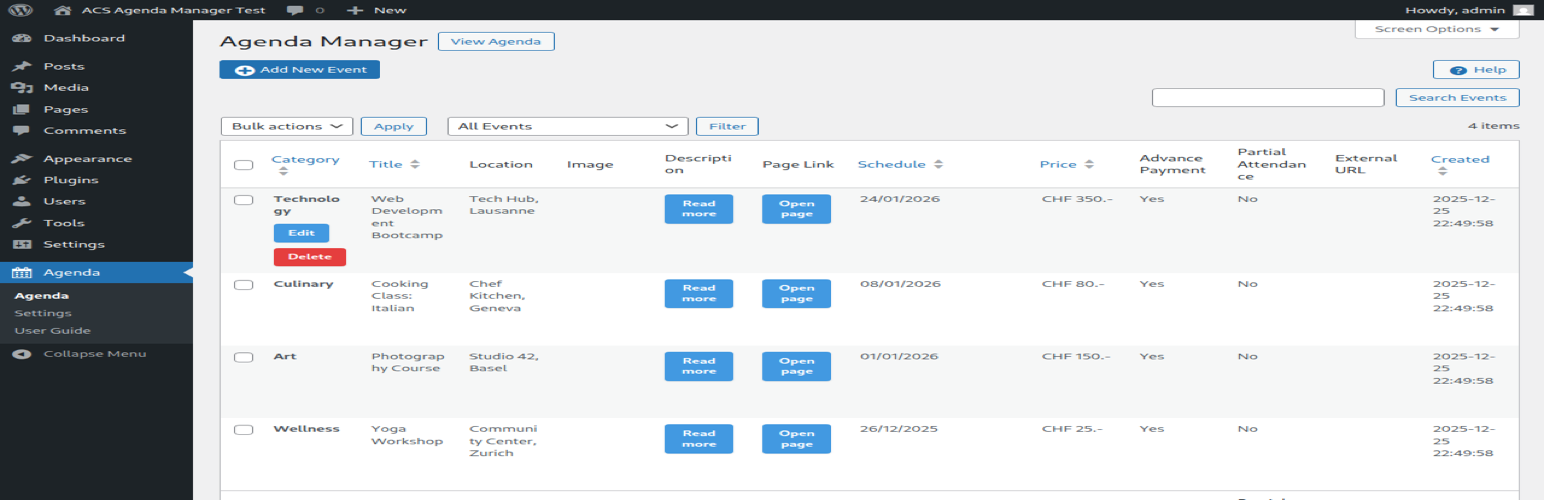
ACS Agenda Manager 是一個在您的 WordPress 網站上輕鬆建立和管理活動議程的工具。以乾淨、響應式的佈局顯示即將來臨的活動日期、地點、圖片和描述。
問題與答案:
1. ACS Agenda Manager 可以提供哪些功能?
- 多日期支持:活動可跨越多天,並具有視覺多日期日曆選擇器。
- 媒體整合:通過 WordPress 媒體庫上傳和顯示活動圖像。
- 圖片燈箱:點擊圖像在浮動覆蓋畫面中查看全尺寸。
- 位置顯示:顯示活動地點。
- 連結頁面:將活動連結到詳細的 WordPress 頁面。
- 自動過期:過去的活動會自動隱藏。
- 現代響應式設計:CSS Grid 佈局具有玻璃效果。
- 簡單管理:直觀的管理介面具有基於卡片的表單部分。
- 實時驗證:對話框中的錯誤消息和成功通知。
2. 支援的語言有哪些?
- 英語(en_US)- 默認
- 法語(fr_FR)
- 德語(de_DE,de_CH)
- 意大利語(it_IT)
- 日語(ja)
3. 如何在網頁上顯示活動議程?
- 在任何頁面或文章上使用短代碼:[acsagma_agenda]
- 外掛在啟用時會自動創建一個“Agenda”頁面,其中包含此短代碼。
4. 這個外掛如何與其他插件整合?
- 此插件與 ACScontactform 插件整合,以提供活動報名表單。
5. 外掛使用外部服務嗎?
- 是的,外掛使用 Google Maps API 來顯示活動地圖。
- 發送的數據:活動地點地址(僅在查看帶有位置信息的活動時)。
- 服務提供商:Google LLC。
- Google 地圖集成是可選的,可以在不使用 API 金鑰的情況下使用外掛,但地圖將不會顯示。
外掛標籤
開發者團隊
原文外掛簡介
ACS Agenda Manager provides an easy way to create and manage an event agenda on your WordPress site. Display upcoming events with dates, locations, images, and descriptions in a clean, responsive layout.
Features
Multi-date support: Events can span multiple days with visual multi-date calendar picker
Media integration: Upload and display event images via WordPress Media Library
Image lightbox: Click images to view full-size in a popup overlay
Location display: Show event locations prominently
Linked pages: Connect events to detailed WordPress pages
Automatic expiration: Past events are automatically hidden
Modern responsive design: CSS Grid layout with glass-morphism effects
Easy administration: Intuitive admin interface with card-based form sections
Real-time validation: In-dialog error messages and success notifications
Supported Languages
English (en_US) – Default
French (fr_FR)
German (de_DE, de_CH)
Italian (it_IT)
Japanese (ja)
Usage
Display the agenda on any page or post using the shortcode:
[acsagma_agenda]
The plugin automatically creates an “Agenda” page upon activation with the shortcode included.
Integration
This plugin integrates with the ACScontactform plugin to provide event registration forms.
External Services
This plugin uses external services as follows:
Google Maps API
When a Google Maps API key is configured in the plugin settings, the plugin loads the Google Maps JavaScript API to display location maps for events.
What data is sent: Event location addresses (only when viewing events with locations)
When: The API is loaded when viewing pages that display the agenda with events containing location information
Service provider: Google LLC
Terms of Service: https://developers.google.com/maps/terms
Privacy Policy: https://policies.google.com/privacy
Note: Google Maps integration is optional. The plugin works without an API key, but maps will not be displayed.
Credits
jQuery UI Multi Dates Picker v1.6.6: https://github.com/dubrox/Multiple-Dates-Picker-for-jQuery-UI
Loaded as minified version (js/jquery-ui-multidatespicker.min.js)
Source code available at: https://github.com/dubrox/Multiple-Dates-Picker-for-jQuery-UI
Licensed under MIT License
Icons: WordPress Dashicons














