內容簡介
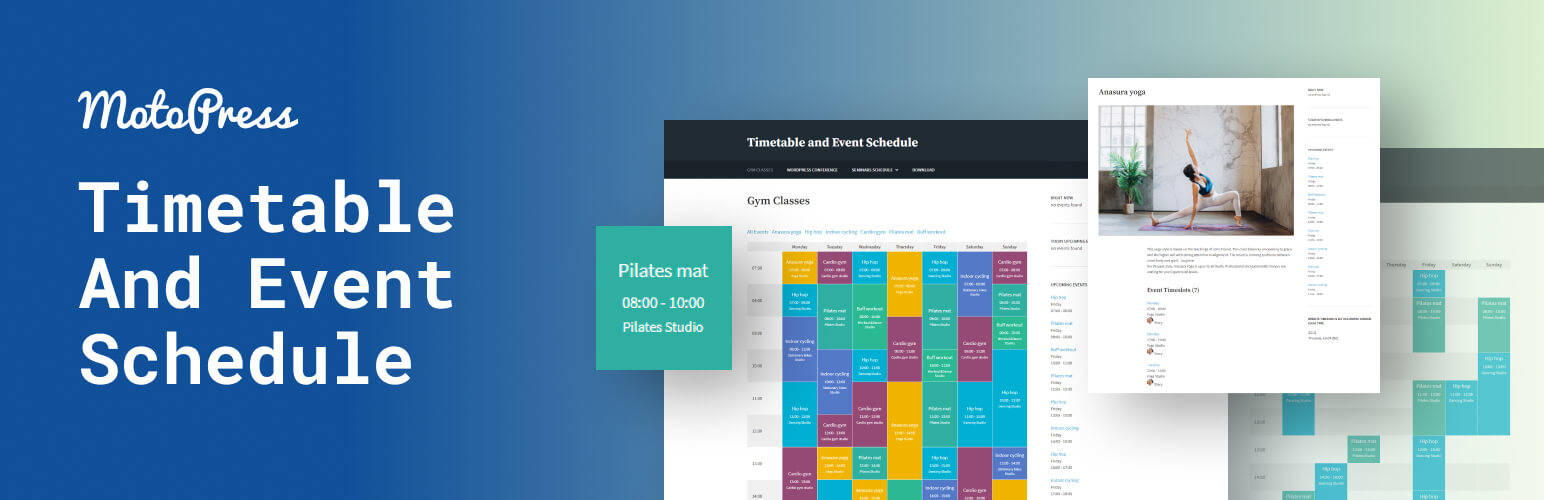
MotoPress Timetable and Event Schedule 是一款全方位的組織外掛,幫助用戶創建和管理單一或多個活動的線上時間表,並自訂每個活動的外觀,顯示所需的日期、時間和描述。
【主要功能】
• 多種欄位類型選擇
• 可自訂活動標題、時間及副標題
• 支援活動標籤和分類
• 事件篩選功能
• 可設定活動的外部網址連結
• 響應式設計,適合各種裝置
外掛標籤
開發者團隊
② 後台搜尋「Timetable and Event Schedule by MotoPress」→ 直接安裝(推薦)
原文外掛簡介
MotoPress Timetable and Event Schedule is an all-around organizer plugin developed to help you create and manage online schedules for a single or multiple events, customize the appearance of each event, add date, time, description and display all the needed items in a carefully-crafted timetable. It also comes with Upcoming events widget.
Plugin Demo
Documentation
Free Theme
Events Calendar – an extended version of the Timetable plugin: a detailed comparison.
Main features
Several column types.
Ability to choose columns and events to be displayed in the schedule.
Ability to add event tags and categories.
Ability to display the events by the appropriate categories.
Hour measure to be displayed in the left timetable column to show more accurate duration of each activity (event).
Filter styles: drop-down list and tabs.
Option to display/hide ‘All Events’ view mode, hours column and empty rows.
Customizable event parameters (title, time, subtitle, etc.) and the ability to display only preferable ones in the timetable.
Featured images for individual events in the calendar.
Opportunity to set event URL to link it any external website.
Text align options for event blocks.
Unique IDs for multiple timetables on a single page.
Color settings for background, background hover, text, and text hover.
Export and import of your data.
RTL ready.
The event calendar plugin can be used for timetabling different types of events like various lessons, gym classes, festivals, conferences, ceremonies, case-studies, formal parties, concerts, and much more. It’s handy in terms of backend event schedule management and maximum easy for your audience to use.
Key advantages
Responsive design
The event calender is optimized to be viewed perfectly on different devices. Manually adjust the way to show your timetable on mobile devices and desktops.
Event filtering
The visitors can filter the timetable to display the only events they are interested in.
Color controls
Highlight important activities by presenting them in different colors. Various color markers can become helpful in making the event calendar more colorful or in customizing it to fit your website color scheme.
Visual time frames
Hourly time frames are generally large enough for showing the events, but you still can increase them by setting the timetable to show up to 15 minutes accurate time in the left ‘time’ column.
Timetable Gutenberg block
The calendar events plugin provides Timetable block for Gutenberg. Timetable can be added to any other builder via shortcode.
Timetable Elementor widget
Plugin provides Timetable widget for Elementor. Choose the layout and style for your events, show or hide the event description, customize the table look, choose the mobile behavior and more.
Events Calendar
To address some of the limitations of the MotoPress Timetable plugin and simplify the event management process even further, we developed an absolutely fresh product, the next-gen WordPress events calendar plugin. While sharing some features and goals with the free Timetable plugin, the Events Calendar is designed for easier event creation in visual mode, with many more features:
Add and display recurring events easily.
Create hourly, multi-day, and all-day events.
Create multiple calendars.
Use month, week, day, and list views for events.
Create an event that starts on one day and ends on another.
Add multiple events to the same time slot.
Dedicated WordPress block to edit the look of your calendar.
Shortcode settings.
Compare Timetable vs Events Calendar
Appointment Booking
Want to take automatic online appointment reservations through your website for events, classes, and any other type of services? Hourly Appointment Booking is our custom-crafted plugin optimized for easy appointment scheduling and quick online reservations.
Developed by MotoPress – a trusted WordPress company with over a decade of expertise in crafting booking solutions, including our renowned WordPress Booking Plugins and the extensive Gutenberg block collection – Getwid WordPress Blocks.
Copyright
Timetable and Event Schedule plugin, Copyright (C) 2016, MotoPress https://motopress.com/
Timetable and Event Schedule plugin is distributed under the terms of the GNU GPL.
Credits
Plugin bundles the following third-party resources:
GUMP, Copyright (c) 2015 wixelhq.com, MIT License
jQuery UI, Copyright (c) 2013 jQuery Foundation and other contributors Licensed MIT
Spectrum Colorpicker, by Brian Grinstead, MIT License
jBox, by Stephan Wagner, MIT License
jQuery UI Timepicker, Copyright 2010-2013, Francois Gelinas, Dual licensed under the MIT or GPL Version 2 licenses.