內容簡介
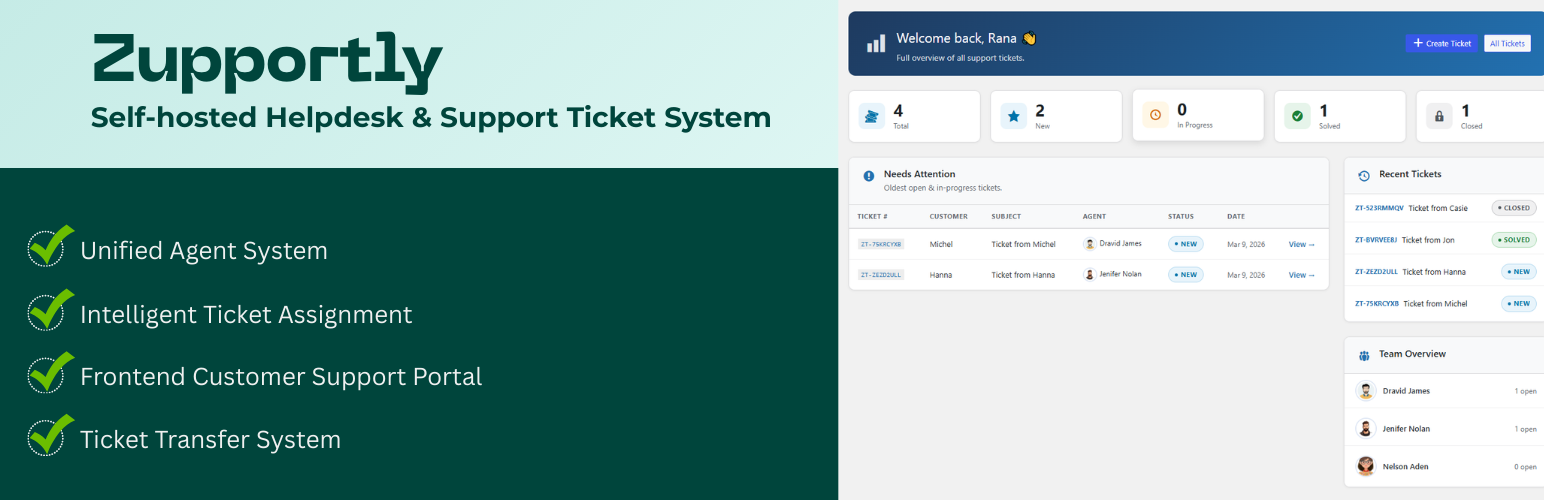
Zupportly 是一款強大的免費自我託管票務解決方案,無需每月費用或每位代理的成本。它提供統一的代理管理、自動票務路由及基於角色的存取控制,讓用戶能夠安全地管理無限部門,同時提供客戶一個精緻的前端門戶來追蹤請求。
【主要功能】
• 統一代理系統(基於 WP 使用者)
• 前端客戶支援門戶
• 智能票務自動分配
• 部門專屬路由
• 自訂短碼用於新票頁面
• 自我託管數據安全
外掛標籤
開發者團隊
② 後台搜尋「Zupportly – WordPress Helpdesk & Customer Support Ticket System」→ 直接安裝(推薦)
原文外掛簡介
Zupportly is a powerful, free, and self-hosted ticketing solution that eliminates monthly fees and per-agent costs. It features Unified Agent Management, Automated Ticket Routing, and Role-Based Access Control to securely manage unlimited departments while providing customers a polished frontend portal to track requests. Built with a privacy-first architecture, Zupportly is GDPR-ready, ensuring all support data stays securely on your own server with 100% ownership and no external tracking.
Key features :
Unified Agent System (WP User-Based)
Front-end Customer Support Portal
Intelligent Ticket Auto-Assignment
Department-Specific Routing
Read / Unread tracking with ticket count badge on admin menu
Custom Short Code For New Ticket Page
Floating Support Chat Bubble
Auto-refresh on open ticket view — polls every 15 seconds for new replies; shows a pulsing “New reply!” button when updates arrive.
Priority levels — Low / Medium / High / Urgent (set by agents only)
Custom Agent Avatars & Display Names
Live Agent Online Indicator
Threaded Chat-Style Conversations
Universal Ticket Transfer System
Unique Ticket ID Tracking (ZT-XXXXXXXX)
Automated Email Notification Engine
Modern Card-Style Admin Dashboard
Multi-Status Ticket Lifecycle Management
Integrated Image Attachment Support
Shortcode-Powered Ticket Lookup ([zupportly_tickets])
Inline Ticket Submission Form ([zupportly_ticket_form]) — embed on any page
Full Admin Oversight & Team Stats
Self-Hosted Data Security (No External APIs)
Responsive UI
Agent & Department Management
– Agents are standard WordPress users with the Ticket Agent role — create them from Users → Add New.
– Each agent gets a custom Chat Bubble Display Name (e.g. “Billing Dept”, “Sales Team”) shown to customers in the chat bubble — completely separate from their WordPress display name.
– Upload a custom avatar per agent via the Settings page using the WordPress Media Library.
– Avatars and department names appear in the chat bubble, ticket list, ticket detail view, and the frontend customer portal.
Chat Bubble
– A floating chat bubble appears on every page of your site, letting customers open a new support ticket in seconds.
– The bubble header shows stacked agent avatars and a live green online indicator next to the “Support” label.
– Customers choose a department/agent from a dropdown that shows the custom bubble display names.
– The close (×) button reliably dismisses the form.
Ticket Lifecycle
– Every ticket gets a unique ID (e.g. ZT-XXXXXXXX) for easy reference and lookup.
– Statuses: New (blue), In Progress (orange), Solved (green), Closed (grey).
– Unlimited back-and-forth conversation with image attachments in every reply.
– Both agents/admins and customers can close tickets; closed tickets disable further replies.
Agent Assignment & Transfer
– Tickets submitted via the chat bubble are automatically assigned to the chosen agent.
– Agents see all tickets assigned to them plus all unassigned tickets in their list.
– When an agent replies to an unassigned ticket, it is automatically assigned to them.
– Any agent or admin can transfer a ticket to another agent at any time via the Assignment meta box.
– Once transferred, only the new assignee and admins can reply.
Admin Interface
– Dashboard — stats overview (total, new, in progress, solved, closed), recent tickets table, and team overview with open ticket counts per agent.
– All Tickets — beautifully styled ticket list with card rows, colour-coded status border accents, ticket number chips, stacked customer info, agent avatars, and inline row actions.
– Ticket Detail — structured details panel, chat-bubble conversation thread (agent right/blue, customer left/green), and a clean reply composer with image attachment support.
– Create Ticket — agents and admins can create tickets on a customer’s behalf with an agent picker showing avatars.
– Settings — unified agent table pulling directly from WordPress users; set the Chat Bubble Display Name and avatar per agent; configure the frontend Ticket View Page URL.
Frontend Customer Portal & Shortcodes
– Shortcode [zupportly_tickets] places a ticket lookup portal on any page. Customers enter their email to see all their tickets, or enter their email and ticket number to jump straight to a specific conversation.
– Shortcode [zupportly_ticket_form] embeds the full ticket submission form directly on any page — great when the floating chat bubble is turned off or you want a dedicated contact/support page.
– Modern card design with a gradient header, status pill, chat-style bubbles with agent avatars, and an inline reply input.
– The ticket view is wider and fully responsive for mobile.
Email Notifications
– Agent notified on new ticket assignment with ticket details.
– Customer receives confirmation on submission with their ticket number and a link to the view page.
– Both parties notified on new replies (with image links if attached).
– Ticket view page URL included in all notification emails.
Security & Performance
– All inputs sanitized and escaped. Nonces on every AJAX action.
– Agents only access their own tickets plus unassigned ones — proper capability checks throughout.
– All data stored in your own WordPress database — nothing leaves your server.
⭐ Zupportly Pro — Take Your Helpdesk Further
Get Zupportly Pro →
Upgrade to Zupportly Pro and unlock a complete professional helpdesk suite built on top of everything you already have in the free version. No migration, no data loss — just more power.
🧩 Custom Form Fields
Add unlimited custom fields to your ticket form — short text, long text, dropdown, checkbox, number, and URL types. Drag and drop to reorder every field (including built-in fields like Name, Email, Subject) in any order you want. Rename any field label and set custom placeholder text. Custom field values are saved with every ticket and displayed in the admin ticket view.
📚 Knowledge Base
Create a full Knowledge Base with categorised articles and a professional article layout. A smart suggestion popup appears directly below the Subject field as customers type — showing matching articles before they submit, reducing your ticket volume. Helpful vote counters (👍 Yes / 👎 No) track article usefulness. Agents can search KB articles from inside any ticket. Mark any WordPress Page or Post as a KB article with one click.
⚡ Canned Responses
Speed up replies with one-click pre-written responses. Agents can insert responses from a searchable modal filtered by category. Agents can also save their own personal responses directly from the reply composer — just write a reply and click “💾 Save Current Reply.”
🛒 WooCommerce Integration
Link WooCommerce orders and products to support tickets. Customers can search by Order ID when submitting a ticket. Agents see full order details, purchase history, and linked products in the ticket sidebar. Configurable agent access permissions — restrict order data to admins only if needed.
✉️ Branded HTML Emails
Replace plain-text notification emails with beautifully designed HTML emails. Upload your logo, choose a brand colour, customise the “From” name and footer text. Includes a live browser preview.
⏱ Ticket Auto-Close
Automatically close tickets that have been inactive for a configurable number of days. Sends a reminder email before closure. Choose which ticket statuses to apply auto-close to.
🔒 Private Notes
Agents can add internal-only notes to any ticket. Private notes are stored separately from the conversation thread and are never shown to customers.
⭐ CSAT Surveys
Automatically send a 1–5 star satisfaction survey when a ticket closes — via email and as an inline widget in the customer portal. Results appear in a WP Dashboard widget showing average score and per-star breakdown.
🔔 Auto-Refresh & Live Updates
Configurable auto-refresh keeps the dashboard and ticket list current. A Refresh button with a live unread count badge is added to the dashboard. Set the refresh interval (15–600 seconds) from Pro Settings.
🏷 Custom Ticket Statuses
Add unlimited custom statuses alongside the four built-in ones. Each status has a custom label, URL slug, and colour picker for visual clarity in the ticket list.
📋 Audit Trail & Activity Logs
Every action on every ticket is automatically logged — replies, status changes, assignments, private notes, auto-closes, and CSAT ratings. View per-ticket logs in the Activity Log meta box. Export as Excel/CSV or print as PDF.
💾 Backup & Restore
One-click JSON export of all tickets and Pro settings. Import on any Zupportly site to restore or migrate data.
→ Get Zupportly Pro