內容簡介
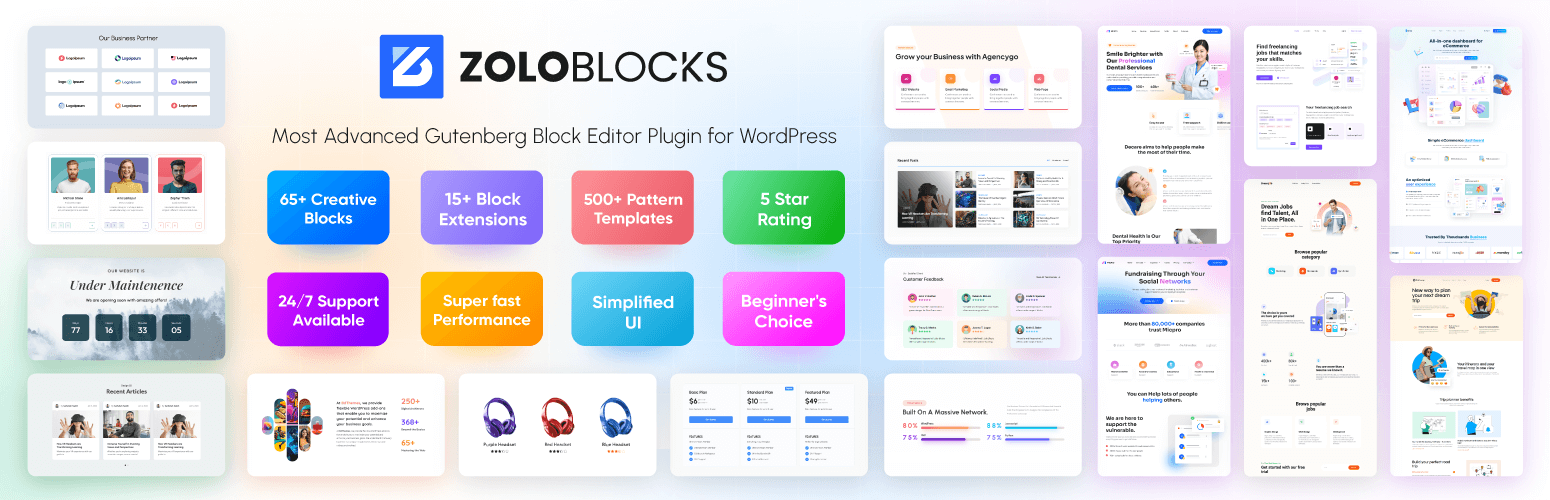
ZoloBlocks 是一款為 WordPress 區塊編輯器提供的進階區塊、樣式和頁面模板的集合,幫助用戶無需第三方頁面建構器即可設計完整頁面。
【主要功能】
• 提供超過 60 種免費與專業區塊
• 預設樣式和頁面模板可快速插入
• 支援全站編輯與區塊佈景主題
• 動態內容選項可用於網站或文章
• 查詢循環選項適用於文章或自訂文章類型
• 支援區塊的動畫與視覺效果
外掛標籤
開發者團隊
② 後台搜尋「ZoloBlocks – Advanced Gutenberg Blocks, Website Builder & Page Design Toolkit」→ 直接安裝(推薦)
📦 歷史版本下載
原文外掛簡介
ZoloBlocks is a collection of blocks, patterns, and page templates for the WordPress block editor. It helps you design complete pages using the native editor without a third-party page builder.
Live Demo | Pro Version | Documentation
What ZoloBlocks Provides
A library of advanced blocks that extend the default WordPress block editor.
Pre-designed patterns and page templates you can insert into pages.
Full Site Editing compatibility with block themes.
Dynamic content options for site, post, or user data.
Query loop options for posts, products, or custom post types.
Animation and visual effect options for supported blocks.
Optional AI text generation to help draft headings and paragraphs (third-party service, see “External services” below).
Pattern import and export for reuse across sites.
Key Features
Layout building with pre-built sections and templates.
Responsive containers for mobile, tablet, and desktop.
Mega menu for multi-level navigation.
Dynamic content and query loop for posts or custom post types.
Entrance and scroll-based animations on supported blocks.
Optional AI text generation inside the editor (third-party service).
Pattern import / export for reuse across pages or sites.
Available Blocks
ZoloBlocks ships 60+ free and pro blocks across categories such as Image, Slider & Carousel, Post, Review, Form, Popup, Utility, Creative, Loop & Animation, Grid & List, Single Page Elements, and Advanced. A full list with live demos is available at https://zoloblocks.com/demo/.
Who Is It For
Website designers, freelancers, agencies, bloggers, content creators, small business owners, portfolio builders, and digital marketers who want to design WordPress pages directly in the block editor.
Support
The team behind ZoloBlocks ships regular updates. For help, contact support. Visit BdThemes for more plugins and documentation.
Source code
The compiled JavaScript and CSS files in the build/ and assets/ directories are generated from the source code in the src/ directory.
Public source repository: https://github.com/bdthemes/zoloblocks
Build instructions:
Clone the repository.
Run npm install to install dependencies.
Run npm run build to generate the production assets in build/.
Run composer install to install PHP dependencies (used for development tooling only).
External services
This plugin connects to several third-party services. Each service is only contacted when the related feature is used or configured. No personal data is sent unless the corresponding feature is enabled or the user interacts with it.
1. Google reCAPTCHA
Used by the Form block when the site administrator enables reCAPTCHA protection and provides site / secret keys in ZoloBlocks settings.
– What is sent: the reCAPTCHA token generated in the visitor’s browser, the visitor’s IP address, and the configured secret key, sent to https://www.google.com/recaptcha/api/siteverify on form submission. The Google reCAPTCHA JavaScript (https://www.google.com/recaptcha/api.js) is loaded on pages containing a form when reCAPTCHA is enabled.
– When: only when reCAPTCHA is enabled and a form is submitted.
– Provider: Google LLC. Terms: https://policies.google.com/terms Privacy: https://policies.google.com/privacy
2. Google Maps
Used by the Google Map block when added to a page.
– What is sent: the configured Google Maps API key and a request to load the Google Maps JavaScript API from https://maps.googleapis.com/maps/api/js. The browser of any visitor viewing a page containing a Google Map block will load map tiles from Google.
– When: only when a Google Map block is present on a page.
– Provider: Google LLC. Terms: https://cloud.google.com/maps-platform/terms Privacy: https://policies.google.com/privacy
3. Google Fonts list (WordPress.org mirror)
Optional. Used by the typography controls only when a site administrator enables Settings → Editor Options → Load Google Fonts catalog (WordPress.org mirror) in the ZoloBlocks dashboard.
– What is sent: a simple HTTP GET request (no personal data) to https://s.w.org/images/fonts/wp-7.0/collections/google-fonts-with-preview.json to retrieve the list of Google Fonts.
– When: only after the option is enabled, and only when the block editor needs to refresh the font list.
– Provider: WordPress.org. Terms and privacy: https://wordpress.org/about/privacy/
4. Zolo AI (AI text generation by Sigmative)
Used by the optional AI text generation feature inside the block editor.
– What is sent: the prompt text entered by the site administrator in the editor, and the API key configured in ZoloBlocks settings, sent to https://ai.sigmative.com/api/prompt/v1/generation/chat/completions.
– When: only when an administrator clicks the AI generation action in the editor.
– Provider: Sigmative. Privacy: https://sigmative.com/privacy-policy
5. Mailchimp (optional Form integration)
Used only when a site administrator configures a Form block to send subscriber data to Mailchimp.
– What is sent: the visitor’s email address, optional first name, the configured Mailchimp API key and list ID, sent to https://
– When: only when a visitor submits a form whose Mailchimp integration has been configured by the administrator.
– Provider: Intuit Mailchimp. Terms: https://mailchimp.com/legal/terms/ Privacy: https://www.intuit.com/privacy/statement/
6. Custom Webhooks (optional Form integration)
Used only when a site administrator pastes a custom webhook URL into the Form block settings.
– What is sent: the visitor’s email address and optional first name, sent as a JSON POST request to the URL configured by the administrator.
– When: only when a visitor submits a form whose webhook URL has been configured by the administrator.
– Provider: the third-party service chosen by the administrator. The administrator is responsible for ensuring the destination has an appropriate privacy policy.