[WordPress] 外掛分享: Zen Smart Folders

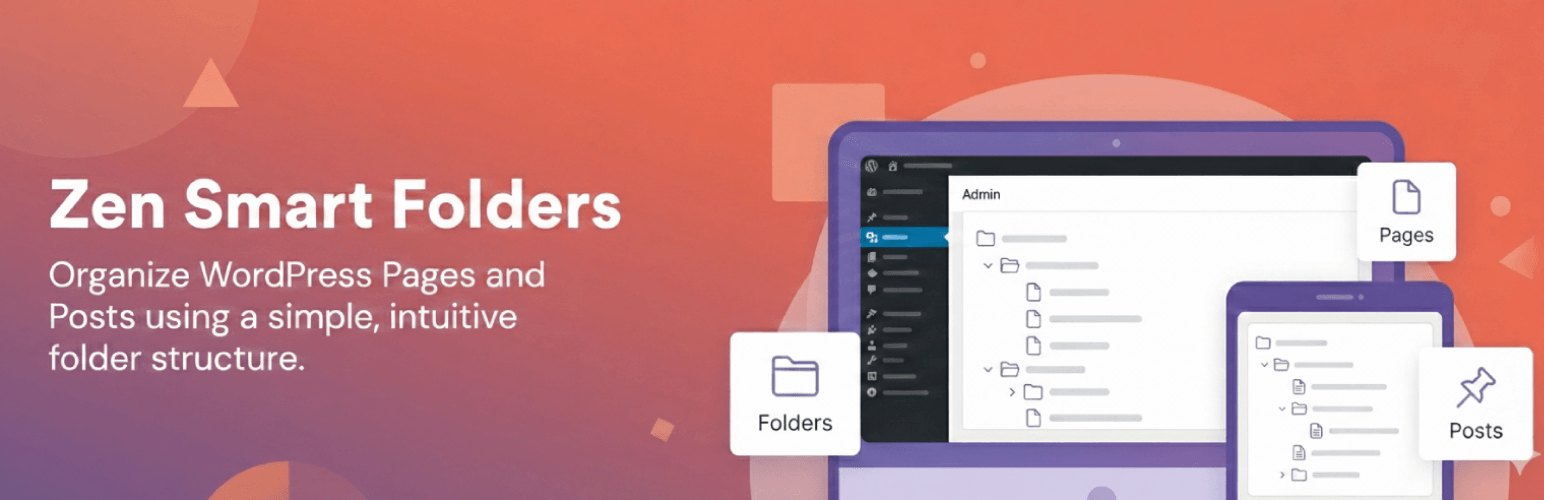
WordPress 外掛 Zen Smart Folders 的封面圖片。

前言介紹

  • 這款 WordPress 外掛「Zen Smart Folders」是 2026-01-14 上架。
  • 目前尚無安裝啟用數,是個很新的外掛。如有要安裝使用,建議多測試確保功能沒問題!
  • 上一次更新是 2026-01-15,距離現在已有 42 天。
  • 外掛最低要求 WordPress 5.0 以上版本才可以安裝。
  • 外掛要求網站主機運作至少需要 PHP 版本 7.0 以上。
  • 尚未有人給過這款外掛評分。
  • 還沒有人在論壇上發問,可能目前使用數不多,還沒有什麼大問題。

外掛協作開發者

spiraclethemes |

外掛標籤

folders | organize | Admin Tools | content management |

內容簡介

總結:Zen Smart Folders 是一款幫助您使用簡單直觀的文件夾結構來整理 WordPress 頁面和文章的外掛。尤其適用於大型網站,避免在尋找內容時變得困難。

- 這個外掛有哪些目的?
- 保持您的 WordPress 管理區乾淨和結構良好
- 幫助編輯和內容團隊快速找到內容
- 可直接使用,無需進行配置
- 輕量,不影響您的網站前端

- 這個外掛不會做什麼?
- 不會更改您的文章網址
- 不會修改分類或分類法
- 不會影響您的前端內容
- 文件夾僅供管理識別。

- 特色:
- 創建無限數量的文件夾
- 通過簡單設置將文章和頁面分配到文件夾
- 通過文件夾快速篩選列表
- 適用於頁面和文章
- 沒有性能影響 - 完全在管理端

- 如何使用:
- 啟用後,轉到「頁面 > 所有頁面」或「文章 > 所有文章」
- 在左側,您將看到一個新的文件夾面板
- 點擊「新增文件夾」來創建新的文件夾或子文件夾
- 選擇任何頁面/文章,並使用行動中的鏈結將其分配到文件夾

- 從您的 WordPress 儀表板:
- 參觀「外掛 → 新增外掛」
- 搜索「Zen Smart Folders」
- 安裝並啟用外掛

- 手動安裝:
- 上傳外掛文件夾至 /wp-content/plugins/
- 在「外掛 → 已安裝的外掛」中啟用

- 版權:Zen Smart Folders,版權所有 2026 Spiraclethemes
- 根據 GNU GPL v2 或更新版本進行分發。

原文外掛簡介

Zen Smart Folders helps you organize WordPress Pages and Posts using a simple, intuitive folder structure.
This is especially useful for large websites where finding content becomes difficult.
With Zen Smart Folders, you can create unlimited folders and subfolders and assign any page or post to a folder. This improves workflow, navigation, and overall content management inside the admin area.
Why this plugin?

Keeps your WordPress admin clean and well-structured
Helps editors and content teams quickly find content
Works out of the box — no configuration needed
Lightweight and does not affect your website’s front-end

What this plugin does NOT do

It does not change your post URLs
It does not modify categories or taxonomies
It does not affect your front-end content
Folders exist only for admin organization.

Features

Create unlimited folders
Assign posts and pages to folders via an easy settings
Quickly filter list table by folder.
Works with both Pages and Posts.
No performance impact — fully admin-side.

How to Use

After activation, go to Pages > All Pages or Posts > All Posts.
On the left side, you will see a new Folders panel.
Click Add Folder to create a new folder or subfolder.
Select any Page/Post and assign it to a folder using the link in row actions.

Everything works automatically — no extra setup required.
From your WordPress dashboard

Visit Plugins → Add New.
Search for “Zen Smart Folders”.
Install and activate the plugin.

Manual Installation

Upload the plugin folder to /wp-content/plugins/.
Activate from Plugins → Installed Plugins.

Copyright
Zen Smart Folders, Copyright 2026 Spiraclethemes
Distributed under the GNU GPL v2 or later.


各版本下載點

  • 方法一:點下方版本號的連結下載 ZIP 檔案後,登入網站後台左側選單「外掛」的「安裝外掛」,然後選擇上方的「上傳外掛」,把下載回去的 ZIP 外掛打包檔案上傳上去安裝與啟用。
  • 方法二:透過「安裝外掛」的畫面右方搜尋功能,搜尋外掛名稱「Zen Smart Folders」來進行安裝。

(建議使用方法二,確保安裝的版本符合當前運作的 WordPress 環境。


最新版本

延伸相關外掛(你可能也想知道)

  • Folders – Unlimited Folders to Organize Media Library Folder, Pages, Posts, File Manager 》最新消息!免費版現在可以建立無限數量的資料夾 🎉, Folders 是一個 WordPress 外掛,讓使用者可以快速將所有頁面、文章和媒體檔案分類到資料夾中。您可以輕...。
  • Wicked Folders – Folder Organizer for Pages, Posts, and Custom Post Types 》ed Folders 是一款管理大量页面和自定义文章类型的终极工具。该插件通过允许您将内容组织到文件夹中来简化内容管理。Wicked Folders 不会修改您的内容永久链...。
  • Media Library Organizer – WordPress Media Library Folders & File Manager 》媒體庫管理工具可為 WordPress 媒體庫中的圖像、視頻、其它媒體及附件增加多個媒體類別。, 主要功能, , 為圖像、視頻、其它媒體及附件設置無限多個類別和子類...。
  • CatFolders – WordPress Media Library Folders & Categories 》使用 WP Media Folders - CatFolders,更快速地對媒體文件進行更好的分類。, , CatFolders使用最新技術和最少的加載元素在WordPress媒體庫中創建文件夾。它提...。
  • Organize Media Folder 》透過資料夾來組織媒體庫。在內容中的 URL 將會被替換成新的 URL。, 管理項目, , 將檔案組織進指定的資料夾。, 可以建立資料夾。, 可以透過資料夾篩選搜尋結果...。
  • Organize Media Library by Folders 》透過資料夾整理媒體庫。將內容中的 URL 替換為新 URL。, , 將檔案整理至指定資料夾。, 可以建立資料夾。, 可以透過資料夾篩選搜尋結果。, 將內容中的 URL 替...。
  • BuddyDrive 》作為 BuddyPress 的外掛程式,BuddyDrive 允許社群成員輕鬆分享文件或文件夾。透過 BP 附件 API,BuddyPress 使分享內容成為可能,包括:, , 僅擁有者(私人...。
  • Extend Media Upload 》為媒體上傳程式新增資料夾及日期時間設定功能。, , 能上傳媒體至指定資料夾。, 能上傳媒體至指定日期時間。, 如需透過資料夾整理媒體庫,請使用「Organize Me...。
  • File Permissions & Size Check 》此外掛會在設定為 777 的任何檔案/資料夾旁加入一個小的 "x" 符號,因為這本質上是不安全的。會檢查預設 WordPress 安裝的所有遞迴資料夾。, 這個外掛程式可...。
  • Media Folders Lite 》Media Folders Lite 是一個簡單的解決方案,可以讓 WordPress 創建一個真正自定義的附件上傳路徑。同時,在 WP Media Library 中您可以通過文件夾將它們進行...。
  • GoDAM – Organize WordPress Media Library & File Manager with Unlimited Folders for Images, Videos & more 》總結:GoDAM 是一個強大的數位資產管理解決方案,旨在提供自動轉碼、適應性比特率串流和互動式視頻層,以增強觀眾參與度。它簡化了整個視頻工作流程,從上傳...。
  • Lens – WordPress Media Library Folders & File Manager 》總結:「Lens 是 WordPress 的極致媒體庫文件夾解決方案,將您的媒體庫轉變為井然有序、易於導航的系統。無論您正在管理一個小型部落格還是大型企業網站,Len...。
  • Folderly 》<!DOCTYPE html>, <html>, , <head>, <title>Folderly 簡介與特色</title>, </head>, , <body>, , <h...。
  • Permissions & Security Audit 》「權限及安全稽核」是一款外掛,可運行一系列測試,以檢查以下範圍的常見安全問題:, , 檔案和資料夾權限, 檔案和資料夾所有權, WordPress 配置設定, Apache/...。
  • Manage Folders and Labels 》Manage Folders and Labels 外掛包含兩個模組:, , 資料夾, 標籤, , 資料夾說明及功能:, 此外掛可讓您將 Gravity forms(重力表單)以資料夾方式分類管理,...。

文章
Filter
Apply Filters
Mastodon