
內容簡介
ZEJ Forms 是一款完整的 WordPress 表單外掛,提供視覺化建表功能,並能將每次提交儲存於控制台中。它具備可靠的電子郵件發送功能,並提供導引式 SMTP 設定及真實的可送達性檢查,無需付費即可使用所有核心功能。
【主要功能】
• 視覺化表單建構器,支援即時預覽
• 每次提交可儲存為可搜尋的私密條目
• 條件性可見性規則,動態顯示欄位
• 專屬 SMTP 設定,確保電子郵件送達
• 垃圾郵件保護,包含蜜罐欄位
• 與 AI 代理整合,無需額外外掛
外掛標籤
開發者團隊
原文外掛簡介
ZEJ Forms is an honest, complete forms plugin for WordPress. Build a form visually, store every submission in your dashboard, and set up reliable email with guided SMTP and real deliverability checks – without paywalling the parts that actually matter.
It is built to be calm and predictable: the free plugin does the whole job of a contact or lead form, and it never sends a “valid submission” into the void just because an email failed.
ZEJ Forms is also ready for AI agents, out of the box. The plugin carries its own MCP endpoint, so on WordPress 6.9 or newer an agent like Claude Desktop or Cursor can connect with nothing else installed: open ZEJ Forms > AI Access, create a connection, and paste the config it gives you. Agents can build forms, read entries, and check your email deliverability, all under normal WordPress permissions. Reading is always available; creating and editing forms sits behind a switch that is off until you turn it on.
Build forms visually
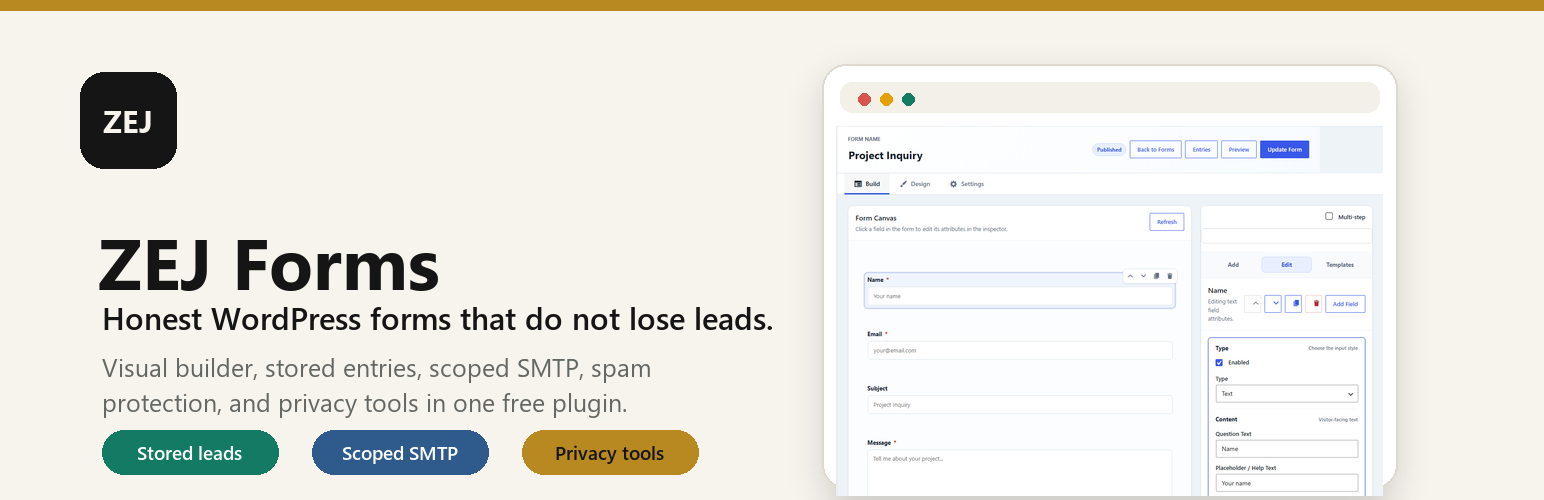
Drag-free visual builder with a live canvas preview, plus Build, Design, and Settings modes.
Field types: text, email, phone, textarea, select, radio, checkbox, consent, number, URL, date, time, and file upload.
Per-field label, key, placeholder, required toggle, and choice options.
Starter templates for Contact, Quote, Newsletter, and Support.
Gutenberg block, [zejfo_form id="1"] shortcode, and a zejfo_render_form( 1 ) template tag.
Never lose a lead
Every submission can be stored in WordPress as a private entry – searchable, filterable, and exportable to CSV.
Submissions are saved before the notification email is attempted, so a mail outage can never discard a real lead.
If a notification email fails, the stored lead is flagged in the dashboard so you still see it.
Read / unread / spam status, starring, internal notes, and bulk actions.
Smart fields
Conditional visibility rules to show or hide fields based on other answers.
Dynamic labels, placeholders, and required-state dependencies.
Optional multi-step layout using per-field step numbers.
Prefill from URL parameters, page context, post meta, or the logged-in user.
Honest email and deliverability
Scoped SMTP that applies to ZEJ Forms email only – it never changes how the rest of WordPress sends mail.
Provider presets for Gmail / Google Workspace, Brevo, SendGrid, Mailgun, and Postmark, plus custom SMTP.
A branded From name and address, with the SMTP password encrypted at rest or supplied via the ZEJFO_SMTP_PASSWORD constant.
A deliverability check for From alignment, transport, SPF, and DMARC, and a test send that reports the real failure reason instead of a generic error.
Optional confirmation email to the person who submitted the form, with HTML templates you can override from your theme.
ZEJ Forms gives you guided setup, test sending, and deliverability checks. No plugin can guarantee inbox placement – that depends on your domain, DNS, and sending reputation – so ZEJ Forms focuses on getting your configuration right and telling you the truth when something is wrong.
Spam protection
Honeypot field and a signed form-start timing check.
Configurable minimum submit time and maximum link count.
Per-IP rate limiting.
Optional Akismet integration.
Integrations
Send submissions to a named webhook destination after a successful submission.
Presets for Zapier, Make, n8n, Pabbly Connect, HighLevel, Google Sheets (Apps Script), HubSpot, and Kit.
Field mapping, custom headers, HMAC-signed payloads, and test payloads.
Works with AI agents, no extra plugins
A built-in MCP endpoint: on WordPress 6.9 or newer, Claude Desktop, Cursor, and compatible MCP clients connect straight to ZEJ Forms with no additional plugins required.
Two minute setup from ZEJ Forms > AI Access: the page checks the endpoint, creates a WordPress application password for you, and hands you ready-to-paste config for Claude Desktop and Cursor. Revoke the connection from the same page at any time.
Registers ten abilities with the WordPress Abilities API, so any other MCP setup (including the official MCP adapter plugin) can expose them too; both can run side by side.
Agents can list forms, read full form definitions, browse and count entries, export entries as CSV, and check the email deliverability status, including whether a notification email failed to send.
A separate write switch under ZEJ Forms > AI Access, off by default, decides whether agents may create, update, and duplicate forms. Agents can never delete forms or entries.
Entry lists leave out submitted values unless the agent asks for them explicitly, and secrets such as SMTP passwords, webhook keys, and API keys are never included in any response.
A self-test button on the AI Access page runs two abilities through the real pipeline so you can see it working before connecting any AI.
On WordPress older than 6.9 the plugin simply skips all of it; nothing breaks and nothing is exposed.
Styling
Optional frontend stylesheet driven by --zej- custom properties.
Nine presets plus per-form controls for layout, spacing, radius, button width and alignment, and colors.
A Design canvas that previews your form as you adjust it.
Privacy
A personal-data exporter and eraser, integrated with WordPress’ core privacy tools.
Suggested privacy-policy text.
Optional IP anonymization (add_filter( 'zejfo_anonymize_ip', '__return_true' );).
A clean uninstall that removes the plugin’s options, forms, and stored submissions.
External Services
ZEJ Forms does not send form submissions to any external anti-spam or webhook service unless the site administrator explicitly enables and configures that feature.
Akismet
When the Akismet spam provider is enabled for a form, ZEJ Forms sends the submitted form data to Akismet to check whether the submission appears to be spam. The request may include the submitted field values, the submitter IP address, user agent, referrer, current page URL, site URL, form title, and the configured Akismet API key. This request is sent only when a visitor submits a form where Akismet protection is enabled.
Service provider: Akismet, an Automattic service.
Privacy policy: https://akismet.com/privacy/
Terms of service: https://akismet.com/tos/
Webhooks
When webhooks are enabled for a form, ZEJ Forms sends a JSON payload to the webhook URL configured by the site administrator. The payload may include mapped submission fields, submission metadata, form title, page URL, site URL, destination name, preset name, custom headers, and an optional HMAC signature. This request is sent only after a successful submission on a form where webhook delivery is enabled, or when an administrator sends a test payload from the form editor.
Webhook destinations are chosen by the site administrator and may include services such as Zapier, Make, n8n, Pabbly Connect, HighLevel, Google Sheets Apps Script, HubSpot, Kit, or a custom URL. The destination service’s privacy policy and terms depend on the URL configured by the site administrator.













