內容簡介
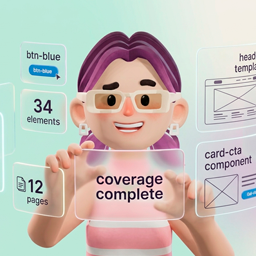
YAOTW Stylo 是一款設計系統匯入器,能將一致的設計系統應用於整個 WordPress 網站,無論是使用 Elementor、區塊編輯器或純 CSS。透過簡單的 JSON 檔案匯入,讓網站設計保持一致性,提升設計效率。
【主要功能】
• 一致的設計來源,透過單一 JSON 檔案管理顏色、字型和按鈕樣式
• 支援 Elementor 和區塊編輯器,適用於任何佈景主題
• 無需編碼,視覺化設計後可直接匯入應用
• 預設不破壞現有內容,並自動備份風險操作
• 輕量化設計,確保管理介面快速且前端效能佳
• 免費使用,外掛及 WPStylo 應用程式皆無需付費
外掛標籤
開發者團隊
② 後台搜尋「YAOTW Stylo – Design System Importer」→ 直接安裝(推薦)
原文外掛簡介
Bring one consistent design system to your whole WordPress site, whether you build with Elementor, the block editor, or plain CSS.
YAOTW Stylo turns a design system (colors, typography, buttons, spacing, effects) into real WordPress settings. You design your system visually in the free WPStylo app (app.wpstylo.dev), export a single JSON file, then import it here and apply it to your site in one click.
No more copying hex codes by hand, no more mismatched headings between your page builder and your block templates. Define your tokens once, apply them everywhere, and keep every page on brand.
Design your system at app.wpstylo.dev. Learn more at wpstylo.dev.
Why designers and developers use it
One source of truth. Your colors, fonts and button styles come from a single JSON file, so your whole site stays consistent.
Works with your stack. Apply the same design system to Elementor, to the block editor on any theme, or to any theme through CSS custom properties.
No code required. Design visually, import, apply. The plugin writes the settings for you.
Non-destructive by default. Your existing content is preserved, backups are created before risky operations, and everything can be restored or removed.
Lightweight. Styles are delivered efficiently and the admin stays fast; nothing heavy is loaded on your front-end unless a feature needs it.
Free. The plugin and the WPStylo app are free to use.
Apply your design system to three targets
1. CSS Custom Properties (works on any theme)
Injects --wps-* CSS custom properties and ready-to-use utility classes (for headings, body text and buttons) into your site. Use them anywhere in your own CSS or templates. Perfect when you write your own CSS or templates.
2. Elementor
Applies your tokens to Elementor’s global Kit (Site Settings): colors, typography and button styles, including text case, button box-shadow and per-corner border radius. Custom color and typography roles you created in the app are applied too. Using Elementor’s newer Atomic design (v4+)? One extra click injects matching variables and utility CSS classes, without overwriting your existing global variables.
3. Block Editor / theme.json (works on any theme)
Feeds your design system to the WordPress block editor, so any content written in blocks picks up your colors, font sizes, font families and button variants. theme.json is how the block editor is configured, not a block-theme feature, so this works on classic themes too — including sites whose pages are built with a page builder and whose posts are written in blocks.
The recommended way is Apply (no theme file changes): your palette, fonts, font sizes and element styles are handed to WordPress on every page load, and your theme’s theme.json file is never modified. Because nothing is written into the theme, a theme update cannot wipe your configuration. Pick whether to keep the theme’s own palette and fonts alongside yours (Preserve) or to expose only yours (Replace).
If you would rather write the tokens into the file itself — for example to keep them without the plugin — the advanced Write to theme.json actions are available on block themes:
Write (non-destructive): merges your palette and fonts alongside the theme’s existing ones.
Overwrite: replaces the palette, font families and font sizes with yours only, for a clean slate (other theme.json settings such as spacing and layout are left untouched).
Either way, a backup is created first and can be restored in one click. On every theme you also get five ready-made button block styles (Stylo Primary, Secondary, Outline, Ghost, Link) selectable directly from the editor.
Scroll appearance effects
Give your pages a polished feel with built-in scroll animations (Fade Up, Fade In, Slide Left, Slide Right, Zoom In) that reveal sections as visitors scroll. They run on the Elementor and block theme targets, respect the “reduced motion” accessibility preference, and never hide your content when scripting is off. Enable or disable them any time, no re-import needed.
What gets imported
Colors (semantic roles, including your own custom roles), fluid typography (responsive clamp() sizing, including your own custom typography roles), text case (uppercase, lowercase, capitalize) for headings, body text and buttons, button variants with hover and focus states, button box-shadow, border radius — uniform or per corner — transitions, and scroll appearance effects.
Built for real workflows
Re-import an updated design system any time; applying again keeps your custom content intact.
Export the currently imported configuration as a JSON backup you can re-import later.
Clear, tabbed admin: Import & Apply, Reference (copy-ready classes), Summary, Tools, and an in-plugin Guide.
Design your system at app.wpstylo.dev. Full documentation and tutorials at wpstylo.dev.