內容簡介
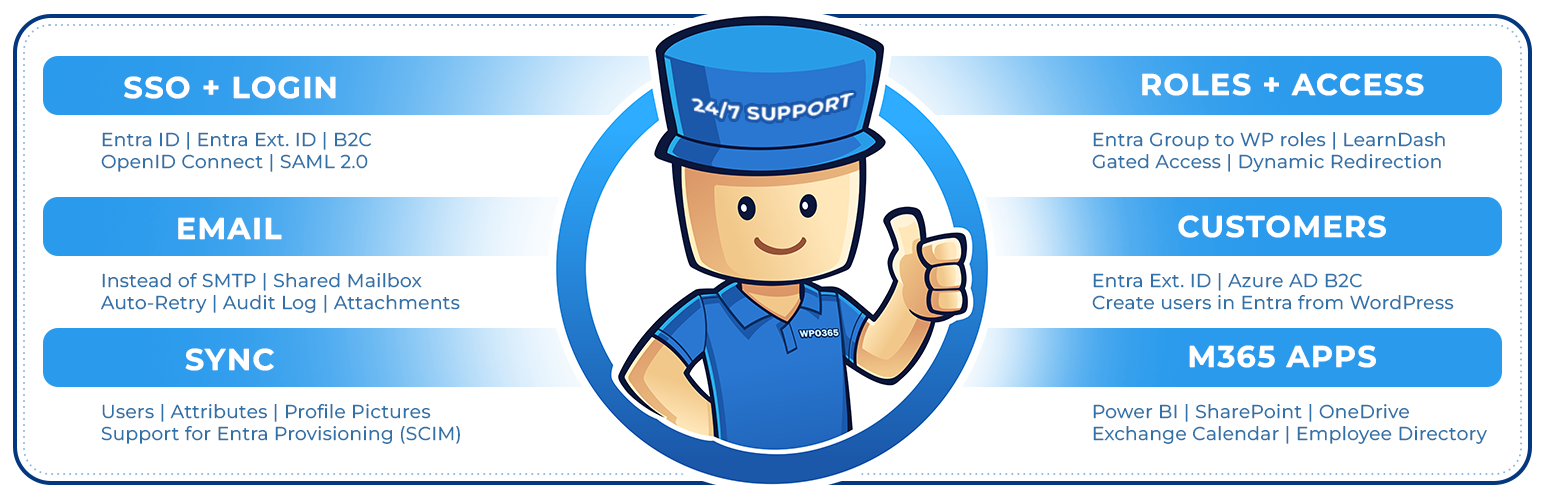
WPO365 是一款將 WordPress 與 Microsoft Entra ID、Microsoft 365 深度整合的外掛,提供單一登入(SSO)、郵件發送、使用者同步、角色管理及 SharePoint、Power BI 等 Microsoft 服務嵌入功能,適合打造企業數位工作環境。
【主要功能】
• 支援 Microsoft Entra ID 單一登入(SSO)
• 透過 Microsoft Graph 發送 WordPress 郵件
• 嵌入 SharePoint 文件庫、清單與搜尋
• 嵌入 Power BI 報表與員工名錄
• 支援 SCIM 使用者自動佈建與同步
• 支援 WordPress 多站網路與 REST API 端點保護
外掛標籤
開發者團隊
② 後台搜尋「WPO365 | SEAMLESS WORDPRESS + MICROSOFT INTEGRATION (WPO365 | LOGIN)」→ 直接安裝(推薦)
📦 歷史版本下載
原文外掛簡介
WordPress + Microsoft Entra | Ext. ID | B2C | M365 Integration for your Digital Workplace. For SSO, Mail, Roles, Access, Profiles, SharePoint, PowerBI.
SINGLE SIGN-ON (SSO)
Enable Microsoft based Single Sign-on more
Supported Identity Providers (IdPs): Azure Active Directory, Azure AD B2C, Entra External ID (Azure AD for Customers) more
Supported SSO protocols: OpenID Connect and SAML 2.0 more
Supported OpenID Connect User Flows: Authorization Code User Flow (recommended) and Hybrid User Flow more
NEW USERS
New users that sign in with Microsoft automatically become WordPress users more
INTRANET
Configure the intranet authentication mode to restrict access to all front-end posts and pages more
Hide the WordPress Admin Bar for specific roles more
Send emails using Microsoft Graph instead of SMTP from your WordPress website more
Choose between a Microsoft 365 account or a personal Microsoft account, like Hotmail.com or Outlook.com, to send WordPress emails
Send as HTML
Save to the Sent Items folder
Support for file attachments
SCIM
Entra User Provisioning (SCIM) more
Create new WP Users
MICROSOFT TEAMS
Support for (seamless) integration of your WordPress website into a Microsoft Teams Tabs and Apps more
POWER BI
Embed Microsoft Power BI content (user owns data) more
SHAREPOINT
Embed a SharePoint Online library more
Embed a SharePoint Online list more
Embed an Outlook / Exchange calendar more
Embed a SharePoint Online search more
EMPLOYEE DIRECTORY
Embed an intuitve Azure AD / Microsoft Graph based Employee Directory into a front-end post or page more
WPO365 INSIGHTS
See what matters, when it happens Track key WPO365 events like logins, sent emails and user creation and updates with WPO365 Insights more
WORDPRESS MULTISITE
Support for WordPress Multisite more
REST API ENDPOINT PROTECTION
Protect your WordPress REST API endpoints with a combination of a WordPress cookie and a nonce for delegated access more
DEVELOPERS
Developers can now connect to a RESTful API for Microsoft Graph in their favorite programming language and without the hassle of authentication and authorization more
PHP hooks for developers to build custom Microsoft Graph / Office 365 integrations more
ADD FUNCTIONALITY WITH PREMIUM EXTENSIONS
The features below can be unlocked with premium addOns and bundles.
SYNC
Full User Sync using MS Graph from Entra to WordPress more
Create new WP Users
Update existing WP Users
(Soft) Delete existing WP Users
Lookup / Add a user in Entra ID (Azure Active Directory) on WordPress’s built-in Add New User page. more
WP User Roles, Profiles and Avatars will be updated and other rules e.g. LearnDash Enrollments will be applied
SCIM
Integrate with Entra User Provisioning (SCIM) more
Create new WP Users
Update existing WP Users
(Soft) Delete existing WP Users
Map User Attributes beyond name and email and store as WordPress user meta
WP User Roles, Profiles and Avatars will be updated and other rules e.g. LearnDash Enrollments will be applied
INTRANET
Block Direct Access to the Media Library more
ROLES + ACCESS
Assign WordPress roles by Entra Groups, Entra User Attributes, Domains and / or App Roles more
Restrict access to site / pages by Entra Groups, Domains and / or WPO365 Audiences more
Redirect after login by Entra Groups and / or Domains more
LEARNDASH
Auto-Enroll WP Users in LearnDash Courses and Groups by Entra Groups, Domains and / or Defaults more
CUSTOM USER FIELDS
Enhance WordPress / BuddyPress User Profiles with Entra User Attributes more
Auto-retry to deliver emails that failed to send more
Send attachments larger than 3MB more
Send as / On behalf more
Send from a Shared Mailbox more
Enable Staging Mode more
Mail Throttle more
Send as BCC more
Default Reply-To more
MICROSOFT 365 APPS
Power BI more
SharePoint Library more
SharePoint List more
SharePoint Search more
Exchange Calendar more
Viva Engage more
Employee Directory more
ADVANCED LOGIN OPTIONS
Support for Multitenancy more
Support for multiple IdPs more
Force SSO more
Dual Login more
Intercept manual login more
Prevent pwd. / email change more
Single Sign-out more
Sign out of M365 more
Custom login URL more
Custom loading template more
B2C custom domain more
Embedded B2C login more
Custom new User email more
WPO365 INSIGHTS
Get WPO365 Alerts in your inbox when a critical WPO365 event occurs more
AVATAR
M365 Profile Picture as WordPress / BuddyPress Avatar more
REST API ENDPOINT PROTECTION
Enable Azure AD based protection for your WordPress REST API endpoints more
CONFIGURATION
Save multiple configurations
Directly edit (the JSON representation of) a configuration
Prerequisites
Make sure that you have disabled caching for your Website, especially when you configure a WordPress based intranet and access to WP Admin and all pubished pages and posts requires authentication. With caching enabled, the plugin may not work as expected
We have tested our plugin with WordPress >= 5 and PHP >= 7.4
You need to Entra ID Tenant Administrator to configure both Azure Active Directory and the plugin
When configuring a WordPress based intranet, you should consider restricting access to the otherwise publicly available wp-content directory more
Support
We will go to great length trying to support you if the plugin doesn’t work as expected. Go to our Support Page to get in touch with us. We haven’t been able to test our plugin in all endless possible WordPress configurations and versions so we are keen to hear from you and happy to learn!
Feedback
We are keen to hear from you so share your feedback with us and contact us using the contact form on our website!
Open Source
When you’re a developer and interested in the code you should have a look at our repo over at WordPress.