內容簡介
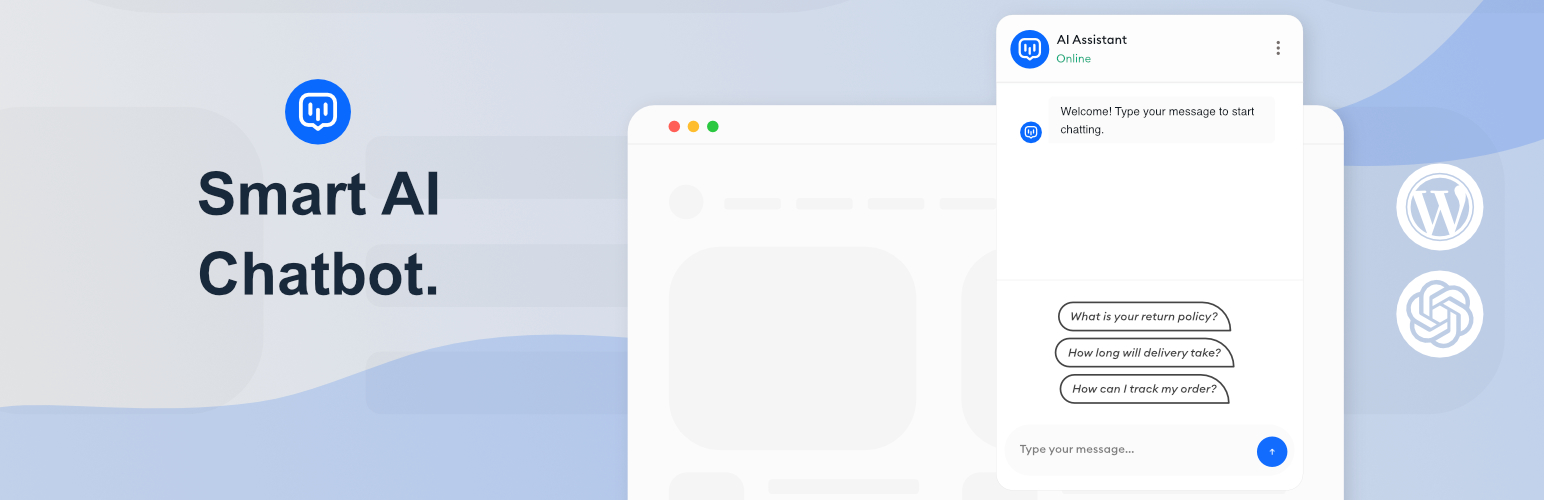
WPiko AI Chatbot 是一款將 OpenAI 的最新模型整合到 WordPress 的外掛,提供即時、準確的回答、潛在客戶捕捉及自動化支援,無需每月付費。此外掛快速靈活,旨在解決常見問題、協助購物者及篩選潛在客戶。
【主要功能】
• 24/7 AI 支援,減少客服票務
• 培訓特定領域的專業回答
• 嵌入聊天機器人於任意頁面
• 自訂聊天介面文字及樣式
• 基本對話管理及導出功能
• 支援檔案上傳以豐富知識庫
外掛標籤
開發者團隊
② 後台搜尋「WPiko AI Chatbot – ChatGPT/OpenAI Assistant for WordPress」→ 直接安裝(推薦)
原文外掛簡介
WPiko AI Chatbot brings OpenAI’s latest models to your WordPress site for instant, accurate answers, lead capture, and automated support—without monthly fees. It’s fast, flexible, and designed for real business outcomes like resolving FAQs, assisting shoppers, and qualifying leads.
💬 What you can do
Provide 24/7 AI support and reduce tickets with precise, on-brand answers
Train on your site/files for domain-specific answers
Review conversations and improve AI responses
Embed a chatbot on any page using a shortcode or show a floating widget site‑wide
🆓 Key features (Free)
OpenAI Responses API integration for fast, reliable conversations
Works with the latest models, tailor tone and behavior via instructions
Full localization: Customize all chatbot interface text, placeholders, and error messages to any language
Style the interface to match any website’s design (colors, dimensions, icons)
Floating chatbot and shortcode embed: [wpiko_chatbot]
Pre-made quick questions and custom conversation starters
File uploads for knowledge enrichment (assistant knowledge base)
Basic conversation management and admin-side conversation export (with translation)
User transcript download from the chat UI
Sound notifications, error messages, page exclusion rules
Secure API key handling
🚀 Pro adds
Mobile App (PWA) — Monitor and reply to conversations from your phone without opening WordPress
Admin Takeover — Take over any conversation from AI and chat with the user live in real-time
Push Notifications — Get notified instantly on your phone when a visitor sends a message
Advanced analytics and reporting (device, geo, usage graphs)
Capture emails/leads with customizable localized fields
Localizable contact form with file attachments and reCAPTCHA support
Enhanced WooCommerce integration (product cards, product assistance)
Website content scanning and a Q&A builder for custom knowledge
Advanced conversation management and cleanup tools
AI-powered response enhancement for operators
🌍 Any Language & Localization Support
WPiko is designed for a global audience. You can fully customize every text element your visitors see, from the chatbot name and welcome message to input placeholders and error notifications. More importantly, the AI itself is language-agnostic: train it with documents in any language, and it will converse naturally with your users in their preferred tongue.
🔐 Reliable, Fast, Secure
WPiko is optimized for performance and security. The chatbot loads fast, enqueues only essential assets, and protects your customer data.
📱 Mobile-Friendly
WPiko’s chatbot adapts seamlessly to phones, tablets, and desktops. Touch‑friendly buttons, adjustable dimensions, and compatibility with common themes and page builders ensure a smooth experience without covering key UI elements. The admin includes a mobile‑friendly navigation.
✅ Get Started with WPiko Chatbot Today
Installing WPiko Chatbot for WordPress takes just a few clicks. Start with our free plugin and upgrade anytime to unlock advanced premium tools.
Learn more: WPiko Chatbot
External Services
This plugin relies on third-party external services to provide its functionality. Below is detailed information about each service used:
OpenAI API
* What it is: OpenAI’s API service that provides access to advanced AI language models and assistants.
* What it’s used for: This service powers the core chatbot functionality, including generating responses, managing conversations, creating and updating AI assistants, handling file uploads for knowledge base, and managing vector stores for file search capabilities.
* What data is sent: User messages/questions, chatbot configuration settings (name, instructions, model selection), uploaded files for the knowledge base, conversation context, and API authentication tokens.
* When data is sent: Every time a user interacts with the chatbot, when configuring the AI assistant, when uploading files to the knowledge base, and when administrators test the API connection.
* Service provider: OpenAI
* Terms of Service: https://openai.com/terms/
* Privacy Policy: https://openai.com/privacy/
IP-API.com Location Service
* What it is: A geolocation service that provides location information based on IP addresses.
* What it’s used for: To determine the approximate geographical location of website visitors for analytics and conversation tracking purposes (available in Pro version).
* What data is sent: The visitor’s IP address only.
* When data is sent: When a user starts a conversation with the chatbot (only if analytics features are enabled).
* Service provider: IP-API.com
* Terms of Service: https://ip-api.com/docs/legal
* Privacy Policy: https://ip-api.com/docs/legal