內容簡介
WPFAQBlock 是一款專為 WordPress 設計的 FAQ 建立與手風琴外掛,能夠輕鬆創建、管理及展示專業的 FAQ 區域,適用於網站的各種內容。
【主要功能】
• 視覺化 FAQ 建立器
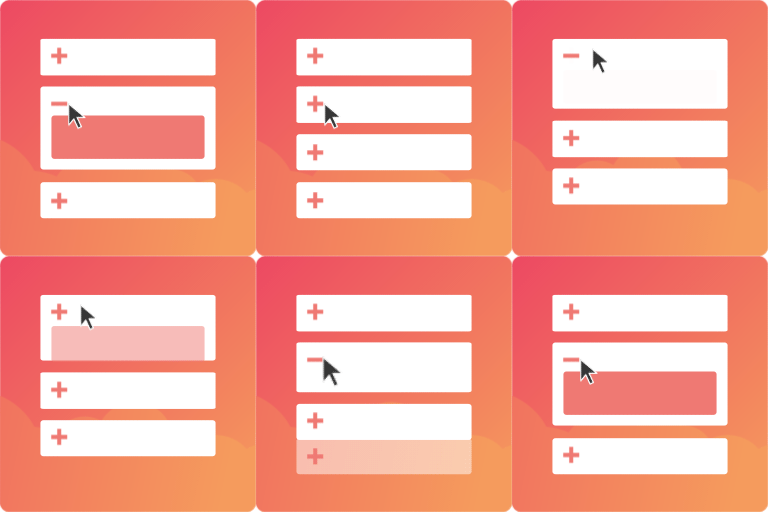
• 手風琴式 FAQ 佈局
• Gutenberg FAQ 區塊支援
• FAQ 短碼功能
• FAQ 類別分組
• 自訂手風琴圖示
外掛標籤
開發者團隊
② 後台搜尋「WPFAQBlock – FAQ & Accordion Plugin For Gutenberg」→ 直接安裝(推薦)
原文外掛簡介
WPFAQBlock is a WordPress FAQ builder and accordion plugin for creating, managing, and displaying professional FAQ sections across your website.
Use WPFAQBlock to build support FAQs, product FAQs, service FAQs, help center questions, documentation FAQs, and clear question-and-answer content for posts, pages, widgets, and custom post types. The plugin includes a visual FAQ builder, Gutenberg block support, shortcode output, FAQ category filtering, optional FAQPage JSON-LD schema, custom accordion icons, import/export tools, and AI-assisted FAQ generation with OpenAI or Google Gemini.
Frontend FAQ content is rendered as HTML, and optional FAQPage JSON-LD structured data can be enabled for eligible FAQ pages. This helps search engines understand your FAQ content without forcing schema output on every site.
WPFAQBlock is designed for site owners, agencies, ecommerce stores, service businesses, content teams, and developers who need a flexible FAQ plugin that stays lightweight, accessible, and easy to manage.
Key Features
Visual FAQ Builder – Create, edit, organize, and manage FAQs from a clean admin interface.
Accordion FAQ Layout – Display FAQs in a user-friendly collapsible accordion format.
Gutenberg FAQ Block – Add FAQ sections directly from the WordPress block editor.
FAQ Shortcode – Display FAQs anywhere with the [wpfaqblock] shortcode.
Per-Instance FAQ Selection – Choose all FAQs, selected FAQs, or FAQs from selected categories for each display.
FAQ Categories – Group FAQs by category and show only the content needed on each page.
Optional FAQ Schema – Enable FAQPage JSON-LD structured data only when you want schema output.
Displayed-Only Schema Output – Schema is generated only from FAQs actually rendered on the current page.
Custom Accordion Icons – Upload separate open and closed accordion icons from the WordPress Media Library.
Open First Accordion Option – Choose whether the first FAQ item should be open by default.
Import and Export FAQs – Export all FAQs, selected FAQs, single categories, or multiple categories as JSON.
AI FAQ Generation – Generate FAQ suggestions from builder prompts or editor content using OpenAI or Gemini.
Editor Content FAQ Generator – Generate FAQs while editing a post, page, product, or supported custom post type.
AI Chatbot Assistant – Floating conversational companion for your dashboard to manage, create, and refine FAQs.
AI Chatbot Database Commands – Create, update, toggle draft/publish, or delete FAQs and categories via chat.
AI Chatbot URL Scraping – Generate instant FAQs from any web link.
AI Chatbot Copy Optimizer – Propose and refine FAQ answers with professional copy.
AI Chatbot Page Reader – Retrieve content from any post/page ID to draft new FAQs.
AI Chatbot Smart Lookup – Context-aware search of your existing FAQ database.
Custom Post Type Storage – FAQs are stored as WordPress content for easier management, backups, and migration.
Why choose WPFAQBlock?
🚀 Build and manage professional FAQ sections without writing code.
🤖 Generate high-quality FAQs instantly using OpenAI or Google Gemini.
💬 Use the AI Chatbot Assistant to create, edit, search, and manage FAQs through natural conversation.
🌐 Generate FAQs directly from any website URL with AI-powered URL scraping.
📄 Create FAQs from existing WordPress posts and pages using the built-in Page Reader.
✨ Improve FAQ answers with the AI Copy Optimizer for clear and professional content.
🧩 Add FAQs anywhere using the Gutenberg block or the [wpfaqblock] shortcode.
📂 Organize FAQs with categories and display only the questions relevant to each page.
🎨 Customize your accordion with your own open and closed icons.
📈 Enable optional FAQPage JSON-LD Schema to help search engines better understand your FAQ content.
🔄 Easily import and export FAQs for backups, migration, or bulk management.
📱 Fully responsive and works seamlessly across desktop, tablet, and mobile devices.
🎯 Perfect for WooCommerce stores, business websites, agencies, SaaS products, blogs, documentation sites, schools, and customer support centers.
Common Use Cases
Product FAQ sections for WooCommerce or ecommerce pages.
Service FAQs for local business, agency, and landing pages.
Help center or support FAQ content.
Documentation pages with categorized questions and answers.
FAQ schema structured data for eligible FAQ content.
Reusable FAQ blocks across posts, pages, widgets, and templates.
AI-assisted FAQ creation from existing page or post content.
Shortcode Usage
Display all published FAQs:
[wpfaqblock]
Display FAQs from one category:
[wpfaqblock category="returns"]
Limit the number of FAQs:
[wpfaqblock category="returns" limit="5"]
Hide the category title:
[wpfaqblock category="returns" category_title="0"]
Change FAQ order:
[wpfaqblock category="general" order="DESC"]
Open the first accordion item by default:
[wpfaqblock category="general" open_first="1"]
Display specific FAQs only:
[wpfaqblock ids="12,34,56"]
Use custom accordion icons:
[wpfaqblock ids="12,34" closed_icon="https://example.com/closed.png" open_icon="https://example.com/open.png"]
Shortcode Attributes
category – Filter FAQs by faq_group term slug. Leave empty to show all FAQs.
ids – Comma-separated FAQ post IDs for showing specific FAQs only.
limit – Maximum number of FAQs to display. Use -1 to show all matching FAQs.
order – Sort order. Accepts ASC or DESC.
category_title – Set to 0 to hide the category heading above grouped FAQ output.
open_first – Set to 1 to open the first accordion item by default.
closed_icon – Image URL for the closed accordion state.
open_icon – Image URL for the open accordion state.
Benefits
Save time managing FAQs
Reduce support requests
Improve user experience
Organize FAQs efficiently
Generate FAQs with AI
Reuse FAQs across pages
Display SEO-friendly structured content