[WordPress] 外掛分享: WP Table Builder – Drag & Drop Table Builder

首頁外掛目錄 › WP Table Builder – Drag & Drop Table Builder
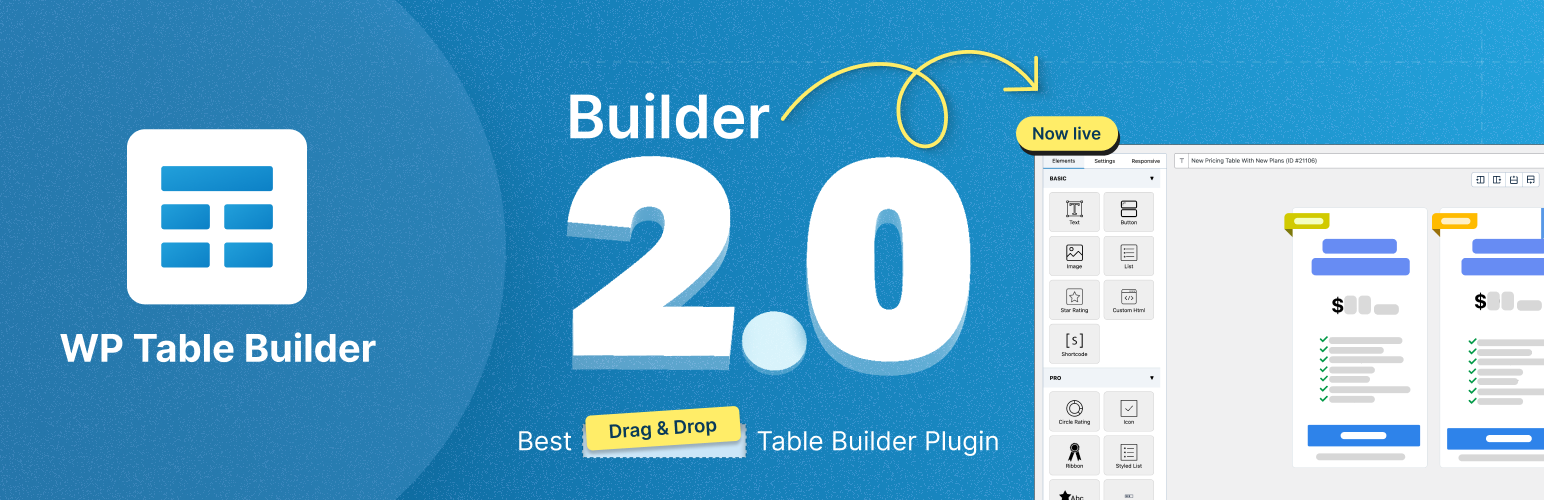
WordPress 外掛 WP Table Builder – Drag & Drop Table Builder 的封面圖片
50,000+
安裝啟用
★★★★
4.8/5 分(681 則評價)
3 天前
最後更新
33%
問題解決
WordPress 4.9+ PHP 7.4+ v2.2.0 上架:2019-07-16

內容簡介

WP Table Builder 是一款拖放式的表格建構外掛,讓使用者能在幾分鐘內創建美觀且具響應式的表格,適合用於比較、定價、產品、清單等多種用途,無需編碼或複雜的設定介面。

【主要功能】
• 拖放編輯:輕鬆將文字、圖片、按鈕等元素放入表格單元
• 完全響應式:自動適應手機和平板螢幕
• AI 表格建構器(Pro):透過自然語言生成和編輯表格
• 可排序的列和行:讓訪客輕鬆排序表格數據
• 無鎖定:可將表格匯入和匯出為 CSV 或 XML

外掛標籤

開發者團隊

⬇ 下載最新版 (v2.2.0) 或搜尋安裝

① 下載 ZIP → 後台「外掛 › 安裝外掛 › 上傳外掛」
② 後台搜尋「WP Table Builder – Drag & Drop Table Builder」→ 直接安裝(推薦)
📦 歷史版本下載

原文外掛簡介

Demo | Documentation | Support | Tutorials | Get Pro
WP Table Builder is a drag and drop table builder plugin for WordPress. Create beautiful, responsive tables in minutes: comparison tables, pricing tables, product tables, list tables, schedules, and data tables. No coding and no spreadsheet-style configuration screens. Just drag elements into cells and click to edit.
WP Table Builder works with the block editor (Gutenberg), the Classic Editor, and any page builder through a simple shortcode.

Why WP Table Builder?
Most WordPress table plugins make you build tables in settings screens and preview them somewhere else. WP Table Builder gives you a true visual, drag and drop canvas. What you see in the builder is what your visitors see on the page.

Drag and drop editing. Drop text, images, buttons, ratings, and more into any cell.

Fully responsive tables. Your tables adapt to mobile and tablet screens, with a dedicated responsive mode to fine-tune breakpoints.

AI table builder (Pro). Edit and generate tables with natural language. Describe the change you want and the AI builder makes it.

Sortable columns and rows. Let visitors sort your table data with one click.

No lock-in. Import and export tables as CSV or XML.

What Can You Build with WP Table Builder?

Comparison tables. Compare products, services, plans, or features side by side. Perfect for affiliate marketers and review sites.

Pricing tables. Present your plans with feature lists, star ratings, and call-to-action buttons.

Product tables. Build Amazon affiliate tables and product roundups with images, ratings, and buy buttons.

Data tables. Import data from CSV files and present it in clean, sortable, responsive tables.

List tables, schedules, and more. Class schedules, restaurant menus, league standings, feature matrices, anything tabular.

**Table Elements**
Drag any of these elements into your table cells:

Text

Image

List

Button

Star Rating

Custom HTML

Shortcode

Every element comes with its own customization options like colors, sizes, alignment, and links.
Full Design Control

Cell management mode: add rows and columns, merge cells, split cells, resize, and reorder

Colors, borders, padding, spacing, and alternating row styles

Header row options, including proper TH cells for accessibility and SEO

Vertical alignment controls per row and column

Custom CSS support with live preview for advanced styling

Responsive Tables That Actually Work on Mobile
Tables are notoriously bad on small screens. WP Table Builder includes a responsive editing mode where you control exactly how your table behaves on tablet and mobile: stack cells, keep a static top row, enable horizontal scroll, or hide specific columns on mobile.
Import and Export Tables

Import tables from CSV or XML files, single or in bulk (zipped)

Export tables to CSV or XML

Moving tables between sites? Use XML export to preserve all table settings

WP Table Builder Pro
Upgrade to Pro to unlock:

AI table builder. Generate and edit tables with natural language. Describe the change you want, and the AI Assistant builds it for you.

Prebuilt table templates. Start from professionally designed comparison, pricing, and product table templates instead of a blank canvas.

More elements. Styled List, Icon, Circle Rating, Progress Bar, and Badge elements.

Search and pagination. Add a live search box and paginate long tables.

Sticky header and sticky first column. Keep headers visible while visitors scroll big tables.

Row and column highlighting. Draw attention to a recommended plan or featured product.

Tooltips. Add extra information on hover.

Custom responsive breakpoints. Full control over when and how your table adapts.

Row and column drag. Rearrange your table structure by dragging entire rows and columns.

How to Use

After you install the plugin, you will see a WP Table Builder menu. Go to WP Table Builder > Add New.

Select the number of columns and rows, then click Generate.

Drag and drop elements from the left panel into the table cells and edit them in place.

Click Save, then click Embed to copy the shortcode, or insert the table with the WP Table Builder block in the editor.

You can also find the shortcode for every table in the All Tables list under the Table Builder menu.
Join Us To Get Updates and Resources

Visit WP Table Builder Website

Documentation

Support

Tutorials

Follow Us on Twitter

Join Our Facebook Group

Installation Instructions
Please remember you MUST have PHP 7.4+ to be able to use this plugin.

Upload the plugin zip file via the plugin page of WordPress by clicking Add New and selecting the zip from your local computer.

Activate the plugin through the Plugins menu in WordPress.

That’s it. You’re done!

延伸相關外掛

文章
Filter
Apply Filters
Mastodon