內容簡介
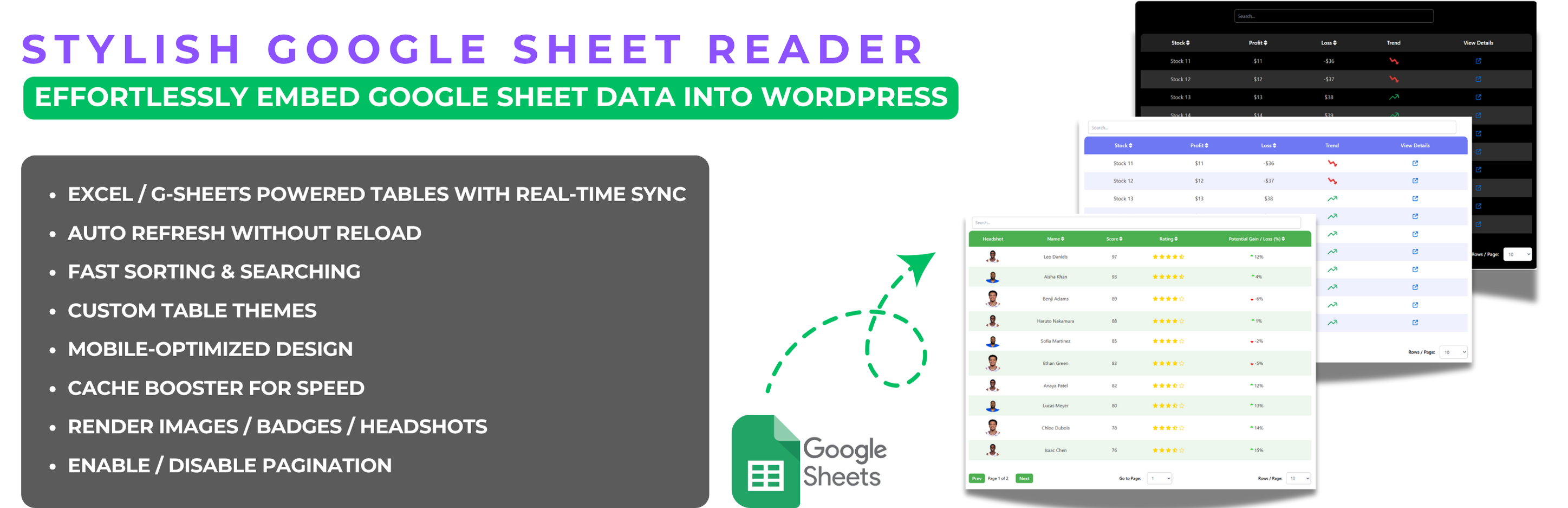
Stylish Google Sheet Reader 外掛讓使用者能輕鬆將 Google Sheets 的數據轉換為互動式資料表,並支援內建表單提交功能,直接接收訂單或詢問,提升網站的互動性與功能性。
【主要功能】
• 主題自訂:選擇不同主題,調整顏色與樣式
• 多工作表管理:集中管理所有 Google Sheets
• 進階樣式選項:自訂邊框、陰影效果等
• 行動裝置相容:確保在各種裝置上可讀性
• 自動更新:啟用自動刷新以獲取即時數據
• 表單提交:直接在表格中添加輸入欄位
外掛標籤
開發者團隊
② 後台搜尋「Stylish Google Sheet Reader – Embed Google Sheets as Interactive Tables with Built-in Form Submissions」→ 直接安裝(推薦)
原文外掛簡介
Effortlessly create responsive, searchable, auto-refreshable data tables — now with built-in form submissions to receive orders or inquiries directly.
Create Fully Customizable, Responsive, and Up-to-date Data Tables from Google Sheets
The Stylish Google Sheet Reader plugin for WordPress makes it easy to convert Google Sheets data into fully responsive, interactive data tables on your website. The new Version 5.0 comes with enhanced features, allowing you to personalize the look of your tables, manage multiple sheets effortlessly, and customize every detail to match your website’s theme.
Key Features of Version 5.1
Theme Customization: Choose between different themes such as White or Black, and further tweak background colors, text colors, and table styles to perfectly fit your website’s design.
Manage Multiple Sheets: Easily add, edit, and organize all your Google Sheets from one central menu.
Advanced Styling Options: Adjust elements like border-radius, shadow effects, and custom scrollbars for a more modern and sleek table design.
Mobile Responsiveness: Ensure your tables are fully functional and easy to read on any device, with enhanced mobile-friendly features.
Cache Booster: Activate the cache booster for faster loading times, especially beneficial for large datasets.
Auto Refresh: Enable auto-refresh for live data updates.
Rich Content Support: Display images, badges, and hyperlinks within your tables to enhance the presentation and interactivity.
Form Submissions (NEW): Add dropdowns, input fields, and checkboxes directly inside your tables. Users can select rows, enter details, and submit orders, inquiries, or feedback through the built-in submission form — no third-party forms required.
Powerful Sorting & Searching: Efficiently sort and search through large datasets, even with thousands of rows, ensuring quick access to the information you need.
Who Can Use Form Submissions?
The new built-in submission feature opens up powerful possibilities:
E-commerce stores – Allow customers to select products from your datatable, specify quantities, and send an order form directly.
Service providers – Collect bookings, appointments, or project details directly from a service listing table.
Educational platforms – Let students select courses or training sessions and submit their enrollment details.
Event organizers – Enable participants to choose sessions or ticket options and confirm attendance with a simple form.
Internal teams – Use it as a lightweight internal tool to collect team inputs, inventory requests, or approvals without needing a separate form builder.
Full Documentation:
Explore our extensive documentation for the Stylish Google Sheet Reader plugin. You’ll find detailed guides, advanced features, and troubleshooting tips to help you maximize the plugin’s potential. Whether you’re just getting started or looking to dive into advanced capabilities, our documentation provides everything you need to create and manage responsive, dynamic data tables with ease.
View the Stylish Google Sheet Reader Documentation
Why Upgrade to Stylish Google Sheet Reader Pro?
For users who need more advanced functionalities, Stylish Google Sheet Reader Pro offers:
Unlimited Sheets Integration: No limits on the number of Google Sheets you can connect and manage.
Pro-Level Customization: Gain access to premium styling options, including skin changes and more detailed customization controls.
Priority Support: Enjoy priority access to our support team and live chat for any help or troubleshooting.
Plugin Usage Data
To ensure continuous improvement, the plugin may collect non-sensitive usage data, helping us to identify and resolve issues effectively.