內容簡介
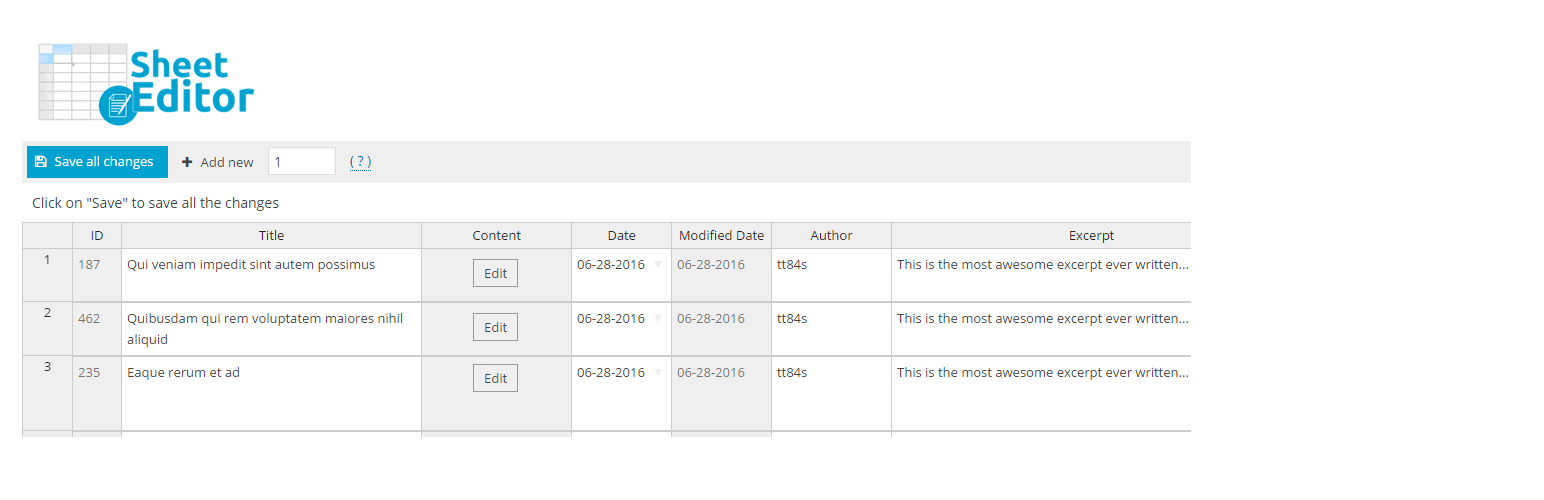
一個專門為WordPress設計的電子表格。使用電子表格大量編輯文章。
它適用於古騰堡(新編輯器)和經典編輯器
您可以使用古騰堡編輯器直接在電子表格中編輯文章內容。
它也適用於經典編輯器。
WP表格編輯器可以讓您做到以下幾點:
在電子表格中查看所有文章、頁面和WooCommerce產品
在電子表格中編輯文章(所有核心字段)
在電子表格中編輯頁面(所有核心字段)
一次創建許多文章/產品
在文章之間複製信息
編輯WooCommerce產品(免費版本僅限於標題、狀態、常規價格、特價)。
還有更多…
如果您想做到以下幾點,WP表格編輯器就是完美的選擇:
您對於打開多個編輯頁面來編輯文章感到疲倦
您對等待每個編輯器加載和保存的時間感到厭倦
功能
電子表格中,您可以編輯所有文章、頁面和WooCommerce產品的信息,包括文章標題、內容、狀態、摘要、特色圖片、發佈日期、評論狀態、頁面父級、文章類別和文章標籤。
您可以使用鍵盤在電子表格中瀏覽
您可以按任意列排列電子表格。
您可以在不重新載入頁面的情況下編輯數百篇文章
它適用於共享主機(您可以在選項頁面上調整服務器消耗)
開發人員可以使用操作和過濾器將自定義列添加到電子表格中。
WPBakery Page Builder整合。在電子表格中直接打開實時或後台編輯器。
高級功能
WooCommerce電子表格:
使用電子表格編輯WooCommerce產品。
它適用於可變產品、屬性、可下載產品和變化。
購買WooCommerce電子表格插件
退款保證。如果插件失效,我們會為您退款。
編輯所有產品字段,包括:
特價
常規價格
圖庫
簡短描述
庫存狀態
庫存數量
特色圖像
可見度
是否虛擬
是否可下載
屬性
類別
標籤
特價日期/時間
購買說明
啟用評論
運輸班級
自定義字段
等等。
購買WooCommerce電子表格插件
退款保證。如果插件失效,我們會為您退款。
替換公式:
只需點擊幾下,即可將更改套用於所有文章。
您可以做很多事情,例如:
替換單詞或短語
在文章開頭/結尾添加消息
更改文章狀態
在所有圖像上方或下方添加消息。
在特定類別中的所有文章之前或之後添加短碼
更改所有文章中的舊價格引用
更改所有文章中的鏈接
將特定類別中的所有產品標記為“缺貨”
添加
外掛標籤
開發者團隊
② 後台搜尋「Bulk Edit Posts and Products in Spreadsheet」→ 直接安裝(推薦)
📦 歷史版本下載
原文外掛簡介
A Spreadsheet created specially for WordPress. Edit posts in bulk using Spreadsheet.
It works with Gutenberg (new editor) and the Classic Editor
You can edit the post content using the Gutenberg editor right on the spreadsheet.
It also works with the Classic Editor.
Awesome things that you can do with WP Sheet Editor
View all your posts, pages, and woocommerce products in a spreadsheet
Edit posts in Spreadsheet (all core fields)
Edit pages in Spreadsheet (all core fields)
Create a lot of posts / products at once
Copy information between posts
Edit WooCommerce Products (Free version limited to title, status, regular price, sale price).
And more…
WP Sheet Editor is perfect for you if…
You are tired of opening several pages to edit your posts
You are tired of wasting time waiting for each post editor to load and save
Features
Spreadsheet where you can edit all the information of your posts, pages, and woocommerce products including post title, post content, post status, post excerpt, featured image, publish date, comment status, page parent, post categories, and post tags.
You can navigate in the spreadsheet with your keyboard
You can order the spreadsheet by any column.
You can edit hundreds of posts without reloading the page
It works on shared hosting (you can adjust the server consumption on the options page)
Developers can add custom columns to the spreadsheet using actions and filters.
WPBakery Page Builder integration. Open the live or backend editor right on the spreadsheet.
Premium features
WooCommerce Spreadsheet:
Edit woocommerce products using the spreadsheet.
It works well with Variable Products, Attributes, Downloadable Products, and Variations.
Buy WooCommerce Spreadsheet Plugin
Money back guarantee. We´ll give you a refund if the plugin doesn´t work.
Edit all product fields, including:
sale price
regular price
gallery
short description
stock status
stock quantity
featured image
visibility
is virtual
is downloadable
attributes
categories
tags
sale price dates
purchase notes
enable reviews
Shipping class
Custom fields
And more.
Buy WooCommerce Spreadsheet Plugin
Money back guarantee. We´ll give you a refund if the plugin doesn´t work.
Replace formula:
Apply changes to ALL YOUR POSTS AT ONCE with just a few clicks.
You can do a lot of things, like:
Replace words or phrases
Add a message at the end/beginning of your posts
Change posts status
Add a message above or below all the images.
Add shortcodes at the beginning or ending of all the posts in a specific category
Change all references to old prices in your posts
Change all links in your posts
Mark all products in a specific category as “out of stock”
Add a category to ALL THE POSTS in a specific category
Change post status from draft to publish, or any other
Set the same featured image in ALL the posts in specific category.
Replace an existing value with the current date
Etc.
Buy Premium Version
Math formula:
For example:
Increase / decrease products prices by a 10%
Increase / decrease your products stock in a specific product category
Advanced Custom Fields integration
Edit your metaboxes in the spreadsheet.
Add custom columns to the spreadsheet and edit other plugin´s fields.
Buy Premium Version
Copy information between posts in bulk
Do you need to set the same categories to 20 posts? Instead of adding every category manually, just drag one cell and paste it into the 20 cells below. Yes, it´s that easy.
You can copy titles, excerpts, post dates, categories, tags, etc.
You can enable / disable columns on the spreadsheet.
You can rename columns on the spreadsheet
Edit custom post types
You can enable the spreadsheet on ANY custom post type.
For example, you can edit the descriptions or captions of your images (media attachments) to improve your SEO.
If you theme added a “Portfolio” post type, you can edit the items too.
Buy Premium Version
Spanish / Español
Este plugin te permite editar entradas, artículo, y páginas usando una hoja de cálculo dentro de WP admin.
Tú puedes ver todos los posts y páginas en la hoja de cálculo y rápidamente editar los campos de WordPress.
La versión gratuita te permite:
– Ver todos los artículos, entradas, o páginas en la hoja de cálculo
– Crear y editar artículos, entradas, o páginas rápidamente
– Puedes buscar artículos por palabra clave, fecha, o autor
– Puedes copiar información de un artículo a otro
– Funciona con el nuevo editor de WordPress (Gutenberg)
– Puedes editar estos campos: título del post, contenido, estado, fragmento, imágen destacada, fecha de publicación, habilitar comentarios, página padre, categorías, y etiquetas.
– Editar precios de productos rápidamente usando la hoja de cálculo
La versión de pago te permite:
– Editar todos los tipos de posts: posts, páginas, productos de WooCommerce, eventos, portafolios, etc.
– Exportar e importar posts, páginas, productos para editar en excel o Google Sheets
– Editar todos los campos, el editor mostrará todos los campos del tipo de post. Ej. si son productos = todos los precios, inventario, galerías, etc.
– Hacer búsquedas avanzadas por cualquier combinación de campos (ej. buscar por precio, organizadores, información seo, etc.)
– Editar miles de artículos a la vez en un segundo (ej. eliminar cientos de artículos, reemplazar textos, establecer precios en lotes, actualizar fotos, etc.)
Descarga versión de pago
Garantía de devolución de dinero si no te funciona el plugin.