內容簡介
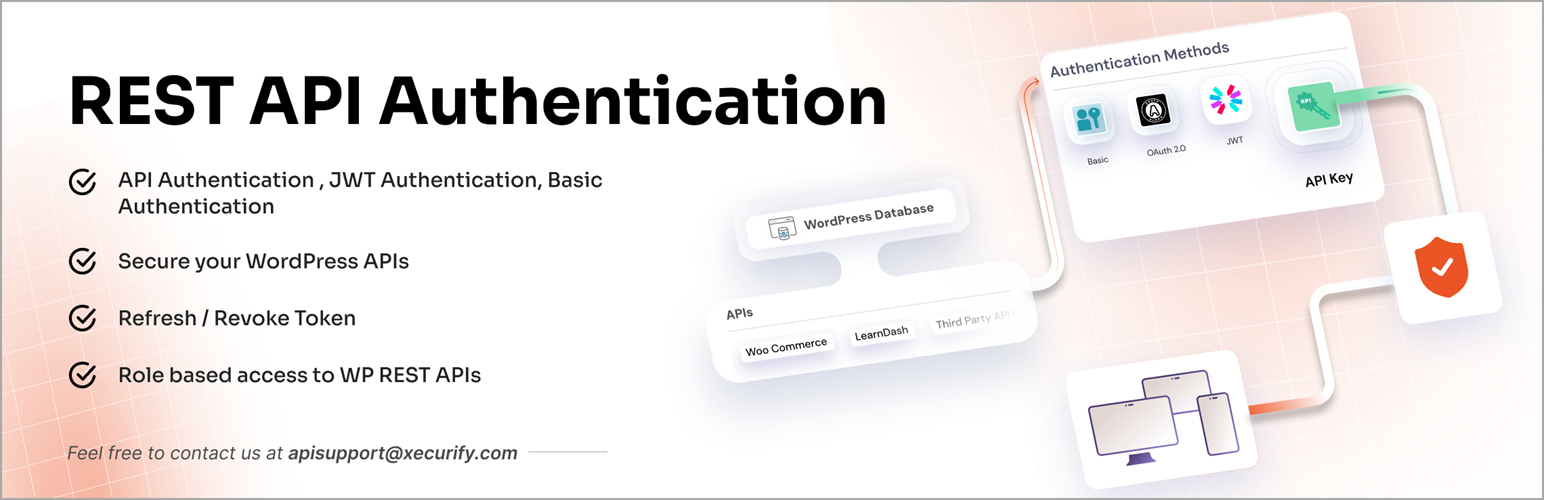
JWT Authentication for WP REST APIs 外掛可為 WordPress REST API 端點提供安全性,防止未經授權的使用者訪問網站數據。透過多種身份驗證方法,確保 API 的安全性與用戶體驗。
【主要功能】
• 支援 JWT、Basic、API Key 和 OAuth 2.0 身份驗證
• 提供刷新與撤銷令牌機制
• 可整合多種第三方插件的 API 認證
• 可選擇性保護特定 API 端點
• 禁用 WP REST API 以防止未授權訪問
外掛標籤
開發者團隊
② 後台搜尋「JWT Authentication for WP REST APIs」→ 直接安裝(推薦)
📦 歷史版本下載
原文外掛簡介
WordPress REST API endpoints are open and unsecured by default which can be used to access your site data. Secure WordPress APIs from unauthorized users with our JWT Authentication for WP REST APIs plugin.
Our plugin offers below authentication methods to Protect WP REST API endpoints:
– JWT Authentication
– Basic Authentication
– API Key Authentication
– OAuth 2.0 Authentication
– External Token based Authentication 2.0/OIDC/JWT/Firebase provider’s token authentication methods.
You can authenticate default WordPress endpoints and custom-developed REST endpoints and third-party plugin REST API endpoints like that of Woocommerce, Learndash, Buddypress, Gravity Forms, CoCart, etc.
WP REST API Authentication Methods in our plugin
JWT Authentication
Provides an endpoint where you can pass the user credentials, and it will generate a JWT (JSON Web Token), which you can use to access the WordPress REST APIs accordingly.
Additionally, to maintain a seamless user experience without frequent logins needed due to token expiry, you can use our Refresh and Revoke token mechanisms feature.
When the access token expires, instead of forcing the user to log in again, the client can request a new access token using a valid refresh token.
API Key Authentication
Basic Authentication:
– 1. Username: Password
– 2. Client-ID: Client-Secret
OAuth 2.0 Authentication
– 1. Password Grant
– 2. Client Credentials Grant
Third Party Provider Authentication
Following are some of the integrations that are possible with WP REST API Authentication:
Learndash API Authentication
Custom Built REST API Endpoints Authentication
BuddyPress API Authentication
WooCommerce API Authentication
Gravity Form API Authentication
External/Third-party plugin API endpoints integration in WordPress
You can also disable the WP REST APIs with our plugin such that no one can make API calls to your WordPress REST API endpoints.Our plugin also provides Refresh and Revoke Token that can be used to improve the API security.
Benefits of Refresh Token
Enhances security by keeping access tokens short-lived.
Improves user experience with uninterrupted sessions.
Reduces login frequency.
Benefits of Revoke Token
Protects against token misuse if a device is lost or compromised.
Enables admin-triggered logouts or session control.
Useful for complying with stricter session policies.
With this plugin, the user is allowed to access your site’s resources only after successful WP REST API authentication. JWT Authentication for WP REST APIs plugin will make your WordPress endpoints secure from unauthorized access.
Plugin Feature List
FREE PLAN
Authenticate only default core WordPress REST API endpoints.
Basic Authentication with username and password.
JWT Authentication (JSON Web Token Authentication).
Enable Selective API protection.
Restrict non-logged-in users to access REST API endpoints.
Disable WP REST APIs
PREMIUM PLAN
Authenticate all REST API endpoints (Default WP, Custom APIs,Third-Party plugins)
JWT Token Authentication (JSON Web Token Authentication)
Login, Refresh and Revoke token endpoints for token management
API Key Authentication
Basic Authentication (username/password and email/password)
OAuth 2.0 Authentication
Universal API key and User-specific API key for authentication
Selective API protection.
Disable WP REST APIs
Time-based token expiry
Role-based WP REST API authentication
Custom Header support rather than just Authorization to increase security.
Create users in WordPress based on third-party provider access tokens (JWT tokens) authentication.
Privacy
This plugin does not store any user data.