內容簡介
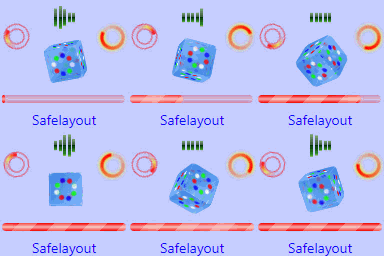
Wp preloader 是一個簡單、響應式和可自定義的 WordPress 預載入外掛。非常易於安裝,並與所有主要瀏覽器兼容。安裝後在標題檔案中放置短代碼,然後放在 body 標籤之前即可完成。
使用方式
YouTube 影片教學: (https://youtu.be/ILSFQ4YeRn8)
短代碼: <?php echo do_shortcode("[new_loader]"); ?>
外掛特色
管理員選項
設定預載入 gif 圖像
設定預載入背景顏色
易於使用
外掛標籤
開發者團隊
原文外掛簡介
WP Preloader displays a beautiful loading screen while your website loads — and removes it smoothly once the page is ready.
Version 2.1 adds major new features including logo display, loading text, gradient backgrounds, progress bar, 5 new spinner styles, exit animations, and once-per-session control.
✨ What’s New in v2.1
Custom Logo — display your site logo above the spinner
Loading Text — show custom text below the spinner (e.g. “Loading…”)
Gradient Background — two-color gradient instead of solid color
Progress Bar — animated progress bar along top or bottom of screen
5 New Spinners — Bounce, Spiral, Flip Card, Clock, Heartbeat
Exit Animations — Fade (default), Slide Up, Zoom Out
Show Once Per Session — preloader shows only once per browser session
Tabbed admin settings — General, Design, Logo & Text, Progress Bar, Timing
🎨 All 10 Spinner Styles
Circle (Rotating Arc)
Ring (Dual Ring)
Dots (Bouncing)
Bars (Wave)
Pulse (Ripple)
Bounce Ball — New in v2.1
Spiral (Double) — New in v2.1
Flip Card — New in v2.1
Clock — New in v2.1
Heartbeat — New in v2.1
⚙️ All Settings
Enable / disable sitewide
Disable for logged-in users
Disable on mobile
Show once per session
Exclude specific pages
Background: solid color or gradient (2 colors + direction)
Background opacity
Spinner type (10 styles) and color
Custom image / GIF upload
Logo upload with width control
Loading text with color and size
Progress bar with color, height, position
Exit animation (fade, slide up, zoom out)
Minimum display time
Exit animation duration
Live preview in admin panel