內容簡介
WordPress 聊天外掛
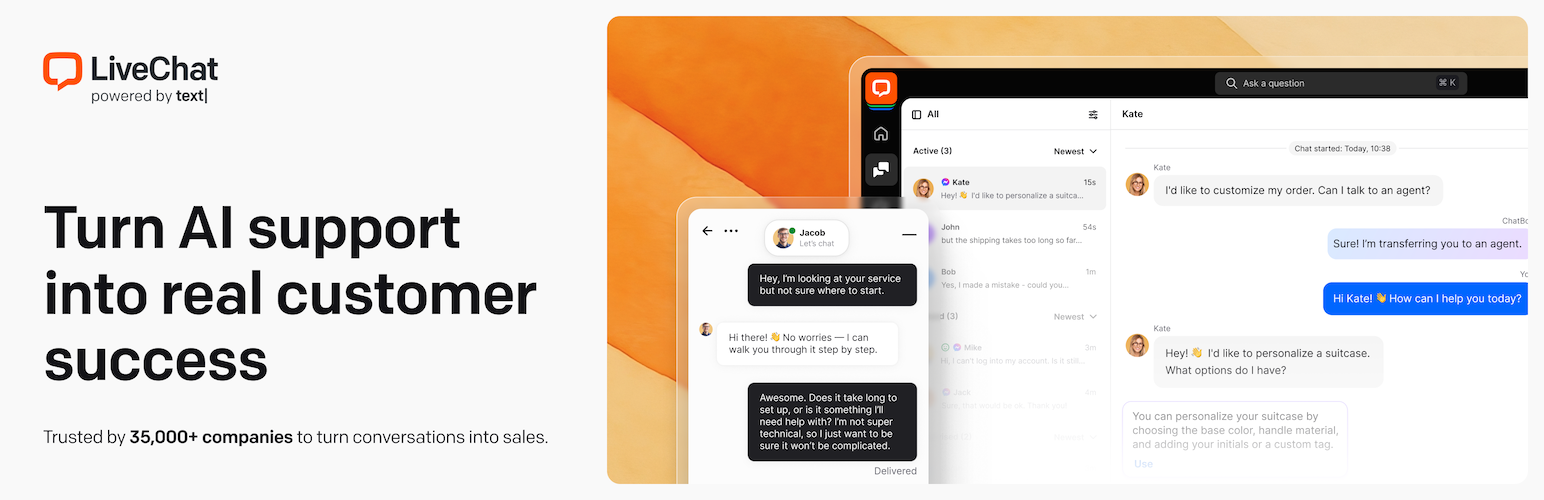
想在網站瀏覽時與客戶溝通嗎?使用 LiveChat 的 WordPress 外掛,您可以與客戶連線並隨時回答問題。
除了聊天外,您還可以根據不同條件發送個性化訊息。此外,您可以將聊天小視窗用作離線訊息的聯繫表單,甚至可以讓客戶註冊您的郵件列表。
功能豐富的 WordPress 即時聊天外掛
在聊天應用程式下,LiveChat 提供了多種效率功能,例如針對性訊息。例如,如果購物者沒有活動,這些訊息可以自動彈出您的結帳頁面上。
LiveChat 的個性化功能是無與倫比的。您可以自定義顏色和訊息,以配合您的網站。可以為移動體驗設置不同的主題,並可以添加團隊照片以進行更個性化的互動。
但這還不是全部。您可以快速設置快速回覆以回答重複的問題,並創建聊天標籤以簡化溝通。為了簡化您的客戶支援流程,您可以處理來自不同頁面的多個聊天視窗。
使用 LiveChat,您可以提供全天候的客戶支援。在非營業時間,客戶仍可以在聊天小視窗中與您聯繫 - 就像您的團隊在線上一樣。他們所有的訊息都存儲在 LiveChat 中,準備回復。
WordPress 網站的即時聊天
此外,這個外掛的重要之處是其可適用於最受歡迎的 WordPress 站點構建程序 - Elementor Page Builder、Divi Builder、Wordpress Page Builder、Beaver Builder 等。
此外,LiveChat 與任何 WordPress 主題或 WordPress 模板均無需進行任何修改即可完美配合。
想在 WordPress 商店瀏覽時與購物者溝通嗎?LiveChat 已與主要電子商務平台合作,包括 BigCommerce for WordPress、WooCommerce 和 Ecwid Ecommerce Shopping Cart。
易於自定義和擴展
從電子郵件營銷到社交媒體,LiveChat 與眾多熱門的第三方應用程式和服務無縫整合。這些包括 Zendesk、Messenger、HubSpot CRM、WhatsApp、Mailchimp、Salesforce 等。
WordPress 的即時聊天是什麼?
如果您擁有一個網站並且對您的業務感到認真,那麼您不能忽視即時聊天的重要性。
這個外掛的運作方式很簡單:一個典型的聊天小視窗位於您的 WordPress 網站的右下側。您的網站訪問者可以選擇與您聊天,或者您可以主動邀請他們進行聊天。此外,您可以將聊天小視窗用作離線訊息的聯繫表單,甚至可以讓客戶註冊您的郵件列表。
即時聊天軟體非常適合所有規模的企業,讓他們能夠完成更多銷售並提高客戶滿意度。
用法
安裝和啟用插件後,它將提示您連接到您的 LiveChat 帳戶或創建新帳戶。同步後,您需要登錄 LiveChat 的應用程式之一 - 網頁、桌面或移動。
注釋
要求
WordPress Live Chat Plugin by LiveChat 為免費,但您需要成為 LiveChat 的客戶。LiveChat 提供 14 天的免費試用。無需信用卡。
請在我們的網站上查看 LiveChat 的計劃和功能。
外掛標籤
開發者團隊
② 後台搜尋「LiveChat – Live Chat Plugin for WP Websites」→ 直接安裝(推薦)
📦 歷史版本下載
原文外掛簡介
Want to communicate with visitors while they’re browsing your site? With the LiveChat plugin for WordPress, you can add a live chat widget that lets you connect with customers in real time, answer questions instantly, and offer top-notch customer support.
You can also use the chat widget to send personalized messages, collect leads, or act as a contact form when you’re offline. It’s the best live chat and AI customer support plugin for WordPress websites.
Whether you run a blog, online store, or service business, live chat software helps you:
Connect with customers instantly.
Improve customer satisfaction scores.
Capture more leads and close more sales.
LiveChat is designed for WordPress users who want to offer fast, professional support — without adding friction to the user experience.
🧑💻 Feature-rich WordPress live chat widget
💬 LiveChat + ChatBot (AI-powered) — Combine human support with automation. Use AI chatbots to handle FAQs instantly and transfer complex cases to your live customer support team.
🧲 Lead capture — Don’t miss a lead. Capture messages when you’re offline using the chat widget as a contact form. Every message is stored safely for follow-up.
📊 Website visitor tracking — Track visitors in real time. See what pages they viewed, where they came from, and what products they’re browsing. Spot high-intent leads instantly.
🎯 Targeted messages & smart triggers — Send personalized messages or chat invitations based on user behavior. Greet returning visitors or engage users browsing your pricing or checkout pages.
🛍️ Built for ecommerce — Boost sales with access to cart contents for upsell and cross-sell opportunities, cart recovery messages, and proactive support on WooCommerce and other ecommerce platforms.
📋 Customer profiles & CRM integration — Access detailed visitor profiles with past chat history, location, and behavior. Sync with your CRM to personalize support and drive conversions.
⚡ Quick replies — Save time with ready-made answers to common questions. Agents can respond in seconds using shortcuts.
📬 LiveChat + HelpDesk integration — Connect LiveChat with HelpDesk to manage live chat, email, and tickets in one place. Streamline your customer support workflow by turning conversations into tickets and tracking them from start to resolution, without switching tools.
👀 Message sneak peek — See what your customers are typing in real time before they hit send. It helps you prepare faster responses and reduce resolution time.
🌐 Multisite support — Add LiveChat to multiple WordPress sites without extra charges. Customize the widget per page or keep it consistent across your network.
📱 Mobile-ready support — Use the LiveChat mobile app on iOS and Android to chat with customers on the go. Perfect for remote teams or when you need to step away from your desk.
📈 Reports, goals & analytics — Measure performance with detailed reports. Track sales, chat satisfaction, and response times to optimize support and conversions.
🎨 Full widget customization — Match your brand perfectly. Change colors, greetings, widget placement, and behavior on both desktop and mobile.
📬 Messaging channel integrations — Manage chats from Facebook Messenger, WhatsApp, Instagram, SMS, and your website in one unified inbox.
👥 Team management & roles — Organize agents into groups (sales, support, billing) and assign custom roles with permissions. Ideal for growing support teams.
🔐 Security & access controls — Protect customer data with 2-step verification, visitor banning, and permission-based access for agents and admins.
🤖 AI-powered features
🧠 AI-powered reply suggestions — Connect LiveChat with your knowledge base to automatically generate accurate, on-brand responses. Ensure your team provides consistent answers with less effort. Perfect for scaling customer support with AI bot.
📄 Chat summaries — No time to read full transcripts? Get an instant AI-generated summary of every conversation so you can catch up on key points and follow up faster.
📊 Weekly insights & trends — See what your customers are asking and fast. Get a weekly digest that highlights the most common questions from your LiveChat conversations. Great for improving your FAQ content and support workflows.
✍️ AI text enhancement — Write replies faster and smarter. Use AI to expand, rephrase, summarize, or adjust the tone of any message, whether you want to sound friendlier, more formal, or more concise.
🏷️ Smart tag suggestions — Save time with automatic chat tagging. LiveChat suggests relevant tags based on the conversation, helping you stay organized without manually labeling each chat.
🖥️ LiveChat for WordPress website
LiveChat is fully compatible with the most popular WordPress page builders, including Elementor, Divi, Beaver Builder, and the default WordPress Block Editor. You can easily place the chat widget anywhere on your site — no coding required.
It also works seamlessly with any WordPress theme or template without needing custom modifications. Whether you’re using a free theme or a custom-built design, LiveChat blends in perfectly.
Running an ecommerce store? LiveChat integrates with major platforms like WooCommerce, BigCommerce for WordPress, and Ecwid, making it easy to support and convert shoppers in real time.
🛠️ Easy to customize and extend
LiveChat is built to grow with your business. You can customize the chat widget to match your brand and extend its functionality with powerful integrations.
Easily connect LiveChat to your favorite tools for email marketing, CRM, and social messaging. Popular integrations include:
HubSpot CRM, Salesforce, Zendesk.
WhatsApp, Facebook Messenger, Instagram.
Mailchimp, Google Analytics, Slack, and more.
Whether you’re managing customer relationships, sending newsletters, or chatting across platforms, LiveChat helps you keep everything in sync.
💬 How LiveChat works
After you install and activate the LiveChat plugin on your WordPress site, you’ll be prompted to sign in to your existing LiveChat account or create a new one.
If you’re new to LiveChat, setup only takes a minute — and a free trial is available, so you can get started without a credit card.
Once connected, simply log in using any of the LiveChat apps:
Web app (browser-based).
Desktop app (Windows/macOS).
Mobile app (iOS or Android).
The chat widget will automatically appear on your WordPress site. You can now:
Customize its look and behavior.
Set up automated greetings.
Start chatting with visitors in real time.
Need help getting started?
👉 LiveChat Getting Started Guide
🗒️ Notes
🌍 Localization support
LiveChat — the WordPress live chat plugin — is fully translation-ready. You can easily translate it into any language using the WordPress community tools at translate.wordpress.org.
Whether your customers speak Spanish, German, French, or any other language, you can offer a seamless multilingual chat experience.
🤝 Partner with LiveChat
Are you a developer or agency looking to offer live chat solutions for clients?
You can open a LiveChat account on behalf of your customers and add real-time support to their websites.
Join our Partner Program to earn recurring revenue while expanding your service offering.
🗣️ Testimonials
With LiveChat, we are able to answer questions far more quickly and seamlessly so we can help customers make better product choices for their projects. (read more)
Deanna Varble, Pioneer Millworks
Since installing LiveChat on our website in March 2020, sales made thanks to online consultations constitute 1.7% of the company’s profits in the digital channel. (read more)
Milena Wojewoda, Sephora
📑 Documentation and support
Need help setting up or using the LiveChat plugin for WordPress? We’ve got you covered:
📘 Installation & setup guide — Follow our step-by-step help center article to learn how to install and configure LiveChat on your WordPress website.
💬 Live support — Chat with our team directly on the WordPress integration page for real-time assistance.
🌐 LiveChat website — Explore all plugin features, FAQs, chatbot tools, and use cases on our website.
🏢 LiveChat for enterprise – Need a scalable customer service solution for high-volume support? Learn how LiveChat for Enterprise helps large businesses improve customer engagement and team performance.
🛠 Plugin support forum — Have a question or issue? Post a thread in the WordPress.org support forum, and we’ll respond as soon as possible.
🏢 About us
Text provides modern tools for managing business communication, generating leads, and delivering exceptional customer support — anytime, anywhere.
Our product suite includes:
LiveChat — real-time messaging for sales and support.
ChatBot — AI-powered automation and chatbot agents.
HelpDesk — help desk software with ticketing and email support.
KnowledgeBase — self-service documentation.
OpenWidget — a customer service widget creator tool.
Trusted by over 35,000+ businesses across 150+ countries, our tools are used by companies of all sizes — from startups to Fortune 500 brands like PayPal, IKEA, Allstate, and Capital One.
📰Press & brand assets
Writing about Text or our products? Visit the Text Press Office to download our logo, product screenshots, and official brand guidelines.