內容簡介
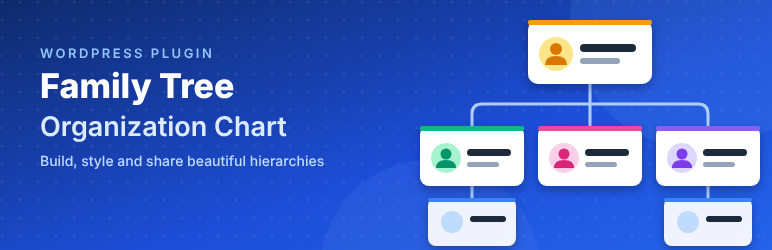
Family Tree – Organization Chart 讓您在網站上展示家族樹、公司組織圖、團隊結構或其他層級結構。只需添加成員一次,即可建立多個圖表,並透過短代碼輕鬆放置和即時調整樣式。
【主要功能】
• 成員資料包含姓名、職稱、簡介、完整檔案及社交圖示
• 直觀的樹狀圖建構器,隨時添加、移動或刪除成員
• 提供多種模板,快速生成短代碼
• 實時自訂字體、顏色、間距及對齊方式
• 支援成員完整檔案的彈出視窗顯示
• 行動裝置響應式設計,適合小螢幕顯示
外掛標籤
開發者團隊
② 後台搜尋「Family Tree – Organization Chart」→ 直接安裝(推薦)
原文外掛簡介
Family Tree – Organization Chart lets you show a family tree, a company org chart, a team structure or any other hierarchy on your site. Add your members once, build as many charts as you need, style them live and place them with a shortcode.
Features
Members with name, designation, short details, full profile (WordPress editor), picture and social icons.
Visual tree builder on each chart. Add, move, nest or remove members, or create a new member without leaving the page.
Templates. Pick a template and get a ready shortcode: [ftree_6310_tree id="123"].
Live customizer for fonts, colors, spacing, alignment, image size, connector lines and buttons, with an instant preview.
Profile popup that shows the member’s full profile.
Expand and collapse branches (Pro).
Zoom in, zoom out, reset zoom and full screen buttons, which you can turn on or off per chart (Pro).
Profile popup styles. Classic centered popup (free), plus side panel, full screen and bottom sheet (Pro), chosen per chart.
Settings page (Pro) for the popup close button (position, shape, size, colors, close on outside click / Esc) and the loading indicator shown while a profile opens (spinner, dots, pulse or bar).
Export / Import. Export members, charts and settings to a .json file; import it on another site (import is Pro).
Search & AI ready. Each chart adds schema.org structured data (JSON-LD) listing its people with name, job title, description, picture and social profiles, so Google and AI search tools (ChatGPT, Perplexity, Gemini, Copilot) can understand who is on the page. You can turn it off per chart.
Found by site search. WordPress search (and Relevanssi) finds the pages that show a chart when visitors search for a member’s name, job title or short details. Pages that only hold a chart also get an automatic excerpt listing its members.
Mobile responsive. On small screens the chart becomes an easy-to-read indented list.
Demo data. Import 7 sample members and a chart on activation to get started quickly.
Theme overrides. Copy any file from templates/ into your-theme/family-tree/ to change the markup.
Translation ready and compatible with WPML, Polylang and other multilingual plugins (see below). RTL languages are supported.
Multilingual (WPML, Polylang)
Members are translatable posts. Translate a member in WPML or Polylang as you would a page.
You build a chart once. It shows each member’s translation in the visitor’s language and falls back to the original when a translation is missing.
The chart title and button text are translatable strings. Use WPML → String Translation or Polylang → Languages → Translations, group “Family Tree – Organization Chart”.
A wpml-config.xml file is included, so WPML knows which member fields to translate and which to copy.
Pro
A Pro license unlocks:
Templates 02 to 06 (the free version includes template 01).
Contacts on each member: mobile, phone, WhatsApp, email, website, Telegram, Skype, address or custom rows.
Skills with percentage bars.
Unlimited social icons per member (the free version shows one).
Expand / collapse toggles on each branch.
Zoom in, zoom out, reset zoom and full screen buttons on the front end.
Profile popup styles 2–4: side panel, full screen and bottom sheet (style 1, the classic centered popup, is free).
Settings page: customize the popup close button (position, content, shape, size, colors, close on outside click / Esc) and the loading indicator (spinner, dots, pulse or bar, color, size, text).
Import of members, charts and settings from an export file (export is free).
You can try every Pro feature with a free demo key: click Get a free demo key on the Family Tree → License page. It has no time limit on a local site and works for 10 days on a live site.
External services
This plugin connects to wpmart servers only for Pro licenses and demo keys. Nothing is sent unless you enter a license key or click Get a free demo key on the Family Tree → License page.
Pro license server
Service: https://demo.tcsesoft.com/handle-license/pro-license.php
When: when you activate, deactivate or refresh a license, and once a day while a license is active.
Data sent: the license key, the site URL, the product name and the plugin version.
Demo key server
Service: https://demo.tcsesoft.com/handle-license/demo-license.php
When: when you click Get a free demo key, when you activate or refresh a demo key, and once a day while a demo key is active.
Data sent: the demo key (if any), the site URL, the plugin identifier and the plugin version. The server also sees your server’s IP address, which it uses to limit how many demo keys can be requested.
Provider for both: wpmart. Terms of use and privacy policy: https://www.wpmart.org/
Credits
Bundles Font Awesome Free 6.7.2 (icons CC BY 4.0, fonts SIL OFL 1.1, code MIT): https://fontawesome.com/license/free