內容簡介
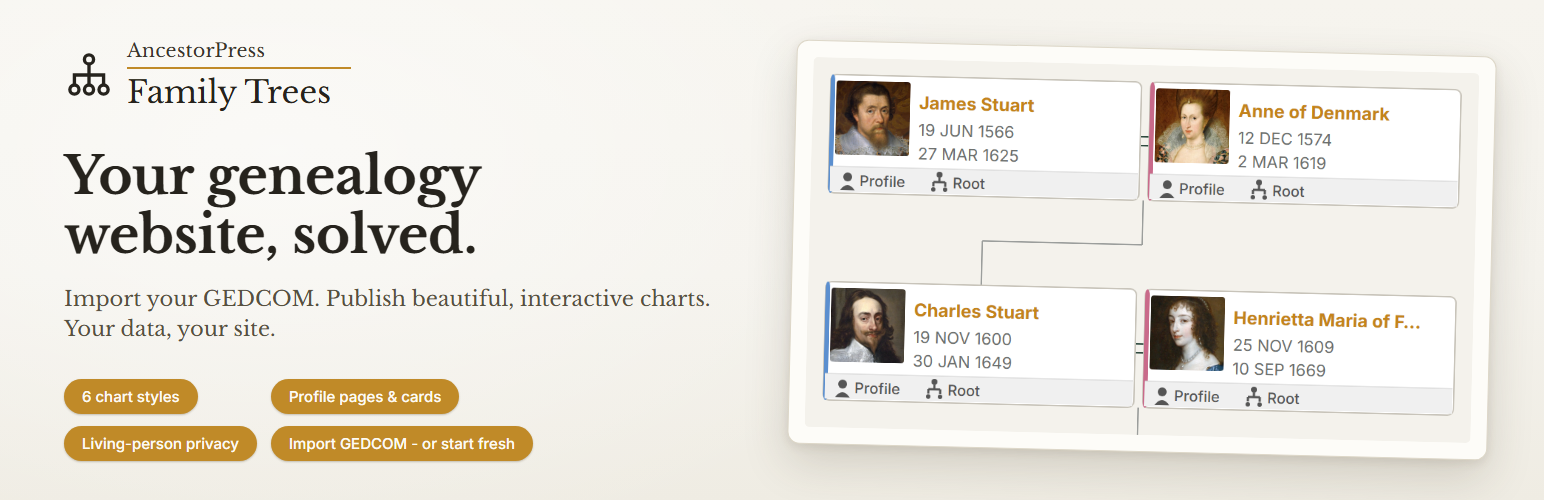
AP Family Trees 是一款多功能的家譜外掛,專為家族歷史研究者、作家、出版商及機構設計,能夠在自我托管的 WordPress 網站上發佈家譜研究,並確保資料不被鎖定於第三方平台。
【主要功能】
• 從 GEDCOM 檔案匯入與匯出資料
• 顯示可互動的家譜圖表
• 每位祖先擁有獨立的個人檔案頁面
• 支援無限家族成員
• 生活者隱私控制功能
• 短碼或 Gutenberg 區塊嵌入於任何頁面
外掛標籤
開發者團隊
原文外掛簡介
Keep your family history on your own WordPress site – self-hosted, with your data in your own database rather than locked inside a third-party genealogy platform. AP Family Trees is a versatile genealogy plugin built for family historians, authors, publishers and institutions who want to publish genealogical research on their WordPress websites. Import from GEDCOM, display interactive charts, and give every ancestor their own profile page. Insert family member profile ‘cards’ into other blog content to create lovely ‘pull outs’ linking to profile pages. The plugin includes multiple ways to access and display family history content and links on your site so you can integrate your genealogical information seamlessly – whether as a full-page family tree chart or a small profile linking box on longer text articles.
Built by AncestorPress – tools for family history, built to last.
What You Can Do With the Free Version
Import GEDCOM files from any genealogy application (Family Tree Maker, Gramps, MacFamilyTree, Ancestry, and all standard GEDCOM 5.5 exporters)
Export your data as GEDCOM – take your complete lineage back to any genealogy application at any time, at full fidelity (people, families, events, relationships, notes, and source citations). Your data is never locked in
Display a Descendant Vertical chart – the classic top-down family tree, pan and zoom enabled
Unlimited family members in a single lineage
Living person privacy controls – living people are auto-detected and their details hidden on the front end (configurable; GEDCOM flags and manual marking are also honoured)
Configurable chart boxes – show or hide photos, dates, spouses, and gender indicators; set name and date formats
Gender colour indicators – customisable male/female colours in chart boxes
Click any person to re-root the chart – visitors can make any ancestor or descendant the new starting point
Embed on any page via shortcode or Gutenberg block
Pro
Unlock the full publishing toolkit:
Unlimited lineages – manage separate family histories or multiple GEDCOM files side by side
Ancestor Horizontal chart – the industry-standard pedigree view, left to right
Full profile pages for every person – photo, dates, relationships, notes, and custom fields, embeddable via shortcode or block
Compact profile cards – inline photo, name, and dates card embeddable in any post or page
Photo gallery on profiles
GEDCOM notes displayed on profile pages
Custom fields – unlimited per lineage (text, date, URL, select)
Member search via shortcode or Gutenberg block
Person box links to profile page – click a name in the chart to open their full profile
Chart edit controls – add and remove people directly from the chart
Generations control – floating panel lets visitors adjust how many generations are shown
Pro Plus
The complete set, including every chart type and export format:
Everything in Pro, plus:
Descendant Horizontal chart
Ancestor Vertical chart – youngest at the bottom, ancestors ascending
Descendant Compact Text chart
Hourglass chart – ancestors and descendants of one person in a single view; ancestors branch left, the person is in the centre, descendants branch right
Custom chart colours – full control over boxes, borders, connectors, name text, and date text
PDF export – print or save the chart directly from the viewer
SVG export – download as a scalable vector file for print or design use
Member directory – sortable by surname, first name, or birth date
All plans use the same plugin. Upgrade at any time by entering a licence key – no reinstall required. Multi-site licensing available on request.
Who It Is For
AP Family Trees is designed for:
Family history researchers who want to publish their tree online as part of a WordPress site or blog
Genealogy societies and archives that need to present lineage data in a structured, professional format
Historians and heritage organisations building public-facing ancestor resources
Anyone who has been using desktop genealogy software and wants to move their data onto their own website
What Makes It Different
Most genealogy plugins are either too simple (a basic chart widget with no data management) or too complex (requiring server configuration and database imports). AP Family Trees sits in the middle: a proper data-driven plugin that stores your family data cleanly in WordPress, imports from the standard GEDCOM format used by every major genealogy application, and renders interactive, publication-quality charts and profile pages.
Your data stays on your server, stored in your own WordPress database – not uploaded to an external genealogy platform or locked behind someone else’s service.
More from AncestorPress
AP Family Trees is one of a small family of AncestorPress tools for publishing family history research. Each works on its own, and all are free on WordPress.org:
AP Family Archive – publish your family history as a complete website: a person page for every ancestor, family group pages, a surname index and full search, with living people protected automatically. Shares its data core with Family Trees – the same people appear in both with no re-import.
AP One-Name Studies – give a one-name study a home on your own site: surname variants and deviants, a searchable occurrence index, and historic-county distribution maps.
AP One-Place Studies – give a one-place study a home on your own site: the records of a parish, village, street or house as a searchable occurrence index, place and household pages, and full export.
Third-party libraries
This plugin bundles the following open-source libraries. All are GPL-compatible.
php-gedcom by Kristopher Wilson – MIT licence. Used for parsing GEDCOM files on import.
Panzoom by Andrei Kashcha – MIT licence. Used for interactive pan and zoom on family tree charts.
Select2 by Kevin Brown, Igor Vaynberg, and contributors – MIT licence. Used for searchable dropdowns in the admin interface.
Freemius WordPress SDK by Freemius – MIT licence. Used for licence management on Pro and Pro Plus plans.
Privacy and data
All family tree data is stored exclusively in your own WordPress database. The plugin never transmits your family history data: no person, family, event, source or media record leaves your site, and neither does the name of any tree.
Two optional services can send other, non-genealogical information, and only when you choose to use them: the Freemius SDK, if you connect an account or activate a paid licence, and the AncestorPress Support Service, if you open the support assistant and accept its privacy notice. Both are described in full in the External services section below, including exactly what is sent and what is never sent.
External services
1. Freemius (licensing, checkout and optional diagnostics)
AP Family Trees uses the Freemius SDK, from Freemius, Inc., for optional account connection, licence administration, checkout for the Pro and Pro Plus plans, and optional usage diagnostics.
When data may be transmitted: when you opt in to the activation flow, connect or manage an account or licence, use checkout, or consent to optional usage diagnostics.
What may be transmitted: broad account and installation information such as the site URL, the administrator email address you provide, plugin and WordPress version data, and licence identifiers. Opting in to the activation flow is optional – you can skip it and every free feature keeps working.
Your family history data is never sent to Freemius. No person, family, event, source or media record leaves your site, and neither does the name of any tree.
Terms of service: https://freemius.com/terms/
Privacy policy: https://freemius.com/privacy/
2. AncestorPress Support Service (optional support assistant)
The Help button on AP Family Trees admin screens opens an optional support assistant provided by the AncestorPress Support Service at bwtlsupport.com, operated by Black and White Trading Ltd. Nothing is sent until you open the assistant and accept the privacy notice shown inside it. Passwords, API keys and your family history data are never collected.
Who answers your question. AP Family Trees has no AI service of its own, so every question is answered by the AncestorPress Support Service, using documentation matched to your installed plugin version.
Identifying data. Every request carries your site address, and where available the Freemius licence installation identifier for this site. These are used to authorise the request and to apply the fair-use limit described below. On the free tier a value derived from your site address is stored against a monthly counter for that limit, and kept for the current and previous month only.
Operational metadata. Each request also carries this plugin’s version and those of installed sibling AncestorPress plugins, the identifier of the admin screen you are on, your support tier, the question category, and counts and response timings. It also carries a short whitelist of non-sensitive settings and totals: how many trees, people, families and charts exist on the site, whether a profile page has been set, and your thumbnail, privacy-default and living-person cutoff settings. These are totals and configuration labels only. No person, family, event, source or media record is included, and no tree name or tree identifier is included – a tree is normally named for a family, so its name is itself personal data. This metadata is retained only as aggregated operational statistics, in a non-identifying day, plugin and counter format. It is not retained as a per-site behavioural event log.
Question content. This is the question you type and the chat history sent so the assistant can follow the conversation. It is transmitted in order to answer the request, processed transiently, and not retained after the response is returned. Because you control what you type, a question could contain information you consider personal – please avoid including anything sensitive, and in particular avoid pasting details of living relatives.
Escalation payload. If, and only if, you click “Send to support”, the full transcript, the diagnostic context and the contact email address you supply are sent and retained so that a support agent can answer you. Nothing is retained from an ordinary question that you do not escalate.
Terms of service: https://ancestorpress.com/terms/
Privacy policy: https://ancestorpress.com/privacy-policy/