內容簡介
Weblink Event Calendar 讓您輕鬆管理活動日曆,並透過簡單的短碼在網站上顯示。每個活動都有獨特的顏色,方便訪客快速辨識。
【主要功能】
• 自訂活動類別(名稱 + 顏色)
• 支援無限活動,單日或多日
• 響應式前端月曆視圖
• 從管理列表批量刪除活動
• 乾淨的管理介面與顏色選擇器
外掛標籤
開發者團隊
原文外掛簡介
Weblink Event Calendar lets you manage a calendar of events and display it on your site with a simple shortcode. Every event is shown with the calendar’s own color, so visitors can spot it at a glance.
This plugin includes:
One customizable category (name + color) for all your events
Unlimited events, single-day or multi-day, with optional notes
A responsive, front-end monthly calendar view via the [eacal_calendar] shortcode
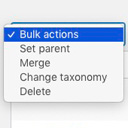
Bulk delete for events from the admin list
A clean admin UI with a color picker
Upgrade to PRO
Need more than one category, CSV import/export, or multilingual support? Easy Calendar PRO by Weblink adds:
Multiple color-coded categories
CSV import/export for categories and events, with duplicate detection
WPML compatibility, to translate event titles and notes across languages
Priority support and updates
How it works
Customize your calendar’s category (name + color) under Weblink Event Calendar → Categoria.
Add events under Weblink Event Calendar → Events: title, single day or date range, optional notes.
Paste [eacal_calendar] into any page or post to display the calendar.
Visitors see a monthly grid with color-coded events and a tooltip with the event details on hover.