內容簡介
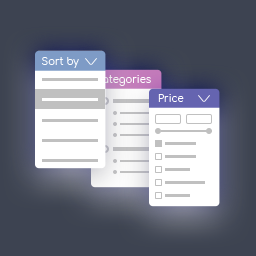
每個 WooCommerce 網站都需要良好的 WooCommerce 產品篩選系統才能成為優秀的電子商務網站。由於網上商店包含大量產品,因此對於任何人來說立即找到任何東西都有點困難。當顧客訪問電子商務網站時,他或她匆忙中。通常,網上購物對許多人來說更為方便,因為在購物時需要的時間更短。因此,當人們趕時間並且必須進行購物時,他們需要什麼?他們將在該網站上搜索一個搜索輸入框。在該搜索框中,他們將輸入所需產品的名稱、顏色等,產品就會顯示在屏幕上。他們會購買那個產品!完成購物就這麼簡單。只有通過添加一個優秀的 WooCommerce 產品篩選外掛才能實現這種任務。Pickplugin 為 WooCommerce 搜索外掛開發了此類外掛。
PickPlugins WooCommerce 產品篩選器:
在線演示
文檔
支援
外掛功能:
關鍵字篩選
按產品類別篩選
按產品標籤篩選
按價格範圍篩選
按排序和排序篩選
按特價產品篩選
按庫存篩選
按 SKU 篩選
如何使用?
請前往“小部件”頁面,看到那裡有一個名為“WC 產品篩選器”的小部件,您可以在側邊欄上使用它。
目前沒有選項,我們很快會更新。
如何添加自定義搜索字段並篩選產品?
您可以通過動作勾子添加自定義搜索字段並篩選產品,方法如下:
步驟 1:
添加搜索輸入字段
add_action('WCProductFilter_fields','WCProductFilter_field_my_custom_input', 30);
function WCProductFilter_field_my_custom_input(){
$WCProductFilter = isset($_GET['WCProductFilter']) ? sanitize_text_field($_GET['WCProductFilter']) :""; //檢查是否從 WCProductFilter 提交表單。
$_custom_input = isset($_GET['_custom_input']) ? sanitize_text_field($_GET['_custom_input']) :""; // 別忘了消毒
if(!$WCProductFilter):
$_custom_input = '';
endif;
/*
*
* 在此處可以檢查條件。
*
* if(is_shop()):
* 只在商店頁面執行代碼
* endif;
*
* */
if(is_shop()):
// 這只會在商店頁面顯示並隱藏其他頁面
?>
<div class="field-wrapper">
<div class="label-wrapper">
<label class=""><?php echo __('Custom Input','wc-product-filter'); ?></label>
</div>
<div class="input-wrapper">
<input type="search" placeholder="<?php echo __('Custom input','wc-product-filter'); ?>" name="_custom_input" value="<?php echo $_custom_input; ?>">
</div>
</div>
<?php
endif;
}
步驟 2:
驗證輸入變量並將其放在產品查詢引數上。
function wc_pf_query_args_custom_field($args, $form_data){
// 預設搜索查詢
$s = false;
$_custom_input = isset($_GET['_custom_input']) ? sanitize_text_field($_GET['_custom_input']) :""; // 別忘了消毒
$WCProductFilter = isset($_GET['WCProductFilter']) ? sanitize_text_field($_GET['WCProductFilter']) :""; // 檢查是否從 WCProductFilter 提交表單。
if(!empty($_custom_input)){
$s = $_custom_input;
}
// wordpress shortcode will be filtered.
$s = stripslashes_deep($s);
$s = trim($s);
$s = esc_attr($s);
$args['s'] = $s;
return $args;
}
add_filter('WCProductFilter_query_args','wc_pf_query_args_custom_field',10,2);
外掛標籤
開發者團隊
② 後台搜尋「PickPlugins Product Filter for WooCommerce」→ 直接安裝(推薦)
原文外掛簡介
Every WooCommerce site needs a good WooCommerce product filter system in order to be a good e-commerce site. As an online shop contains a ton of products so it’s kinda hard for anyone to find anything instantly.When a customer visits a e-commerce site, he or she in a hurry. Usually, online shopping is much more preferable to many people as it takes less time to do the shopping. So when a person is in hurry and has to do his or her shopping, what he or she will need? they will search for a search input box on that site. In that search box, they will type their desire product name, color etc and the product will come to their screen. They will buy that!! boom!! shopping is done. This kind of task is only possible by adding an excellent WooCommerce product filter plugin. Pickplugin has developed such type of plugin for WooCommerce Search plugin.
PickPlugins product filter for WooCommerce by http://pickplugins.com
Live Demo
Documentation
Support
VIDEO TUTORIAL
Plugin Features
Filter by keywords
Filter by product categories
Filter by product tags
Filter by price range
Filter by order & order by
Filter onsale product
Filter in-stock
Filter by SKU
How to use?
Please go to “Widgets” page and see there is a widget “WC Product Filter”, you can use this on sidebars.
There is no option currently, we will update soon.
How to add custom search field and filter products?
you can add custom search field by action hook and filter products as well,
Step 1:
Add search input field
add_action('WCProductFilter_fields','WCProductFilter_field_my_custom_input', 30);
function WCProductFilter_field_my_custom_input(){
$WCProductFilter = isset($_GET['WCProductFilter']) ? sanitize_text_field($_GET['WCProductFilter']) :""; // check this to ensure for is submitted from WCProductFilter.
$_custom_input = isset($_GET['_custom_input']) ? sanitize_text_field($_GET['_custom_input']) :""; // Do not forget to sanitization
if(!$WCProductFilter):
$_custom_input = '';
endif;
/*
*
* you can check conditional here.
*
* if(is_shop()):
* execute code only shop page
* endif;
*
* */
if(is_shop()):
// this will only display under shop page and hide others page
?>