內容簡介
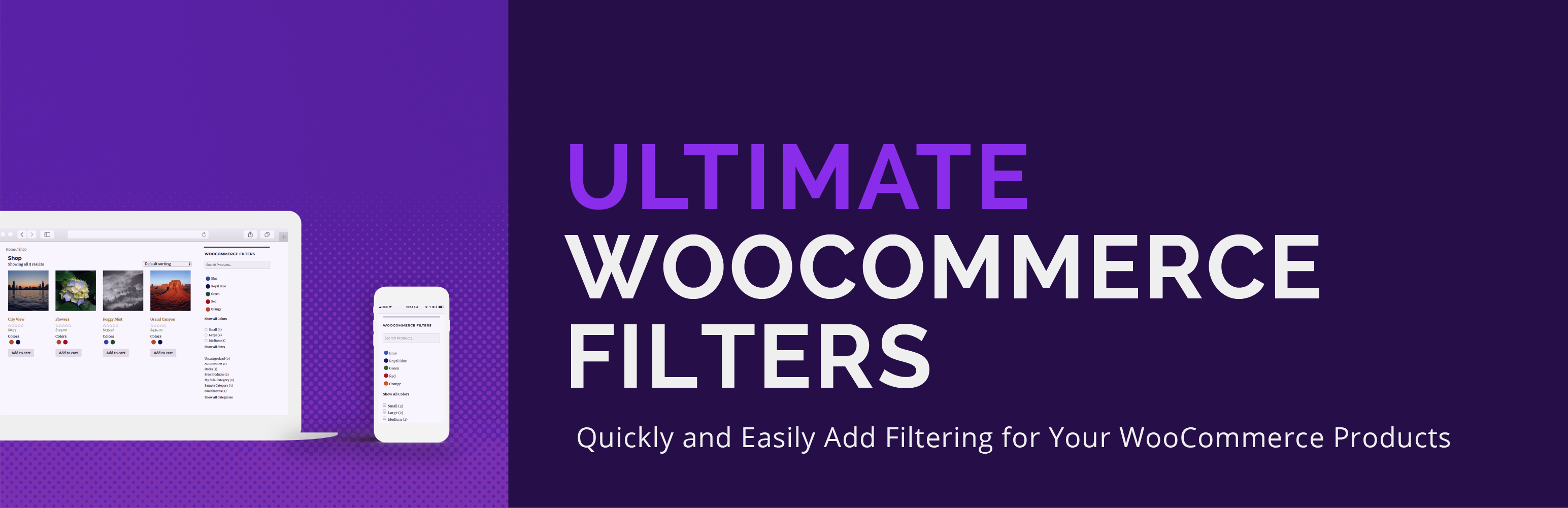
Ultimate WooCommerce Filters 是一款可讓您依顏色、尺寸、屬性、類別或標籤篩選 WooCommerce 產品的外掛。透過區塊、小工具或短碼輕鬆設置,提升顧客的購物體驗。
【主要功能】
• 依顏色篩選產品,顯示實際顏色
• 依尺寸篩選產品
• 依自訂屬性篩選產品
• 依類別和標籤篩選產品
• 提供智能產品搜尋功能
• 支援表格格式顯示產品
外掛標籤
開發者團隊
② 後台搜尋「Ultimate WooCommerce Filters」→ 直接安裝(推薦)
📦 歷史版本下載
原文外掛簡介
Ultimate WooCommerce Filters is a plugin that allows you to filter WooCommerce products by color, size, attribute, category or tag. Easy to set up and implement via a block, shortcode or widget.
Key WooCommerce Filter Features
Filter WooCommerce products by color, with the actual colors displayed in the widget on your shop page
Filter WooCommerce products by size
Filter products by any attribute that you have created in WooCommerce
Filter products by WooCommerce categories and tags
Include a smart product search in the WooCommerce filtering widget
Add a smart table format/view to your shop page
It’s very simple and quick to set up your WooCommerce filters. Use an intuitive color picker to select the colors for your shop and then, for each product, just check the ones that apply. It’s as easy as assigning a category or tag.
And it works the same way for the sizes.
For the categories and tags, it’s even easier! Ultimate WooCommerce Filters automatically recognizes the categories and tags that you already have set up in WooCommerce. It’s as simple as enabling the filtering in the plugin options. You will then automatically have all your WooCommerce categories and WooCommerce tags available as filters on your shop page.
Table format option
Ultimate WooCommerce Filters includes a table format view for your shop page. With this enabled, your main WooCommerce shop page will now display in a table format, instead of the regular thumbnail format. With options to display the product title, image, price, rating and “add to cart” button, your customers can find and compare exactly what they need as quickly and easily as possible. If using this layout, we suggest to not use the widget at the same time.
Attributes
Create a powerful, effective and practical product browsing experience for your customers with the ability to filter your products by WooCommerce attributes. This is the attributes functionality that is built into WooCommerce and that you already use to provide specific information about your products. In our WooCommerce filtering options, just enable which attributes you’d like to add to the filtering widget and they’ll automatically display as filters on your WooCommerce shop page. No extra setup required. This is an incredibly useful feature that brings the WooCommerce shopping experience to a whole new level for your customers!
Add Filters to Your Site
It could not be easier to display your WooCommerce filters to your shop page. Just add our widget to your theme’s page sidebar. That’s it. The WooCommerce filter widget is already configured to only show on the WooCommerce shop page, and not your other pages.
WooCommerce Filters block: If you’re using a new block theme, we’ve also included a Gutenberg block, which you can use, instead of the widget, to add the filters to any template on your site. You can find the block by searching for WooCommerce Filters or in the Ultimate WooCommerce Filters block section/category.
[ultimate-woocommerce-filters]
Alternatively, you can place the WooCommerce filters anywhere you want on a page using the intuitive shortcode shown just above.
Product Search
In addition to the available filters, Ultimate WooCommerce Filters also includes a dynamic and fast product search. With features like auto-complete, your customers can quickly find the exact products they’re looking for. And it works in tandem with the other filters, so only products that match all or your customer’s queries are displayed.
The search can be enable as an option within the existing filtering widget, so there’s no extra setup needed!
Premium WooCommerce Filtering Features
Ultimate WooCommerce Filters comes with a host of advanced features in the premium version that you let you further customize the filtering experience. These include advanced attribute options in the table format. There are also separate layout options and functions for each type of filter, an option to display WooCommerce filter attributes under the thumbnails on your shop page, and more, giving you many ways to configure your WooCommerce filters just how you need.
Ultimate WooCommerce Filters premium features include:
Display WooCommerce filter attributes under shop page thumbnails (e.g. adjacent to the rating stars). Gives your customers a visual indication of what’s a available for each product without having to go to the product page.
Specific layout options for each type of WooCommerce filter (color, size, attributes, categories and tags).
Add a price slider and attributes to the table format
Advanced options that allow you to customize the filtering functionality and experience.
Labelling options that allow you to quickly change the wording of specific labels.
WooCommerce Scheduling
Ultimate WooCommerce Filters now includes a new scheduling tool that lets you decide when your WooCommerce shop should be open for ordering. This new feature set includes an option to temporarily disable all ordering as well as an option to set a specific schedule for ordering.
For example, let’s say you wanted ordering to only be available on certain days and/or at certain times, to help you manage your fulfilment process. With the included scheduling tool, you can easily pick the days and times that you want and the plugin will automatically turn off WooCommerce purchasing at all other times. You can even set exceptions to your normal schedule, for holidays, special events, etc.
This feature set also includes the ability to hide the “read more” button and the product prices when ordering is disabled.
Features available with the new scheduling tool include:
Set a specific schedule for when WooCommerce ordering should be available.
Temporarily disable all ordering/purchasing.
Hide the “read more” button when ordering is disabled.
Hide the prices from the shop, product and archive pages when ordering is disabled.
Ultimate WooCommerce Filters is great for WooCommerce shops that want to show available product colors, such as clothing stores, sports equipment, electronics, music shops, collectibles and more. By having all your filters and your search in one place, it will save a lot of time for your WooCommerce store visitors and enhance their shopping experience.
Ultimate WooCommerce Filters is fully compatible with WPML. So, if you’re running a WooCommerce shop in multiple languages, you can use it without any doubts.