
內容簡介
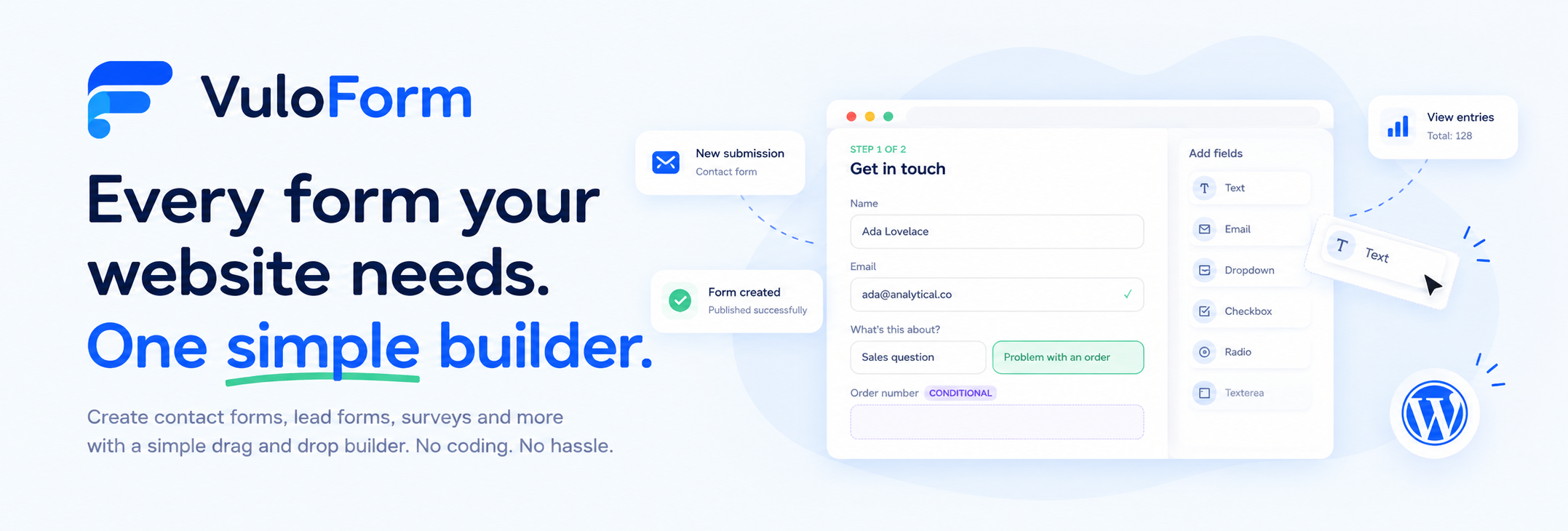
VuloForm 是一款免費的拖放式表單建構器,專為 WordPress 設計。用戶可以輕鬆建立聯絡表單、調查、報名表等,並透過控制台查看所有提交的資料,無需編碼。
【主要功能】
• 拖放式表單建構,簡單易用
• 提供 10 種現成表單範本
• 支援多步驟表單與條件邏輯
• 內建垃圾郵件防護功能
• 支援電子郵件與簡訊通知
• 隱私保護,無需儲存 IP 位址
外掛標籤
開發者團隊
② 後台搜尋「VuloForm – Drag & Drop Contact Form Builder, Multi-Step Forms & Conditional Logic」→ 直接安裝(推薦)
原文外掛簡介
VuloForm is a free drag-and-drop form builder for WordPress. Build a contact form, inquiry form, lead generation form, survey, event registration form, job application form or quote request form in minutes, publish it with a block or shortcode, and read every submission from your WordPress dashboard.
No coding is needed. Add fields by dragging them onto the page, set up email notifications, and publish. Your forms and your submission data stay on your own website.
Why choose VuloForm?
Drag-and-drop WordPress form builder with a clear three-panel layout: field library, live form, field settings.
10 ready-made form templates so you can launch a contact form, newsletter signup form, feedback form or support request form quickly.
Multi-step forms with Next and Back buttons and a step indicator, using a simple Page break field.
Conditional logic to show, hide or require fields based on a visitor’s answers.
Spam protection without CAPTCHA (honeypot trap field, minimum time check and rate limiting), with optional Google reCAPTCHA v2 or v3.
Email and SMS notifications, visitor confirmation emails and webhooks to send form data to a CRM, spreadsheet tool or automation service.
Privacy-minded by default: IP address storage is off, automatic data retention is available, and VuloForm works with WordPress personal data export and erase tools.
Ready-made form templates
Start from a blank form or pick a template:
Contact form
Inquiry form
Lead generation form
Newsletter signup form
Feedback form
Survey form
Event registration form
Job application form
Support request form
Order or quote inquiry form
Form builder features
Drag fields from the library or click to add them to the end of the form.
Rearrange fields by dragging, or with the up and down arrows (keyboard friendly).
Duplicate a field with all its settings, or remove it with one click.
Undo and redo your changes.
Autosave: changes are saved automatically as you work, so there is no Save button to forget.
Live preview shows the form exactly as visitors will see it. Nothing entered in preview is sent or saved.
Publish and unpublish forms at any time. If something would stop a form from working, VuloForm tells you what to fix and keeps it as a draft.
Import and export forms (.json) to copy a form to another WordPress site.
A warning appears if a form would lose submissions because nothing is stored and no notification or webhook is on.
Form field types
Questions
Short text
Long text (textarea)
Email (validated format)
Phone
Number (minimum, maximum, step)
Website (URL)
Dropdown (select)
Single choice (radio buttons)
Multiple choice (checkboxes)
Consent (agreement checkbox)
Date (browser date picker)
Time
File upload
Text and layout
Heading
Text block with basic formatting
Divider
Page break (multi-step form)
Special fields
Name (first and last name in one field)
Address (street, city, state, postcode, country; choose which parts to show)
Hidden value (for campaign tracking)
Calculation (live total, price or quote calculator)
Field settings
Required fields
Field label, placeholder text, help text and pre-filled answers
Shortest and longest answer, lowest and highest number
Field width: full, two thirds, half or a third, with side-by-side fields on wide screens that stack on phones
Hide the label visually while screen readers still read it
Custom CSS class and a developer-friendly field name used in emails, exports and webhooks
Conditional logic form builder
Make your forms smarter and shorter. Show a field only when it is relevant, hide it when it is not, or make it required only in certain cases.
Actions: Shown, Hidden or Required
Combine multiple rules and choose whether all or any must match
Comparisons: is, is not, contains, does not contain, is empty, is not empty, is greater than, is less than
Rules are checked in the visitor’s browser and again on your server
Hidden fields are never required, and hidden answers are not saved or sent
Use the same rules after submission to:
Send a notification only for certain answers, for example routing sales and support questions to different people
Send a webhook only for certain submissions
Show a different confirmation message or redirect to a different page depending on the answers
Multi-step forms
Split long forms into easy steps. Add a Page break field and VuloForm adds Next and Back buttons and a step indicator. Customize the button wording in the form’s Appearance settings.
Calculation fields, quote forms and order forms
Add a Calculation field to show a live number worked out from other answers, for example {quantity} * 25 or ({adults} * 40) + ({children} * 25).
Build formulas with buttons or type them
A plain-language readback checks your formula means what you intended
Choose decimal places and a prefix such as a currency symbol
The result is recalculated on the server when the form is sent, so visitors cannot change it
File upload forms
Accept documents and images in job application forms, support requests and more.
Choose allowed file types, maximum size and number of files
Safe types only: images, PDF, office documents, plain text, CSV, ZIP, MP3 and MP4
Programs and scripts can never be uploaded, and file content is checked against its type
Files are stored privately and downloaded from the submission, with no public links
Smart default values and campaign tracking
Fill fields automatically with dynamic tags:
{query:utm_source} or any other URL parameter, to see which campaign a lead came from
{user:email}, {user:name}, {user:first_name}, {user:last_name}, {user:username}, {user:id} for logged-in visitors
{page:title}, {page:url}, {page:id} for the page the form is on
{site:name}, {site:url} and {date}
Email and SMS notifications
Add up to 10 notifications per form
Send as email, text message, or both
Multiple recipients, custom subject and message, and reply-to set to the visitor’s email
Placeholders such as {all_fields}, {form_title}, {site_name} and {your_field_name}
One-click confirmation email to the visitor
Turn notifications on and off without deleting them
Works with the VuloMail plugin for more reliable email delivery and for SMS (SMS requires VuloMail with an SMS connection, and your SMS provider charges per message)
Webhooks and integrations
Send each submission to another service the moment it arrives, such as a CRM, spreadsheet tool or automation platform.
Up to 5 custom webhook connectors per form
Optional signing secret so the receiving service can verify the data came from your site
Choose which fields to send, or send them all
Background delivery, so visitors never wait
Automatic retries after 5 and 30 minutes, with every attempt logged on the submission
Safety rules: webhooks must use https:// and cannot target private networks or your own server
Submissions manager
View all form entries under VuloForm > Submissions
Statuses: New, Read, Spam, plus an Inbox view
Search across all answers and filter by date range
See every answer, the page the form was sent from, and the delivery status of each notification and webhook
Mark as new, mark as spam, mark as not spam, or delete (uploaded files are deleted too)
Export submissions to CSV with your current search, status and date filters applied
Spam protection
Every form is protected out of the box by three checks that need no CAPTCHA and send no visitor data to another company:
Hidden trap field (honeypot)
Minimum time before a form can be sent (configurable per form)
Rate limit per visitor per form (default 5 per minute)
For stubborn spam, switch on Google reCAPTCHA v2 (checkbox) or v3 (invisible) for individual forms. Caught spam is kept in a Spam list for review and triggers no notifications or webhooks.
Publish anywhere
Block editor: add the VuloForm block and choose your form
Shortcode: [vuloform id="12"] works in pages, posts, widgets and page builders
Other websites: copy an embed code to show a form on a landing page, static site or shop on another platform, while submissions still arrive in your WordPress dashboard
Form design and appearance
Control label position, spacing, accent colour, text colour, text size, corner roundness and button alignment. Leave values empty and the form follows your theme. Customize button text and error messages.
Privacy and data control
Keep submissions for a set number of days, then delete them automatically with their files
IP address storage is off by default
Option to store nothing on your site and only send an email
Works with Tools > Export Personal Data and Tools > Erase Personal Data
Suggested wording for your privacy policy in Settings > Privacy > Policy guide
Consent field for agreements, stored with each submission
Choose whether data is kept or deleted if VuloForm is deleted. Deactivating never deletes anything.
VuloForm does not send your data or your visitors’ data to VuloLabs.
VuloForm gives you tools such as consent fields, retention, export and erasure. It does not make a site compliant with GDPR or any other law by itself. How you use the tools is your responsibility.
Who is VuloForm for?
Small business owners who need a simple WordPress contact form
Agencies building lead generation forms and quote request forms for clients
Event organizers collecting registrations
HR teams and recruiters collecting job applications with CV uploads
Support teams collecting support requests with attachments
Marketers tracking campaigns with hidden UTM fields
Developers who want webhooks and clean CSS hooks
Requirements
You need to be an administrator of the site to use VuloForm. Webhooks need the receiving address to use https://. SMS notifications need the VuloMail plugin with an SMS connection.
External services
VuloForm does not connect to any external service by default. The services below are used only if you choose to enable them.
Google reCAPTCHA (optional)
If you switch on reCAPTCHA for a form, the form loads Google’s reCAPTCHA script for every visitor who opens it, and Google receives information about the visitor’s device and behaviour. When a form is sent, the server verifies the answer with Google. VuloForm’s server does not send the visitor’s IP address in that check.
Service: Google reCAPTCHA
Terms of Service: https://policies.google.com/terms
Privacy Policy: https://policies.google.com/privacy
Mention this in your own privacy policy. Forms without reCAPTCHA load nothing from Google.
Webhooks (optional)
If you add a webhook, submission data for the fields you choose is sent to the address you enter. You control the receiving service and are responsible for its terms and privacy practices.
Email and SMS (optional)
Emails are handed to your site’s mail system, or to the VuloMail plugin if active. Text messages are sent through the SMS connection configured in VuloMail, and your provider’s terms apply.
Source Code
The files under assets/ (admin bundle, public form and embed scripts, block editor script) are compiled with webpack. Their human-readable source – everything under src/, plus webpack.config.js – is public:
https://github.com/vulolabs/vulolabs/tree/main/plugins/vuloform













