內容簡介
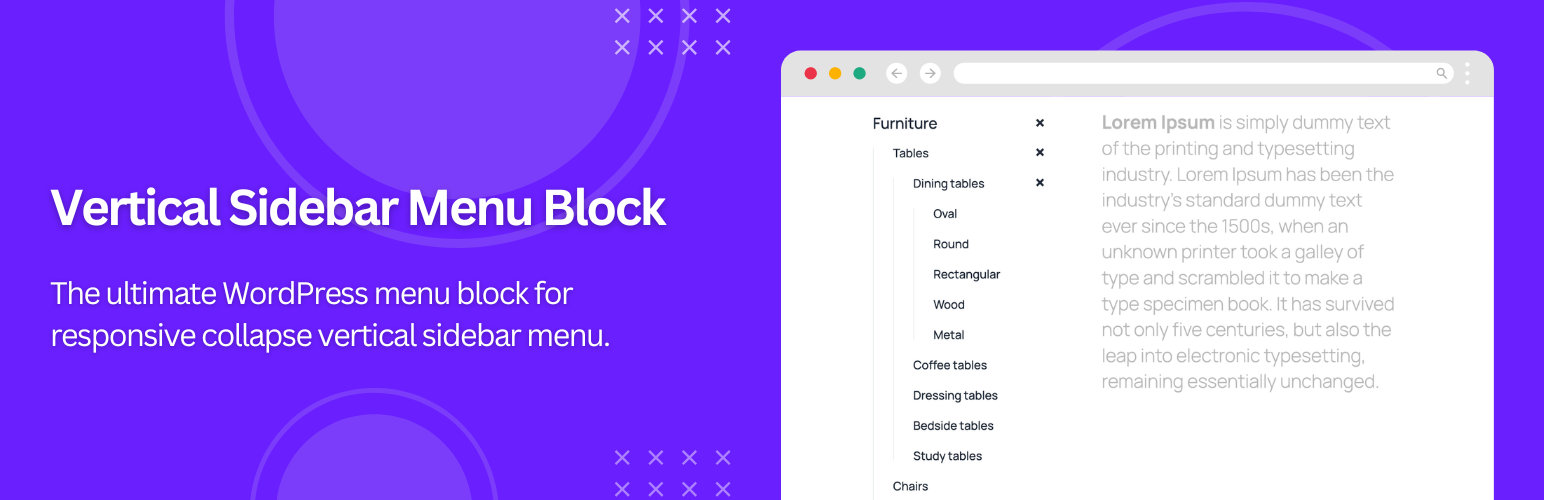
Vertical Menu Block for Sidebar Accordion Menu 是一款強大且靈活的 Gutenberg 外掛,讓您能夠為 WordPress 網站創建完全可自訂的垂直手風琴式選單,適用於側邊欄、導航面板及小工具區域,提升網站的導航結構與使用者體驗。
【主要功能】
• 選擇任何導航選單:輕鬆選擇並顯示現有的 WordPress 導航選單
• 菜單深度控制:定義顯示的子選單層級數量
• 手風琴式導航:子選單平滑展開與收合
• 自動展開當前選單項目:改善導航清晰度
• 持久展開狀態:頁面重新載入後保持選單展開
• 高級排版選項:自訂父子選單項目的字體樣式
外掛標籤
開發者團隊
② 後台搜尋「Vertical Menu Block for Sidebar Accordion Menu」→ 直接安裝(推薦)
原文外掛簡介
Vertical menu block is a powerful and flexible Gutenberg block plugin that allows you to create fully customizable vertical accordion menus for your WordPress website. Built specifically for the WordPress block editor, this vertical menu block is ideal for sidebars, navigation panels, and widget areas, helping you organize complex navigation structures in a clean and user-friendly way.
Using collapsible vertical sidebar menus improves overall site usability by allowing visitors to expand and collapse submenus only when needed. This approach saves valuable screen space, keeps layouts visually clean, and enhances readability—especially on mobile and tablet devices.
Designed with performance, accessibility, and flexibility in mind, the vertical menu block works seamlessly with the native Gutenberg editor and is compatible with all modern WordPress themes. Whether you’re building a blog, portfolio, business website, or WooCommerce store, this vertical menu block helps you deliver a professional, responsive, and accessible navigation experience across all devices.
Quick Links
👉 Upgrade to Pro: Explore all Features of Vertical Sidebar Menu Block
👉 Live Demo with Menu: Try Vertical Sidebar Menu Block Demo
👉 Live Demo with Product Categories: Try Vertical Sidebar Menu Block Demo
👉 Support: Support
Key Features
Select Any Navigation Menu: Easily choose and display any existing WordPress navigation menu.
Menu Depth Control: Define how many submenu levels to display for better structure and usability.
Accordion-Style Navigation: Submenus expand and collapse smoothly for a clean, organized look.
Auto-Expand Current Menu Item: Automatically expands the menu to reveal the current page for improved navigation clarity.
Persistent Expanded State: Keeps menu items expanded after page reloads, providing a consistent browsing experience.
Advanced Typography Options: Customize font family, size, and style separately for parent and child menu items.
Flexible Styling Controls: Adjust colors, backgrounds, spacing, and hover effects for parent, child, and active menu items.
Theme Compatibility: Works seamlessly with any modern WordPress theme and fully supports the Gutenberg block editor.
Dedicated Support: Receive expert assistance from a responsive support team whenever you need help.
Source Code and Development
This plugin uses wp-scripts which comes with modern build tools like Webpack and npm to generate production-ready files. The uncompressed source code is included in the plugin’s src/ directory for transparency and review. Developers can access the source code directly or contribute via the GitHub repository.
To build the plugin from source:
Install Node.js and npm.
Run npm install to install dependencies.
Use npm run build to compile the assets.
For more details, see the documentation in the WordPress developer resources:
WordPress Developer Resources – Get started with wp-scripts
For details, see the documentation in the GitHub repository:
GitHub – Vertical Sidebar Menu Block
Credits
This plugin includes a modified version of the Navgoco jQuery plugin by Tefra, which is licensed under the BSD-3-Clause License. Original library copyright © Tefra. The modified version complies with the BSD-3-Clause License.