外掛標籤
開發者團隊
原文外掛簡介
VelaLang lets WordPress sites become multilingual without creating duplicate pages.
This free version is focused on one primary language and one secondary language. It keeps the primary language in the normal WordPress title and editor, then stores the secondary language as extra fields on the same page or post. Visitors see the primary language at the normal URL and the secondary language at a clean prefixed URL.
Example:
/pricing/ shows the primary language.
/zh/pricing/ shows the secondary language from the same WordPress page.
Core ideas:
No duplicate pages.
One menu, two labels.
One Elementor Free widget, two text values.
No page linking.
No string scanning.
No complex translation database.
A small support surface by design.
Features
Choose common primary and secondary languages from presets.
Configure custom primary and secondary language names, codes, and locales.
Configure a secondary URL prefix such as /zh/, /ja/, /fr/, or /es/.
Warn about permalink and URL prefix conflicts before they become routing problems.
Add secondary title, excerpt, and content fields to posts and pages.
Highlight secondary-language fields clearly in Classic Editor, Block Editor, Elementor Free widgets, menus, widgets, and settings.
Show translation completion status in the post and page lists.
Add quick links to view the secondary-language version from post and page lists and editors.
Add admin bar shortcuts for switching between primary and secondary versions while reviewing content.
Translate the site title and tagline for the secondary language.
Show secondary content at the prefixed URL.
Add secondary labels to WordPress menu items.
Automatically rewrite internal menu links for the secondary language.
Automatically rewrite internal content links for the secondary language.
Set the secondary language html lang/dir attributes on secondary URLs.
Add secondary fields to common Elementor Free widgets, including text, links, images, maps, video URLs, icon lists, tabs, accordions, toggles, ratings, counters, progress bars, testimonials, social icons, and audio basics.
Add secondary title fields to classic WordPress widgets, plus secondary content fields for Text and Custom HTML widgets.
Output hreflang and x-default tags.
Add a language switcher with [velalang_switcher].
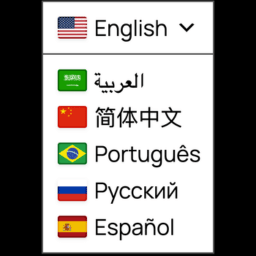
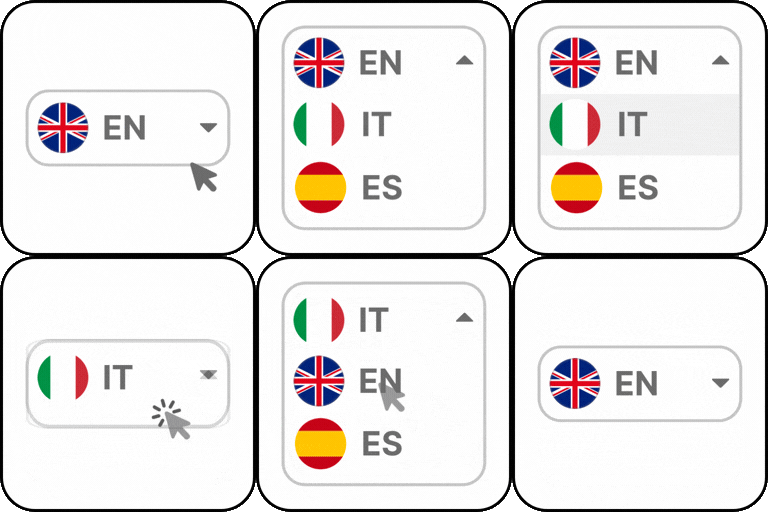
Choose a default switcher style: language names, language codes, dropdown, or globe button.
Place the switcher manually, as the last menu item, or as a fixed floating switcher.
Choose text, flags, or flags with text for the switcher.
Choose the floating switcher position.
Adjust floating switcher offsets and choose a preset floating style.
Includes a translation template and Simplified Chinese translation files.
Keeps settings and translated content when deleting the plugin unless cleanup is enabled.
Optionally redirect first-time homepage visitors based on browser language.
Supported Editors
VelaLang intentionally keeps a small support surface.
Supported in this version:
Classic Editor.
WordPress Block Editor, using the VelaLang secondary-language panel in the editor’s meta boxes area.
Elementor Free common widgets, including Heading, Text Editor, Text Path, Video, Button, Image, Image Carousel, Google Maps, Icon, Icon List, Icon Box, Image Box, Alert, Testimonial, Counter, Progress Bar, Star Rating, Social Icons, SoundCloud, Audio, Tabs, Accordion, and Toggle.
Classic WordPress widgets: secondary widget titles, plus secondary widget content for Text and Custom HTML widgets.
Not supported in this version:
Divi.
Bricks.
Beaver Builder.
WPBakery.
Oxygen.
More than two languages.
Elementor Pro widgets, Theme Builder, forms, loops, and advanced dynamic content.
Deep media-library attachment translation.
WooCommerce translation.
Language Switcher
Use the VelaLang shortcode:
[velalang_switcher]
The default style can be selected in VelaLang in the WordPress admin menu.
Shortcode examples:
[velalang_switcher style=”names”]
[velalang_switcher style=”codes”]
[velalang_switcher style=”dropdown”]
[velalang_switcher style=”globe”]
[velalang_switcher icon=”yes”]