內容簡介
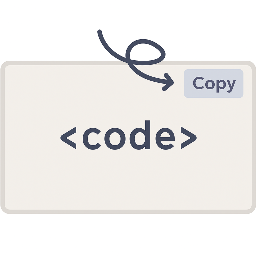
Vaaky Highlighter 是 WordPress 的免費、易於使用的語法高亮外掛程式。高亮功能是透過 Highlight.js JavaScript 語法高亮軟體實現,支援自動偵測語言且無需其他相依性。
只需添加 Vaaky Highlighter Sourcecode 區塊 (Gutenberg),並輸入要高亮顯示的程式碼,Vaaky Highlighter 就會自動處理其餘內容!
以下是 所有支援主題的展示頁面。
使用方式
於內容中新增 Vaaky Highlighter 區塊
輸入程式碼
選擇語言(選用)
儲存文章/頁面,檢查在前端顯示的效果
支援語言
Apache
Bash
C
C#
C++
CSS
DNS Zone file
DOS
Django
Dockerfile
Go
HTML
XML
Handlebars
JSON
Java
JavaScript
Markdown
Nginx
Objective C
PHP
Plaintext
PostgreSQL & PL/pgSQL
PowerShell
Python
R
Ruby
Rust
SCSS
SQL/MySQL
Shell
Twig
TypeScript
YAML/YML
外掛標籤
開發者團隊
② 後台搜尋「Vaaky Highlighter — Syntax Highlighter, Code Blocks, Line Numbers for Gutenberg」→ 直接安裝(推薦)
原文外掛簡介
Vaaky Highlighter is a lightweight syntax highlighter plugin for the WordPress Gutenberg editor. Add beautiful code blocks with line numbers, a copy-to-clipboard button, optional filename label, automatic language detection, and 35+ themes. Powered by Highlight.js — a fast, dependency-free alternative to Prism.
Syntax highlighting is powered by Highlight.js, a fast and dependency-free JavaScript library that supports multiple programming languages and themes.
Vaaky Highlighter is ideal for developers, bloggers, technical writers, and documentation sites who want elegant syntax-highlighted code without unnecessary bloat.
Using it is simple: add the Vaaky Highlighter Sourcecode block in Gutenberg, paste your code, and publish — the plugin handles everything automatically.
View the live demo of all supported themes:
Demo Page
What’s new in 1.2.0
Line numbers for code blocks
Floating copy-to-clipboard button on every block
Optional filename label (renders as a tab above the code)
Word-wrap toggle per block + global default
Visual theme picker (no more guessing from a dropdown)
Modernized build using @wordpress/scripts
Drops PHP 5.6 / WordPress 6.0 support — now requires PHP 7.4 / WordPress 6.5
Usage
Add the Vaaky Highlighter block in the Gutenberg editor
Paste or write your code
Select a language (optional)
Save and view your page on the frontend
Supported Languages
Apache
Bash
C
C#
C++
CSS
DNS Zone file
DOS
Django
Dockerfile
Go
HTML / XML
Handlebars
JSON
Java
JavaScript
Markdown
Nginx
Objective-C
PHP
Plaintext
PostgreSQL & PL/pgSQL
PowerShell
Python
R
Ruby
Rust
SCSS
SQL / MySQL
Shell
Twig
TypeScript
YAML / YML