內容簡介
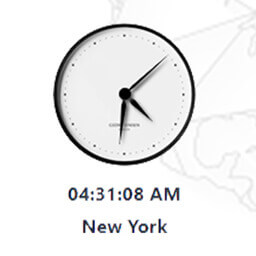
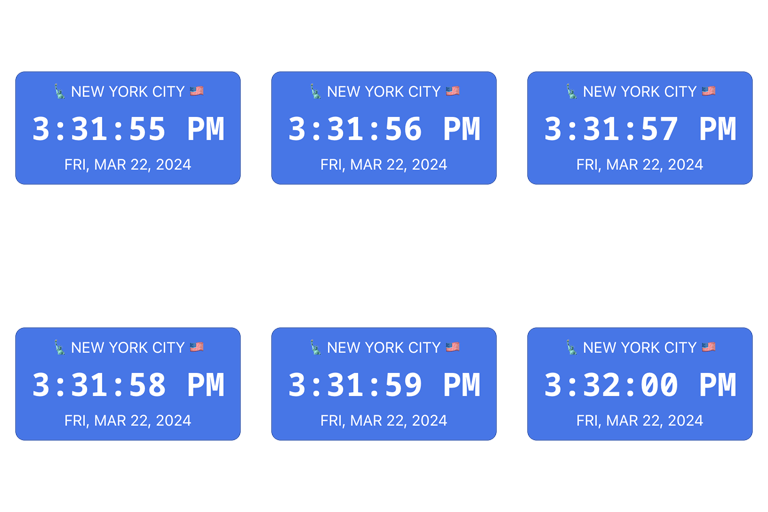
使用簡單的短碼,即可在文章或頁面上創建數字實時世界時鐘。可自定義時鐘顯示所選地點的名稱和當前時間。
即使使用者的電腦時鐘不準,時鐘也會顯示當前時間。
自動調整夏令時
支援主要時區
自定義且易於使用的短碼
快速入手指南
在文章或頁面上的任何位置放入以下短碼,即可創建格林威治標準時間/GMT/UTC時鐘:
[worldtime]
使用“places”參數來指定時鐘所在的時區:
[worldtime places="Paris"]
列出以逗號分隔的幾個地點。這會在堆疊中創建多個世界時鐘(目前最多6個)
[worldtime places="Rome, New York"]
地點的名稱必須完全匹配列表中的名稱。有關所有地點的完整列表,請訪問
http://www.utechworld.com/locations/
請注意,目前在堆疊中只支援最多6個時鐘。此外,請限制每頁總時鐘數量為6,詳情請見下文。
這個版本的完整參數列表
places
列出逗號分隔的城鎮清單
base_color
背景色,例如base_color = fff
表示白色
base_font_color
位置字體顏色,例如base_color = 000
表示黑色
base_font_size
位置字體大小
clock_color
時間背景色
clock_font_color
時間字體顏色
clock_font_size
時間字體大小
gap
堆疊中每個時鐘之間的間隔(以像素為單位)
width
覆蓋像素中的寬度
sec
如果設為0,將隱藏秒數,例如,sec = 0
還有什麼需要知道的
此外採用TimeAndDate.com提供的服務,並且因其友好同意而帶給您此外掛。
TimeAndDate的使用條件規定每頁最多6個時鐘。將來此限制將被取消,但現在重要的是要遵守它,因為每個時鐘都會創建與其服務器(和我們的服務器)的連接。如果使用超過兩個時鐘,TimeAndDate還需要單獨的鏈接到其站點。
外掛標籤
開發者團隊
原文外掛簡介
Creates digital real time world clocks on your posts or pages using simple shortcode. The customizable clocks show the name and current time of the location of your choice.
The clocks display the current time, even if the user’s computer clock is wrong.
Automatic adjustment for Daylight Saving Time
All major time zones supported
Customizable and easy to use with shortcode
Quick Start
Put the following shortcode anywhere on your post or page to create a GMT/UTC clock:
[worldtime]
Use the ‘places’ parameter to specify the clock’s time zone:
[worldtime places="Paris"]
List several places separated by a comma. This will create multiple world clocks in a stack (currently maximum 6)
[worldtime places="Rome, New York"]
The name of the location has to match exactly with a name in the list of the locations. For a complete list of all locations visit
http://www.utechworld.com/locations/
Please note currently there are only up to 6 clocks supported in a stack. Also please limit the total number of clocks per page to 6, see below for further details.
Complete list of parameters of this version
places
takes a list of comma separated towns
base_color
background color e.g. base_color=fff
for white
base_font_color
location font color e.g. base_color=000
for black
base_font_size
location font size
clock_color
time background color
clock_font_color
clock font color
clock_font_size
clock font size
gap
space (in pixels) between individual clocks in a stack
width
overrides width in pixels
sec
will hide seconds if set to 0, e.g. sec=0
What else you need to know
This plugin utilizes services provided by TimeAndDate.com and is brought to you with their friendly permission.
TimeAndDate’s condition of use stipulates a maximum of 6 clocks per page. In future this limit will be removed however for now it is important to stick to it as each clock creates a connection to their server (and ours). TimeAndDate also requires a separate link to their site if more than two clocks are used.