內容簡介
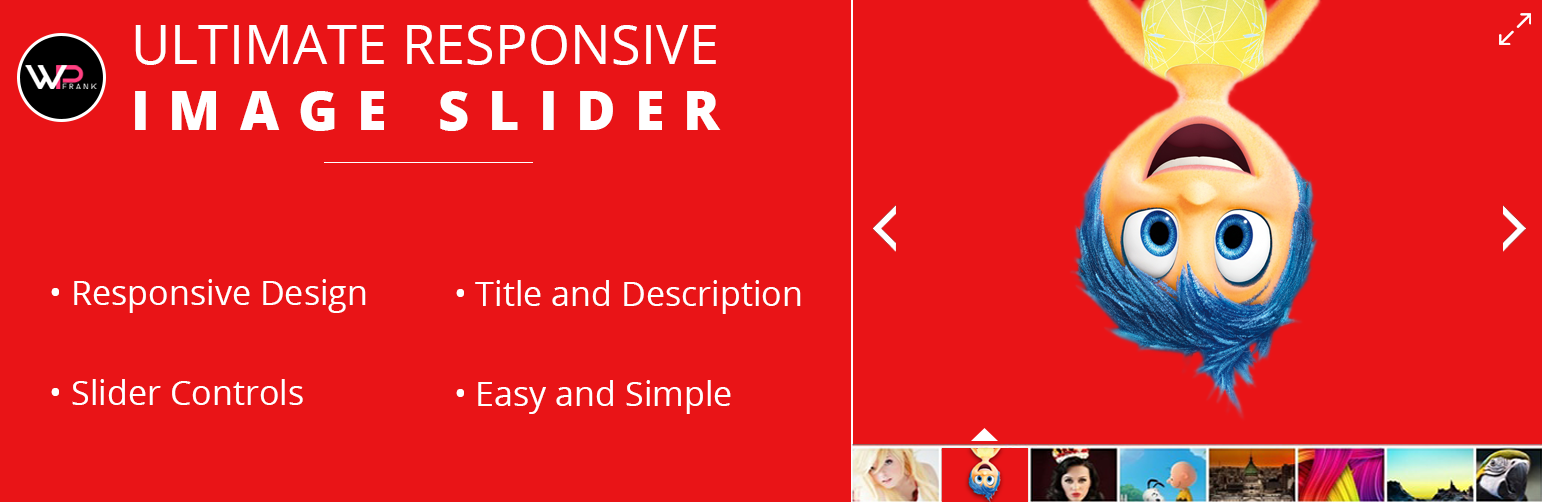
終極響應式圖片滑動模組是一款專為 WordPress 博客用戶設計的圖片滑動模組。使用多圖片上傳器,您可以在單個滑動模組中添加無限圖片幻燈片。您可以在您的博客上發布無限制的滑動模組。此模組創建的圖片庫為您的網站提供了美麗的氛圍。
如何在網站上添加滑動模組?
響應式滑動模組具有各種設置,例如可自定義的高度和寬度、自動播放滑動幻燈片、滑動縮略圖、導航按鈕等等。您可以個別配置每個圖片滑動庫的設置,並根據您的需求調整設置。您可以將滑動模組顯示在頁面或文章內容中。
如何使用[URIS id = 123]shortcode?
複製並粘貼[URIS id = 123] shortcode,您可以在 WordPress 網站上的任何頁面或文章上發布此響應式圖片滑動模組。
免費模組的特點:
完全響應式滑動模組
它可以充分適應任何屏幕尺寸或設備分辨率。
多圖片上傳器
您可以在同一時間在您的網站上上傳多張圖片。
將無限制的圖片幻燈片添加到單個滑動模組中
添加無限數量的圖片到單個滑動模組,以占用更少的空間來獲得更好的可見性。
在單個頁面/文章中顯示多個滑動模組
您可以在單個頁面或文章上放置任意數量的滑動模組。
圖片滑動模組設置面板
整潔清晰的管理面板,可配置您的響應式圖片滑動模組。
啟用/停用滑動模組標題
按照您的要求顯示或隱藏圖片滑動模組標題。
啟用/停用幻燈片說明
決定您是否要在幻燈片上顯示或隱藏說明文字。
支援 SEO 的滑動模組
您可以設置每個幻燈片圖片的 alt 標籤,使幻燈片和網站圖片真正支援 SEO。
啟用/停用導航點
在您的照片庫圖片上顯示或隱藏導航點。
啟用/停用幻燈片縮略圖
為您的幻燈片顯示或隱藏預覽圖像(縮略圖)。
定制縮略圖位置(新)
將您的縮略圖位置放在您的圖庫上方或下方。
自定義縮略圖寬度和高度(新)
為您的縮略圖指定特定的寬度或高度。
自動高度選項(新)
圖片滑動模組將自動適應圖像的大小。
標籤和描述文字顏色設定(新)
根據您的需要提供獨特的字體顏色或背景顏色。
新增字體樣式(新)
為您現有的字體提供時尚的字體樣式。
自定義滑動模組距離(新)
決定兩個圖像幻燈片之間適當的距離。
幻燈片縮放模式(New)
根據您的大小要求縮放所有圖像。
滑動模組順序 - 遞增、遞減和隨機(新)
從哪個序列開始選擇您的第一個幻燈片圖片。
複製滑動模組
您可以輕鬆地通過點擊克隆滑動模組按鈕,製作先前創建的滑動模組的多個副本。
支援所有主要和最新瀏覽器(IE、Chrome、Firefox)
響應式圖片滑動模組與所有主要互聯網瀏覽器兼容。
所有主要設備支持
外掛標籤
開發者團隊
② 後台搜尋「Ultimate Responsive Image Slider」→ 直接安裝(推薦)
📦 歷史版本下載
原文外掛簡介
Transform your WordPress website with beautiful, professional image sliders that captivate your visitors and boost engagement!
Ultimate Slider is the most user-friendly and powerful WordPress image slider plugin that helps you create stunning, responsive sliders in minutes – no coding required! Whether you’re showcasing products, portfolios, testimonials, or hero banners, Ultimate Slider makes it effortless.
Trusted by 1.5+ million downloads and rated 4.5 stars by 246+ users, Ultimate Slider is the go-to solution for WordPress users who want professional results without the complexity.
🚀 Why 100,000+ Websites Choose Ultimate Slider
Perfect for:
✓ E-commerce Stores – Showcase products with eye-catching image carousels
✓ Photographers & Artists – Display portfolios in stunning photo galleries
✓ Business Websites – Create professional hero banners and promotional sliders
✓ Bloggers – Highlight featured posts with engaging image sliders
✓ Real Estate – Present property listings with beautiful image galleries
✓ Agencies – Impress clients with modern, responsive sliders
⚡ Key Features That Make Ultimate Slider Stand Out
🎨 Easy to Use – No Coding Required
– Drag-and-Drop Builder – Reorder slides effortlessly with intuitive interface
– WordPress Media Library Integration – Upload images directly from your media library
– One-Click Shortcode – Copy and paste shortcode anywhere on your site
– Live Preview – See changes in real-time before publishing
– Beginner-Friendly – Get started in under 5 minutes with our video tutorial
📱 100% Responsive & Mobile-Optimized
– Automatically adapts to all screen sizes (desktop, tablet, mobile)
– Touch-enabled swipe navigation for mobile devices
– Retina-ready for crystal-clear images on high-resolution displays
– Optimized for Core Web Vitals and page speed
🎯 Unlimited Creative Freedom
– Unlimited Sliders – Create as many sliders as you need
– Unlimited Slides – Add unlimited images to each slider
– Custom Dimensions – Set custom width and height for any layout
– Flexible Placement – Use in posts, pages, widgets, or theme templates
⚙️ Powerful Customization Options
– Transition Effects – Choose between Fade or Slide animations
– Auto-Play Control – Enable/disable automatic slideshow
– Adjustable Speed – Control slide transition timing (1-60 seconds)
– Navigation Styles – Arrows, bullets, thumbnails, or combination
– Thumbnail Navigation – Display clickable thumbnail previews
– Custom Colors – Customize navigation colors to match your brand
– Font Options – Choose from multiple font families
– Slide Ordering – Display slides in ascending or descending order
🎬 Advanced Slide Features
– Image Titles & Descriptions – Add text overlays to slides
– Alt Text Support – Improve SEO and accessibility
– Custom Links – Make slides clickable (Pro version)
– Rich Text Editor – Format descriptions with advanced styling
– Lazy Loading – Optimize performance with lazy image loading
🔧 Developer-Friendly
– Clean, semantic HTML5 code
– Custom CSS support for advanced styling
– PHP shortcode for theme integration:
– Widget support for sidebar sliders
– Translation-ready with .pot file included
🌍 Multilingual & Translation Ready
Available in 15+ languages including:
Arabic, Chinese, Dutch, Finnish, French, German, Hindi, Hungarian, Indonesian, Italian, Japanese, Polish, Portuguese, Russian, Spanish
Easily translate to any language using .pot file
⚡ Performance Optimized
– Lightweight code (minimal impact on page load speed)
– Optimized for Google Core Web Vitals
– Lazy loading support for faster initial page load
– Clean, efficient JavaScript and CSS
– No jQuery conflicts with other plugins
🔒 Secure & Well-Maintained
– Regular security updates and vulnerability patches
– Compatible with latest WordPress versions
– Follows WordPress coding standards
– Active support and development
🎯 Perfect Use Cases
1. Hero Banners & Headers
Create stunning full-width hero sliders that grab attention and showcase your best content above the fold.
2. Product Showcases
Display your products, services, or offerings in an engaging carousel that encourages clicks and conversions.
3. Portfolio Galleries
Showcase your work, projects, or case studies in a professional, visually appealing format.
4. Testimonial Sliders
Build trust by rotating customer testimonials and reviews in an attractive slider.
5. Before/After Galleries
Perfect for showing transformations, renovations, or progress with side-by-side comparisons.
6. Featured Content
Highlight your best blog posts, news, or announcements in a rotating slider.
📊 How to Create Your First Slider in 3 Easy Steps
Step 1: Install and activate Ultimate Slider
Step 2: Go to “Ultimate Slider” in your WordPress dashboard, create a new slider, and upload images
Step 3: Copy the shortcode [URIS id=123] and paste it into any page, post, or widget
That’s it! Your beautiful responsive slider is live.
🎁 Free vs Pro Version
Free Version Includes:
✓ Unlimited sliders and slides
✓ Responsive design
✓ Drag-and-drop interface
✓ 2 transition effects (Fade & Slide)
✓ Navigation arrows and bullets
✓ Thumbnail navigation
✓ Auto-play with adjustable speed
✓ Custom dimensions
✓ Image titles and descriptions
✓ Color customization
✓ SEO-friendly alt text
Upgrade to Pro for Premium Features:
✓ 5 Elegant Design Layouts – Choose from multiple professional templates
✓ Advanced Transition Effects – 10+ stunning animation styles
✓ Clickable Slides – Add custom links to any slide
✓ 2 Lightbox Styles – Open images in beautiful lightbox popups
✓ 500+ Google Fonts – Complete typography control
✓ Advanced Slide Ordering – Multiple sorting options
✓ Priority Support – Get help from our expert team
✓ Regular Updates – New features added frequently
View Pro Demo | Upgrade to Pro
💬 What Users Are Saying
“The easiest slider plugin I’ve ever used. Works perfectly out of the box!” – ⭐⭐⭐⭐⭐
“Lightweight and fast. Doesn’t slow down my website like other slider plugins.” – ⭐⭐⭐⭐⭐
“Great support team! They helped me customize the slider exactly how I wanted.” – ⭐⭐⭐⭐⭐
🆘 Need Help?
Documentation – Comprehensive guides and tutorials
Video Tutorial – Step-by-step video walkthrough
Support Forum – Get help from our community
Contact Us – Direct support for Pro users
🔥 Get Started Today!
Join thousands of satisfied users who have transformed their websites with Ultimate Slider. Download now and create your first stunning slider in minutes!
🌟 Language Translation Contributors
Hindi by Faraz Khan
Spanish by Kane Martin
Want to contribute a translation? Contact us through the support forum!
Additional Information
Plugin Support & Resources
Live Demo – See the Pro version in action
Documentation – Detailed guides and tutorials
Video Tutorial – Step-by-step video guide
Support Forum – Community support
Pro Version – Upgrade to unlock premium features
Why Choose Ultimate Slider?
With over 1.5 million downloads and a 4.5-star rating, Ultimate Slider has become the trusted choice for WordPress users worldwide. Whether you’re a beginner or an experienced developer, our plugin offers the perfect balance of simplicity and power.
Key Advantages:
– No coding skills required
– Works with any WordPress theme
– Compatible with all major page builders
– Regular updates and security patches
– Active development and support
– Lightweight and fast
– SEO-optimized
– Mobile-responsive
– Translation-ready
Perfect For:
– Business websites
– E-commerce stores
– Photography portfolios
– Real estate listings
– Blog featured posts
– Product showcases
– Testimonial displays
– Before/after galleries
– Event promotions
– And much more!
Get Started in Minutes
Install the plugin
Create your first slider
Add images
Customize settings
Copy shortcode
Paste anywhere on your site
It’s that simple!
Need More Features?
Upgrade to Ultimate Slider Pro for:
– 5 professional design layouts
– Advanced animation effects
– Clickable slides with custom URLs
– Lightbox integration
– 500+ Google Fonts
– Priority support
– And much more!
View Pro Demo | Upgrade Now
Join Our Community
Stay updated with the latest features, tips, and updates:
– Follow us on social media
– Subscribe to our newsletter
– Join our support forum
– Watch our video tutorials
We Value Your Feedback
If you love Ultimate Slider, please leave us a 5-star review. Your feedback helps us improve and helps other users discover our plugin.
If you encounter any issues or have suggestions, please don’t hesitate to contact us through our support forum. We’re here to help!
Thank you for choosing Ultimate Slider!