內容簡介
TrackWith Dicloud 是一款以隱私為首的分析外掛,專為希望獲得可行見解的網站擁有者設計,無需依賴侵入性追蹤或侵犯用戶信任。此外掛符合 GDPR 和 CCPA 規範,確保訪客隱私受到保護。
【主要功能】
• 實時訪客追蹤
• 頁面瀏覽與獨立訪客統計
• 目標追蹤與轉換測量
• 使用者旅程追蹤
• 點擊熱圖與滾動追蹤
外掛標籤
開發者團隊
② 後台搜尋「TrackWith Dicloud – Privacy-First Analytics for WordPress」→ 直接安裝(推薦)
原文外掛簡介
Track smarter. Respect privacy. Stay compliant.
TrackWith for WordPress is a modern, privacy-first analytics plugin built for website owners who want actionable insights without relying on invasive tracking or violating user trust.
Unlike traditional analytics tools that collect excessive personal data, TrackWith is designed from the ground up to be GDPR & CCPA compliant, ensuring your visitors’ privacy is always protected.
Whether you’re running a blog, SaaS, e-commerce site, or corporate website, TrackWith helps you understand your audience while keeping your data practices clean and ethical.
Why Choose TrackWith?
Most analytics tools force you to choose between insight vs privacy. TrackWith gives you both.
✅ No personally identifiable information (PII) collected
✅ EU-based data processing (privacy-friendly jurisdiction)
✅ Fully compliant with GDPR & CCPA
✅ No cookies required (depending on setup)
✅ Lightweight & performance-friendly
You get powerful analytics without legal headaches or slowing down your site.
📊 Powerful Analytics, Made Simple
TrackWith gives you everything you need to understand your visitors:
Real-time visitor tracking
Page views & unique visitors
Traffic trends & behavior insights
Top pages & performance metrics
Referrer and source tracking
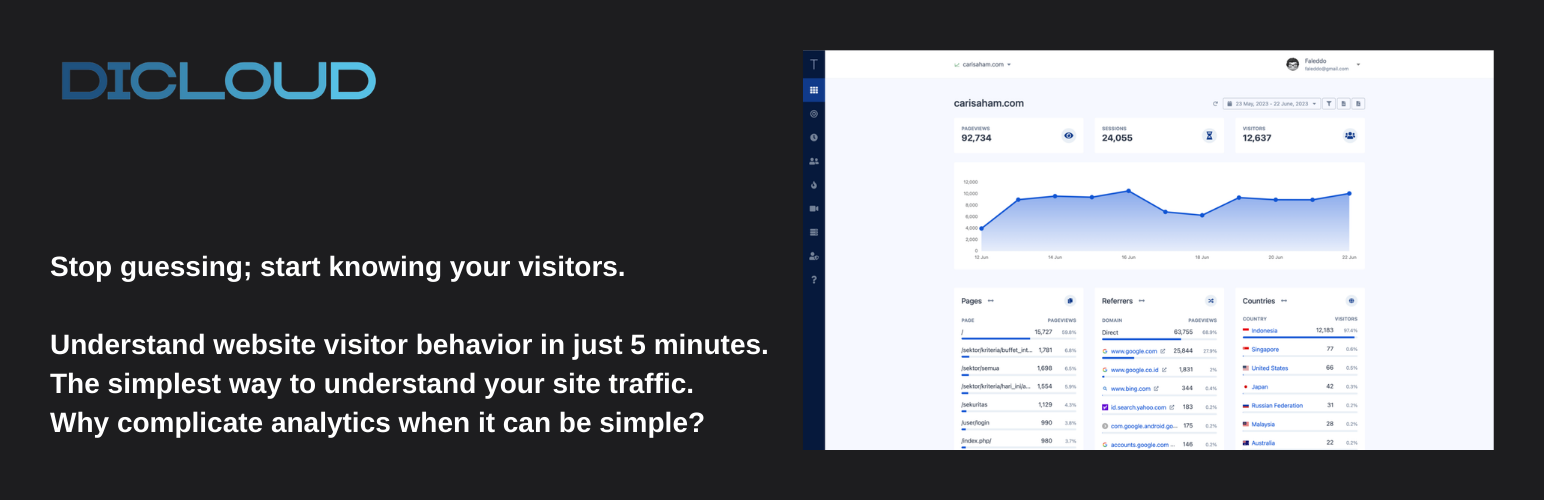
All presented in a clean, easy-to-understand dashboard. No data overload, just actionable insights.
🔥 Advanced Behavior Tracking
Go beyond basic analytics and understand how users actually interact with your site:
Session Replay
Watch real visitor sessions to see exactly how users navigate your site
User Journey Tracking
Understand paths visitors take before converting or leaving
Goals Tracking
Measure conversions and key actions that matter to your business
🗺️ Visual Insights with Heatmaps
See what your users see.
Click heatmaps
Scroll tracking
Engagement hotspots
Understand which parts of your website actually drive interaction and which parts get ignored.
⚡ Built for Performance
TrackWith is designed to be:
Lightweight
Fast-loading
Minimal impact on Core Web Vitals
No bloated scripts. No unnecessary overhead.
🔐 Privacy by Design
Privacy isn’t an afterthought, it’s the foundation. TrackWith ensures:
No personal data collection
No invasive fingerprinting
Transparent data processing
Secure data handling
This makes it ideal for businesses operating in regions with strict data regulations.
Easy Setup, No Coding Required
Get started in minutes:
Install the plugin
Connect your TrackWith account
Start tracking instantly
No complex configuration. No developer needed.
Built for Modern Web & Compliance
TrackWith is perfect for:
GDPR-conscious businesses
Privacy-first SaaS founders
Agencies managing client websites
Anyone moving away from Google Analytics
Free & Scalable
Start for free and upgrade as your needs grow.
Main Features
Privacy-first analytics (no PII collected)
GDPR & CCPA compliant tracking
One-click integration
EU-based data storage
Real-time visitor analytics
Session replay
Heatmaps (click & scroll tracking)
Goals & conversion tracking
Lightweight & fast performance
Clean and intuitive dashboard
Third-Party Services
This plugin integrates with TrackWith Dicloud, a third-party analytics service. The plugin sends visitor data to TrackWith’s servers to provide analytics functionality.
Service Information:
* Service Provider: TrackWith Dicloud (https://trackwith.dicloud.net)
* Data Processing: Visitor analytics and tracking data
* Service Terms: https://dicloud.net/terms/
* Privacy Policy: https://dicloud.net/privacy/
Data Transmission:
This plugin transmits visitor analytics data to TrackWith Dicloud servers to provide website analytics functionality. The data includes page views, visitor sessions, and other analytics metrics. No personally identifiable information is collected or transmitted.
Service Requirements:
A TrackWith Dicloud account and API key are required to use this plugin.