內容簡介
<html>
<body>
<h3>標題:TixFox - 最具平價的 WordPress 活動售票外掛</h3>
<p>
TixFox 是在您的 WordPress 網站上銷售活動票的最平價方式。透過每張票僅 $0.39 的固定費用(無佔收入比例)、即時轉帳至您的銀行帳戶,TixFox 協助活動籌辦者保留更多的票務收入。
</p>
<h4>為何選擇 TixFox 而非其他售票外掛?</h4>
<ul>
<li>最低費率:每張票僅 $0.39,其他平台收取 3-5% + 費用</li>
<li>即時轉帳:透過 Stripe 立即收款,而非活動結束後數週</li>
<li>無月費:僅在售出票券時支付費用</li>
<li>保留座位:免費包含(競爭對手需額外付費)</li>
<li>完整品牌塑造:您的顏色、標誌、活動頁面</li>
</ul>
<h4>主要功能</h4>
<ul>
<li>活動按鈕模組:加入可自訂的「購票」按鈕,附購物車圖示、自訂顏色和風格</li>
<li>活動嵌入模組:透過 iframe 嵌入完整的活動細節和購票表單</li>
<li>區塊編輯器整合:在 WordPress 區塊編輯器(Gutenberg)中有簡單的拖放介面</li>
<li>可自訂外觀:調整顏色、按鈕大小、邊界半徑和圖示可見性</li>
<li>基於對話方塊的購票:按下按鈕即可順暢購票體驗</li>
<li>活動管理:瀏覽並選擇即時、預計和過往活動</li>
<li>支援手機回應式設計:乾淨、具回應性的區塊,適用於各種裝置</li>
<li>UTM 參數支援:自動追蹤參數傳遞,用於行銷分析</li>
<li>QR 碼入場檢查:免費的手機應用程式,用於在入口處掃描入場券</li>
</ul>
<h4>適用對象</h4>
<ul>
<li>會議與研討會:專業註冊,具備多種票種</li>
<li>工作坊與課程:易於設定的定期活動</li>
<li>籌款活動與晚宴:以最低費用最大化捐款</li>
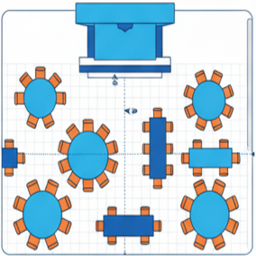
<li>音樂會與音樂節:保留座位和大宗銷售</li>
<li>社區活動:易於設定,適合志願者和籌備人員</li>
<li>企業活動:自訂品牌和專業形象</li>
</ul>
</body>
</html>
外掛標籤
開發者團隊
原文外掛簡介
TixFox is the most affordable way to sell event tickets on your WordPress site. With a flat $0.39 per ticket fee (no percentage cuts) and instant payouts to your bank account, TixFox helps event organizers keep more of their ticket revenue.
Perfect for conferences, workshops, fundraisers, concerts, festivals, and community events. No monthly fees, no hidden charges—just simple, low-cost ticketing that works seamlessly with the WordPress block editor.
Why Choose TixFox Over Other Ticketing Plugins?
Lowest Fees: Flat $0.39 per ticket vs 3-5% + fees on other platforms
Instant Payouts: Get paid immediately via Stripe, not weeks after your event
No Monthly Fees: Pay only when you sell tickets
Reserved Seating: Included free (costs extra on competitors)
Full Branding: Your colors, your logo, your event pages
Key Features
Event Button Block: Add customizable “Buy Tickets” buttons with cart icons, custom colors, and styles
Event Embed Block: Embed complete event details and ticket purchasing forms via iframe
Block Editor Integration: Simple drag-and-drop interface in the WordPress block editor (Gutenberg)
Customizable Appearance: Adjust colors, button sizes, border radius, and icon visibility
Modal-Based Purchasing: Smooth modal experience for ticket purchases on button click
Event Management: Browse and select from live, upcoming, and past events
Mobile-Responsive Design: Clean, responsive blocks that look great on all devices
UTM Parameter Support: Automatic tracking parameter pass-through for marketing analytics
QR Code Check-In: Free mobile app for scanning tickets at the door
Perfect For
Conferences & Seminars: Professional registration with multiple ticket types
Workshops & Classes: Recurring events with simple setup
Fundraisers & Galas: Maximize donations with lowest fees
Concerts & Festivals: Reserved seating and high-volume sales
Community Events: Easy setup for volunteers and organizers
Corporate Events: Custom branding and professional appearance
How It Works
Create a free account at TixFox.co and set up your event
Connect your TixFox account via API key in Settings → TixFox
Add TixFox blocks to any post or page using the block editor
Select an event from your TixFox account
Customize the appearance (colors, size, icons)
Visitors can purchase tickets directly from your WordPress site
Get paid instantly via Stripe—no waiting until after your event
External Services
This plugin connects to the external TixFox API (https://tixfox.co) to function. Here’s how it’s used:
Service Used: TixFox
API Endpoint Base: https://api.tixfox.co/api/
Embed URL Base: https://tixfox.co/embed/e/
Purpose: The TixFox API is used to:
Fetch your events to select from within the block editor
Verify your API key for authentication
Display event details and ticket purchasing interface on the frontend
Data Sent:
API Key: Your TixFox API key (obtained from tixfox.co) is sent with API requests for authentication
Event Selection: When selecting events in the editor, event data is fetched from the API
UTM Parameters: Marketing tracking parameters from the page URL are automatically passed to the TixFox embed
Frequency: API calls occur when:
Loading the block editor for TixFox blocks (fetching events list)
Loading the plugin settings page (verifying API key)
Rendering TixFox blocks on the frontend (loading event embed iframes)
Terms and Privacy: Use of the TixFox service is subject to their Terms of Service and Privacy Policy.
Terms of Service: https://tixfox.co/legal/terms
Privacy Policy: https://tixfox.co/legal/privacy
An active TixFox account and API key are required for this plugin to fetch event data and enable ticket purchasing.
By using this plugin, you agree to the terms and privacy policy of TixFox. A TixFox account and API key are required for the plugin to function.
Third Party Services Tracking
This plugin does not track any user data or include any tracking mechanisms. All event and ticket data is managed through your TixFox account.